Introduction
Integrated circuits (ICs) power many devices we use every day. These include phones, computers, cars, smart TVs, and medical equipment.
But designing a chip takes careful planning and testing. Even a small design error can cause major problems. It can also increase costs and delay product launches.
That is why engineers use IC design and verification tools. These tools help them create, test, check, and improve chip designs before manufacturing.
Some tools focus on simulation. Others check design rules, prove circuit behavior, or test complete systems. Open-source tools also give students and developers useful options.
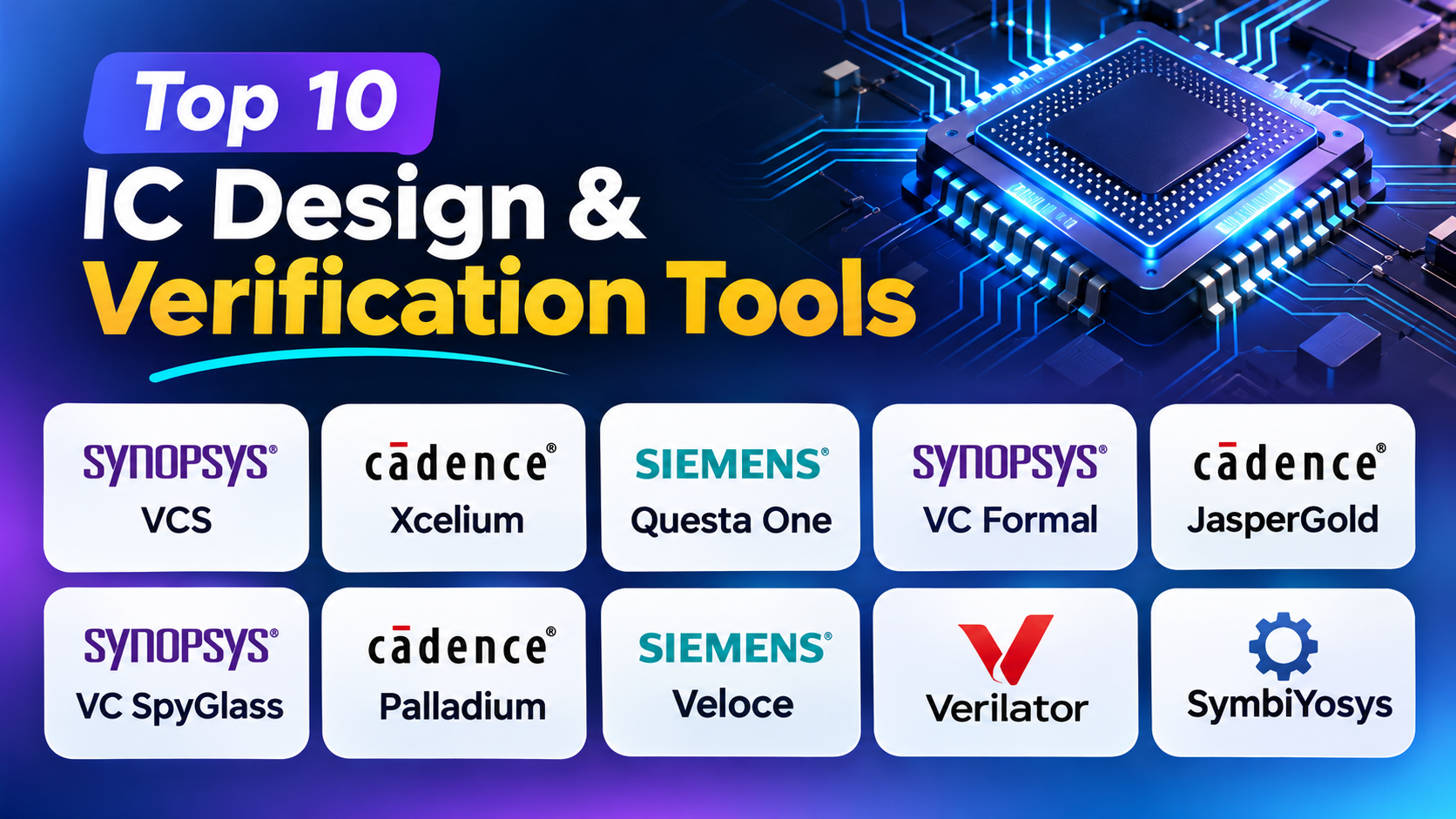
In this guide, we explore ten popular IC design and verification tools. You will learn how each tool works, its main features, advantages, and limits.
What Are IC Design and Verification Tools?
IC design and verification tools help engineers develop digital chips. They support different stages of the chip design process.
Engineers first create a design using hardware description languages. These include Verilog, SystemVerilog, and VHDL.
Next, they test the design with different inputs. They also check its logic, signals, timing, and behavior.
Verification tools help find errors before chip manufacturing. This step matters because fixing a design after manufacturing can cost much more.
Common types of IC verification tools include:
- Simulation tools: Run tests to check how a chip behaves.
- Formal verification tools: Use mathematical methods to check design rules.
- Static analysis tools: Check design code without running a simulation.
- Hardware emulation tools: Run large chip designs on special hardware.
- Open-source tools: Give users flexible options for simulation and verification.
Top 10 IC Design and Verification Tools
1. Synopsys VCS
Best for: Digital chip simulation and functional verification.
Synopsys VCS is a powerful tool for digital chip simulation. It helps engineers test a chip before manufacturing.
Chip designers write their designs using hardware languages. These include Verilog, SystemVerilog, and VHDL. VCS reads the design and runs tests to check its behavior.
Engineers create testbenches to provide different inputs. A testbench is a program that tests a hardware design. It checks whether the circuit gives the expected results.
For example, engineers may design a processor that adds two numbers. They can use VCS to test many number combinations. They can also check how the processor handles unusual values.
VCS supports Universal Verification Methodology (UVM). UVM helps engineers build reusable test environments. This saves time when teams test large designs.
Another useful feature is coverage analysis. Coverage reports show which parts of the design tests have reached. Engineers can use these reports to find areas that need more testing.
VCS also supports multicore simulation. This helps teams use several processor cores during large test runs. Its debug features also help engineers study failed tests.
Key Features
- Verilog, SystemVerilog, and VHDL support.
- UVM-based verification.
- Digital logic simulation.
- Code and functional coverage.
- Multicore simulation.
- Testbench analysis.
- Low-power verification support.
- Debug tool integration.
- Support for large chip designs.
Pros
- Handles complex digital chip designs.
- Supports widely used hardware languages.
- Provides detailed coverage reports.
- Supports reusable test environments.
- Helps teams manage large testing tasks.
- Works with other Synopsys tools.
Cons
- Commercial licenses can be expensive.
- Large simulations need strong computers.
- Engineers need good testbench skills.
- Initial setup may take time.
Best Suited For: Semiconductor companies, processor developers, and teams that test large digital chips.
2. Cadence Xcelium
Best for: Functional simulation and digital design verification.
Cadence Xcelium is a simulation platform for digital chip designs. It helps engineers check how circuits respond to different inputs.
A chip contains many connected blocks. These blocks must work together without errors. Xcelium helps engineers test these blocks before building the physical chip.
The software supports Verilog, SystemVerilog, and VHDL. It also supports UVM-based verification. This lets teams create structured test environments for complex designs.
Engineers can use Xcelium to test processors, memory controllers, and communication blocks. They can run many test cases and study the results.
Xcelium also supports functional and code coverage. Code coverage shows which parts of the design have run. Functional coverage checks whether tests have covered important design situations.
Its debugging features help engineers study failed tests. They can inspect signals and waveforms to understand what happened inside the circuit.
Xcelium also fits into wider Cadence design workflows. Teams can use it with other tools for deeper analysis and testing.
Key Features
- Verilog and SystemVerilog simulation.
- VHDL and mixed-language support.
- UVM-based test environments.
- Functional and code coverage.
- Assertion-based verification.
- Multicore simulation.
- Waveform debugging.
- Support for large designs.
- Integration with other Cadence tools.
Pros
- Supports different hardware languages.
- Handles complex digital circuits.
- Provides useful coverage features.
- Supports structured verification methods.
- Helps engineers find logic errors.
- Fits into wider chip development workflows.
Cons
- Requires a commercial license.
- Large projects may need powerful computers.
- New users may need training.
- Complex test environments need careful planning.
Best Suited For: Digital chip designers, semiconductor companies, and verification teams working on ASIC and system-on-chip projects.
3. Siemens Questa One
Best for: Simulation, formal verification, and design debugging.
Siemens Questa One is a verification platform for complex digital chip designs. It brings different verification methods into one wider engineering workflow.
Its simulation tools help engineers test circuit behavior. They can create test cases, provide input signals, and check the output.
Questa One supports common hardware languages. These include Verilog, SystemVerilog, VHDL, and SystemC. It also supports UVM-based verification.
One important part of its workflow is coverage analysis. Engineers need to know whether their tests have checked important parts. Coverage reports help them find missing test areas.
The platform also includes formal and static verification options. Static verification checks design code without running a full simulation. Formal verification uses mathematical methods to check design rules.
These methods can find problems that ordinary simulation may miss. For example, they can help identify incorrect logic conditions.
Questa One also supports debugging. Engineers can study waveforms, signals, and reports to understand design failures.
Its wide range of tools helps teams manage verification from early design checks to deeper testing. However, users should check which features their selected package includes.
Key Features
- RTL simulation.
- Verilog and SystemVerilog support.
- VHDL and SystemC support.
- UVM verification.
- Formal verification options.
- Static design analysis.
- Functional and code coverage.
- Waveform debugging.
- Assertion-based verification.
Pros
- Supports several verification methods.
- Works with common hardware languages.
- Helps test complex chip designs.
- Offers useful coverage and debug tools.
- Supports simulation and formal workflows.
- Fits professional engineering environments.
Cons
- The product range can feel complex.
- Some features may need separate licenses.
- Advanced tasks need trained engineers.
- Setup can take time.
Best Suited For: ASIC and FPGA teams, semiconductor companies, and engineers who need several verification methods.
4. Synopsys VC Formal
Best for: Formal verification and mathematical design checking.
Synopsys VC Formal helps engineers prove whether a chip design follows specific rules. It uses mathematical methods instead of relying only on selected simulation tests.
Simulation checks a circuit with chosen inputs. However, a complex chip can have many possible input combinations. Testing every case through simulation may take too much time.
Formal verification offers another way to check the design. Engineers define properties that describe correct behavior. VC Formal then tries to prove those properties or find a situation that breaks them.
For example, a processor may need to stop two operations from using the same resource. Engineers can define this rule as a property. VC Formal can then check whether the design follows it.
The tool also supports sequential equivalence checking. This helps teams compare two versions of a design. It can show whether changes have affected the intended behavior.
Another useful feature is connectivity checking. It helps engineers check whether important signals connect to the correct parts of a chip.
VC Formal also supports register verification and low-power checks. These features help teams review specific parts of complex chip designs.
Formal verification still needs careful planning. Engineers must write useful properties and set correct assumptions. A successful proof only covers the rules and conditions that the team defines.
Key Features
- Formal property verification.
- Sequential equivalence checking.
- Register verification.
- Connectivity checking.
- Low-power verification.
- Formal coverage analysis.
- X-propagation verification.
- Datapath validation.
- Debug integration.
Pros
- Finds difficult logic problems.
- Checks many possible design conditions.
- Helps verify design changes.
- Supports important chip design rules.
- Reduces dependence on selected simulation tests.
- Works with other Synopsys verification tools.
Cons
- Requires formal verification knowledge.
- Poor properties can produce weak results.
- Large proofs may need careful setup.
- Engineers must review assumptions and results.
Best Suited For: Engineers who verify processors, system-on-chip designs, control logic, and complex digital circuits.
5. Cadence JasperGold
Best for: Formal verification and advanced design analysis.
Cadence JasperGold is a formal verification platform for digital chip designs. It helps engineers find logic errors that may be difficult to discover through simulation alone.
A digital circuit can behave differently under many conditions. Some errors appear only after a long sequence of events. Others happen when several signals change together.
JasperGold helps engineers check these situations through formal methods. Engineers define rules about how a circuit should behave. The software checks whether the design follows those rules.
For example, a memory controller may need to stop two devices from writing to the same location. Engineers can create a property for this condition. JasperGold can then check whether the design breaks that rule.
The platform supports several verification tasks. These include property checking, equivalence checking, connectivity analysis, and low-power verification.
It can also help engineers review control logic and data paths. Small errors in these areas can affect the whole chip.
JasperGold can help find problems that remain hidden during normal testing. However, it needs clear verification properties and correct design assumptions.
Key Features
- Formal property checking.
- RTL design verification.
- Sequential equivalence checking.
- Connectivity analysis.
- Low-power design verification.
- Control logic checking.
- Data path verification.
- Formal coverage analysis.
- Debug and result analysis.
Pros
- Helps find difficult corner-case errors.
- Supports several formal verification tasks.
- Checks complex digital logic.
- Helps verify important design properties.
- Supports professional chip development.
Cons
- Requires trained formal verification engineers.
- Property creation can take time.
- Large designs may need careful planning.
- Users must understand formal results.
Best Suited For: Semiconductor companies, processor designers, and teams that need advanced formal verification.
6. Synopsys VC SpyGlass
Best for: RTL lint, static analysis, and clock-domain checks.
Synopsys VC SpyGlass helps engineers find problems in chip design code. It checks the design early, before teams move to later development stages.
RTL stands for Register Transfer Level. It describes how a digital circuit stores and moves data. Engineers write RTL code to explain how a chip should work.
Even when code looks correct, it may contain hidden problems. These may include unused signals, incorrect connections, risky coding patterns, and design structure issues.
VC SpyGlass checks RTL without running a full simulation. This type of checking is called static analysis.
One important feature is lint checking. Lint checks help engineers find coding mistakes and improve design quality. They also help teams follow common coding rules.
VC SpyGlass supports Clock Domain Crossing checks. These checks look at signals that move between circuits with different clocks.
For example, one circuit may use a fast clock. Another may use a slower clock. Signals moving between them need careful handling. Poor clock crossing design can cause unstable results.
The software also supports Reset Domain Crossing checks. These checks review signals across different reset areas.
VC SpyGlass helps teams find these issues early. Fixing RTL problems early often takes less time than fixing them later.
Key Features
- RTL lint checking.
- Static design analysis.
- Clock Domain Crossing checks.
- Reset Domain Crossing checks.
- Structural design analysis.
- Design rule checking.
- Constraint-based analysis.
- Early design issue detection.
Pros
- Finds RTL issues early.
- Helps improve code quality.
- Supports CDC and RDC checks.
- Reduces problems in later design stages.
- Helps engineers review complex designs.
- Fits into professional RTL workflows.
Cons
- Requires correct design constraints.
- Some warnings need manual review.
- Setup can take time.
- Engineers need clock and reset design knowledge.
Best Suited For: RTL designers, verification engineers, and teams that want to improve chip quality before simulation and implementation.
7. Cadence Palladium
Best for: Hardware emulation and large system verification.
Cadence Palladium is a hardware emulation platform. It helps engineers test complex chip designs using special computing hardware.
Large chip designs can take a long time to simulate. This becomes a bigger challenge when a design includes processors, memory systems, and many connected blocks.
Hardware emulation offers another way to test these designs. Palladium maps the chip design onto a special hardware system. Engineers can then run tests and study the results.
One major benefit is early hardware and software testing. Software teams often need access to a chip before the physical product exists.
Palladium can help them test operating systems, drivers, and applications against an emulated chip. This allows software work to begin earlier.
It also supports in-circuit emulation. This method connects the emulated design with external hardware. Engineers can test how the chip interacts with other parts of a real system.
Palladium supports large system-on-chip projects. It also provides debugging features that help engineers study problems during emulation.
However, emulation systems need careful planning. Teams must prepare the design, test environment, and hardware connections. The cost can also make this option unsuitable for smaller projects.
Key Features
- Hardware emulation.
- Large system-on-chip testing.
- Hardware and software co-verification.
- In-circuit emulation.
- UVM testbench acceleration.
- Low-power verification support.
- System-level testing.
- Advanced debug features.
Pros
- Handles very large chip designs.
- Helps test hardware and software together.
- Supports early software development.
- Helps teams test complete systems.
- Provides advanced debugging options.
- Works well for complex processor projects.
Cons
- Requires special hardware.
- Can involve high costs.
- Needs skilled setup and support.
- Small projects may not need emulation.
Best Suited For: Large semiconductor companies, processor developers, and teams building complex system-on-chip products.
8. Siemens Veloce
Best for: Hardware-assisted verification and system prototyping.
Siemens Veloce helps engineers test large chip designs before physical chips become available. It supports hardware emulation and prototyping workflows.
As chip designs become more complex, software simulation may not provide enough speed for every task. Hardware-assisted verification helps teams test larger systems.
Veloce provides methods for running chip designs on hardware platforms. Engineers can use these systems to study how the design behaves under real operating conditions.
One important use is early software testing. Software developers can begin testing their code before the final chip reaches production.
The platform also supports system-level verification. This means engineers can test how different hardware parts work together.
Veloce offers emulation and prototyping options. Emulation focuses on checking design behavior. Prototyping can help teams run software on a hardware model of the planned chip.
These methods serve different needs. Teams should choose the right one based on design size, software goals, and testing plans.
Veloce can help reduce delays between hardware and software development. However, teams need suitable hardware, trained engineers, and a clear test setup.
Key Features
- Hardware emulation.
- FPGA prototyping.
- System-level verification.
- Early software testing.
- Hardware and software integration.
- Support for large designs.
- Debug and analysis tools.
- Support for complex chip projects.
Pros
- Supports complex chip verification.
- Helps software teams start early.
- Offers emulation and prototyping options.
- Supports system-level testing.
- Helps test hardware and software together.
Cons
- Needs special hardware and setup.
- Can be costly.
- Requires trained engineers.
- Large test environments need planning.
Best Suited For: Semiconductor companies and engineering teams that develop processors, system-on-chip products, and complex electronic systems.
9. Verilator
Best for: Open-source Verilog and SystemVerilog simulation.
Verilator is an open-source tool for digital hardware design and verification. It converts Verilog and SystemVerilog designs into C++ or SystemC models.
Unlike many traditional simulators, Verilator works as a compiler. It reads the hardware design and creates a model that engineers can compile and run.
This approach works well for software-based testing. Developers can connect the generated model with C++ programs and other software tools.
Verilator also provides lint features. These checks help users find coding problems before running the design.
Another useful feature is waveform tracing. Waveforms show how signals change over time. Engineers can study these changes to understand circuit behavior.
Verilator also supports coverage features. These help users review which parts of the design their tests have reached.
Because it is open source, Verilator can help students, researchers, and independent hardware developers. It can also support professional projects when its features match the required workflow.
However, users should check language support and simulation behavior. Verilator does not work in exactly the same way as every commercial simulator.
Key Features
- Open-source hardware simulation.
- Verilog and SystemVerilog support.
- C++ model generation.
- SystemC model generation.
- RTL lint checking.
- Coverage support.
- Waveform tracing.
- Custom software integration.
Pros
- Free and open source.
- Useful for learning hardware verification.
- Supports software-based testing.
- Offers lint and coverage features.
- Connects with C++ workflows.
- Supports custom development environments.
Cons
- Uses a compile-based workflow.
- Some language features may differ from commercial simulators.
- Users may need custom scripts.
- Does not replace every commercial verification tool.
Best Suited For: Students, researchers, independent developers, open-source hardware teams, and engineers who prefer flexible software workflows.
10. SymbiYosys
Best for: Open-source formal hardware verification.
SymbiYosys, also known as SBY, is an open-source tool for formal hardware verification. It works with the Yosys hardware design flow.
Formal verification checks whether a circuit follows specific rules. Instead of testing only selected inputs, it uses mathematical methods to explore possible design behavior.
SymbiYosys helps engineers run these formal checks. Users can define properties that describe what a circuit must or must not do.
For example, a circuit may need to stop two signals from becoming active at the same time. Engineers can write a rule for this condition. SymbiYosys can then check whether the design follows it.
The tool supports safety and liveness properties. A safety property describes something that must never happen. A liveness property describes something that must eventually happen.
It also supports bounded model checking. This method checks design behavior over a set number of steps. Other supported methods can explore properties beyond a simple fixed test sequence.
SymbiYosys can help students learn formal verification. It can also support open-source hardware projects and custom verification workflows.
However, users need to understand formal properties and solver settings. Large designs may also need careful setup and more computing resources.
Key Features
- Open-source formal verification.
- Safety property checking.
- Liveness property checking.
- Bounded model checking.
- Reachability analysis.
- Counterexample generation.
- Yosys workflow support.
- Custom verification scripts.
Pros
- Free and open source.
- Useful for learning formal methods.
- Supports different formal checks.
- Works with open-source hardware tools.
- Helps find logic problems.
- Supports custom verification workflows.
Cons
- Requires formal verification knowledge.
- Needs suitable solver tools.
- Large designs may need careful setup.
- May not support every commercial verification workflow.
Best Suited For: Students, researchers, open-source hardware developers, and small engineering teams learning formal verification.
Final Comparison of the Ten IC Design and Verification Tools
| Tool | Main Purpose | Main User Group |
|---|---|---|
| Synopsys VCS | Digital simulation | Professional verification teams |
| Cadence Xcelium | Functional simulation | ASIC and SoC engineers |
| Siemens Questa One | Simulation and formal verification | Chip design teams |
| Synopsys VC Formal | Formal verification | Advanced verification engineers |
| Cadence JasperGold | Formal property checking | Semiconductor companies |
| Synopsys VC SpyGlass | RTL lint and static analysis | RTL design teams |
| Cadence Palladium | Hardware emulation | Large SoC developers |
| Siemens Veloce | Emulation and prototyping | System-level engineering teams |
| Verilator | Open-source simulation | Students and developers |
| SymbiYosys | Open-source formal verification | Researchers and open hardware teams |
How to Choose the Right IC Design and Verification Tool
Choosing the right tool depends on your chip and project needs. Each tool serves a different purpose. So, compare their features before making a choice.
Consider these points:
1. Check Your Verification Needs
First, decide what you want to test. Simulation tools help test circuit behavior. Formal tools check design rules. Static analysis tools find code and structure problems.
2. Review Hardware Language Support
Check which languages your team uses. Common choices include Verilog, SystemVerilog, and VHDL. Make sure the tool supports your design files.
3. Consider Chip Size
Small projects may work well with software-based tools. Large system-on-chip projects may need hardware emulation. Choose a tool that can handle your design size.
4. Compare Cost and Licensing
Commercial tools can offer broad features and support. However, they may require a large budget. Open-source tools can help students and smaller teams reduce costs.
5. Check Your Team’s Skills
Some tools need advanced verification knowledge. Formal verification also requires clear properties and assumptions. Choose a tool your team can learn and use well.
6. Review Tool Integration
Your tools should work well together. Check how each option fits into your current design and testing process.
Frequently Asked Questions (FAQs)
1. What are IC design and verification tools?
IC design and verification tools help engineers create and test integrated circuits. They help find errors before chip manufacturing.
2. Why is chip verification important?
Verification helps engineers find design errors early. It can reduce repair costs and improve chip quality.
3. What is the difference between simulation and formal verification?
Simulation tests a design with selected inputs. Formal verification uses mathematical methods to check defined rules across possible design conditions.
4. Which tools support Verilog and SystemVerilog?
Synopsys VCS, Cadence Xcelium, Siemens Questa One, and Verilator support Verilog and SystemVerilog workflows.
5. Which tools support formal verification?
Synopsys VC Formal, Cadence JasperGold, Siemens Questa One, and SymbiYosys support formal verification workflows.
6. What is RTL lint checking?
RTL lint checking reviews hardware design code for possible mistakes. It helps engineers find issues before later testing stages.
7. What are CDC and RDC checks?
CDC means Clock Domain Crossing. It checks signals that move between circuits with different clocks. RDC means Reset Domain Crossing. It checks signals across different reset areas.
8. What is hardware emulation?
Hardware emulation runs a chip design on special hardware. It helps engineers test large designs and software before physical chips become available.
9. Are there free IC verification tools?
Yes. Verilator and SymbiYosys are open-source tools. They offer useful options for simulation and formal verification.
10. Which IC verification tool should beginners learn first?
Beginners can start with Verilator or SymbiYosys. Both offer open-source options for learning hardware verification. The best starting point depends on whether they want to learn simulation or formal methods.
Final Thoughts
IC design and verification need careful testing at every stage. Engineers must check circuit logic, code quality, signal connections, and system behavior.
Synopsys VCS and Cadence Xcelium help teams test digital designs through simulation. Siemens Questa One offers a wider verification environment. VC Formal and JasperGold focus on mathematical design checks.
VC SpyGlass helps find RTL problems early. Palladium and Veloce support large hardware-assisted tests. Verilator and SymbiYosys offer useful open-source choices.
The best tool depends on your project. Consider your chip size, design language, testing needs, budget, and team skills. Also, check how each tool fits into your current workflow.
A strong verification process helps teams find errors sooner. It also improves design quality and lowers the risk of costly problems later.
Note: These tools serve different roles. This list is a practical guide, not a universal ranking.
Add a clearer selection frameworkClarify design versus verification coverage