Introduction
A good website helps people find and trust your business. You can build one without coding skills. Website builders make this task simple. They offer ready-made designs, useful tools, and easy editing features.
But each platform serves a different need. Some work best for online stores. Others suit blogs, portfolios, or business websites. So, choosing the right tool can save time and money.
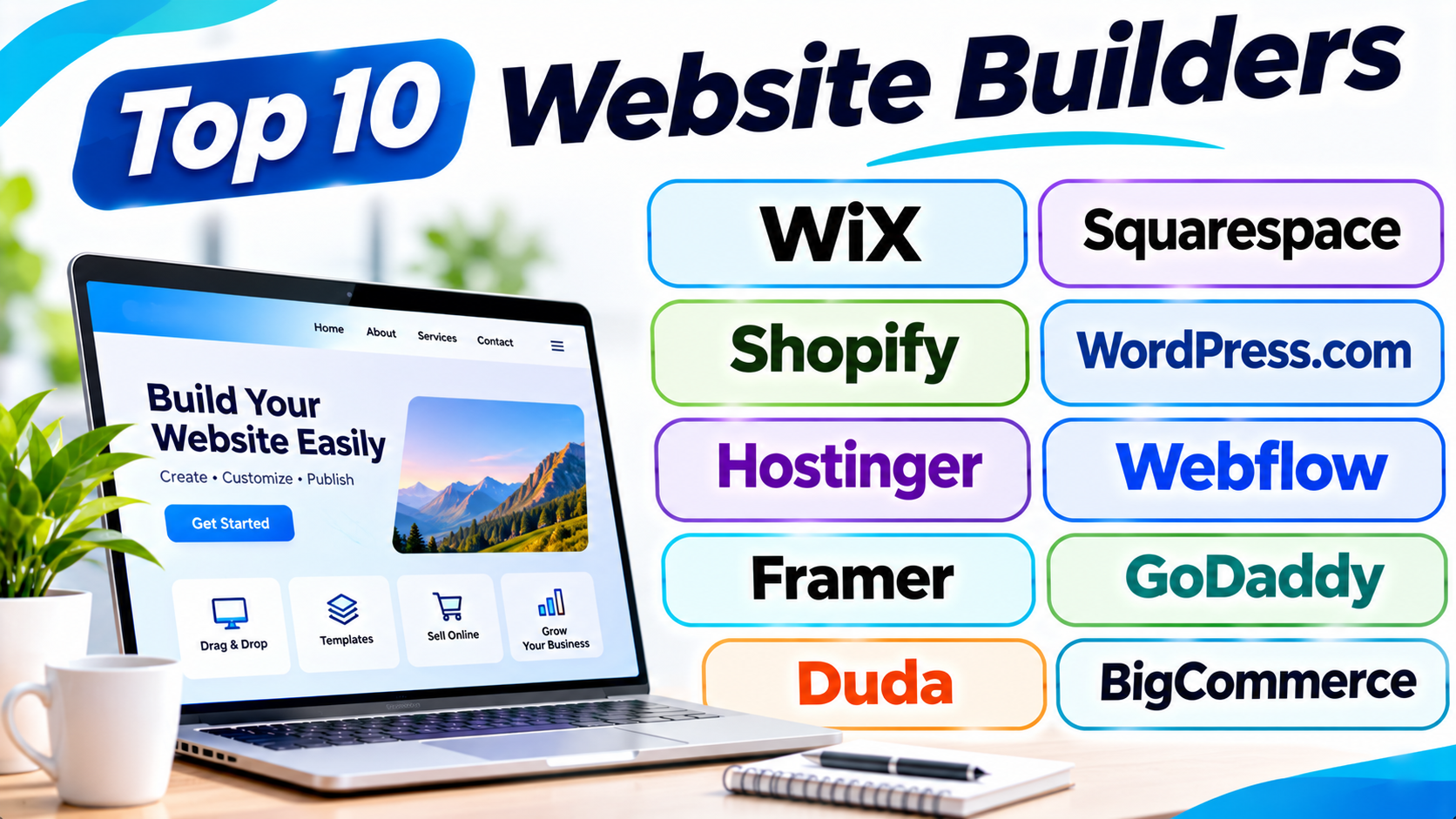
This guide explores ten popular website builders. It explains their key features, pros, and cons. You will also find a comparison table and helpful answers.
What Is a Website Builder?
A website builder is a tool for creating websites. It lets you design pages without writing complex code. Most platforms offer ready-made templates and visual editing tools.
You can add text, images, videos, buttons, and contact forms. Many builders also include hosting and domain features. Some offer online stores, booking tools, and marketing features.
Website builders help many types of users, such as:
- Small business owners who need a business website.
- Freelancers who want to show their work.
- Bloggers who publish articles and guides.
- Online sellers who want to sell products.
- Agencies that build websites for clients.
- Creators who need personal portfolios.
Top 10 Website Builders
1. Wix
Wix is a flexible website builder for many types of websites. It suits beginners, small businesses, freelancers, and online creators.
The platform offers a visual drag-and-drop editor. Users can move page elements and change their layout. They can also edit colors, fonts, images, and menus.
Wix provides many templates for different industries. Users can build business websites, blogs, portfolios, and online stores. Its built-in tools also support bookings, forms, and customer communication.
Wix includes AI features that help users create website content. These tools can also help with page layouts and design ideas. Users can adjust the results to match their needs.
Key Features
- Drag-and-drop website editor.
- Large collection of website templates.
- AI tools for website creation.
- Built-in blogging and online store features.
- Booking and appointment tools.
- Marketing and SEO settings.
- App integrations for extra functions.
Pros
- Easy for beginners to understand.
- Offers many design options.
- Supports different website types.
- Includes useful business tools.
- Provides a large app marketplace.
Cons
- Advanced editing can take time to learn.
- Some features need paid plans.
- Moving a website to another platform can be difficult.
- Large websites may need careful performance management.
2. Squarespace
Squarespace is a website builder known for its clean designs. It works well for creative brands and service businesses.
The platform offers professionally designed templates. Users can create portfolios, blogs, business websites, and online stores. Its editor helps users manage page layouts and visual content.
Squarespace also includes tools for selling products and services. Users can manage bookings, create forms, and publish blog posts. It also provides basic marketing and website analytics tools.
Photographers, designers, artists, and consultants often choose Squarespace. Its visual style helps brands create a polished online presence.
Key Features
- Professionally designed website templates.
- Visual website editing tools.
- Built-in blogging features.
- Online store management.
- Appointment scheduling options.
- Website analytics.
- Email marketing features.
Pros
- Attractive templates.
- Consistent design across website pages.
- Useful tools for creative businesses.
- Includes blogging and commerce features.
- Simple content management.
Cons
- Some design changes need extra effort.
- Fewer third-party extensions than some rivals.
- Advanced customization may feel limited.
- Some plans can cost more than basic alternatives.
3. Shopify
Shopify is a website builder made mainly for online stores. It helps businesses sell products through websites and other sales channels.
Users can choose a theme and customize their store. They can add products, manage stock, and set up payments. The platform also supports shipping and order management.
Shopify offers tools for product discounts and customer accounts. Store owners can connect extra apps for marketing and business tasks. They can also track sales and review store performance.
Shopify suits both new sellers and growing retail brands. It focuses on online selling rather than general website design.
Key Features
- Online store creation.
- Product and inventory management.
- Payment and checkout tools.
- Shipping and order management.
- Sales reports and analytics.
- Discount and promotion tools.
- App store for extra features.
Pros
- Strong ecommerce features.
- Easy product management.
- Supports many sales channels.
- Offers useful store reports.
- Can support growing online businesses.
Cons
- Not the cheapest choice for every website.
- Some features need paid apps.
- Transaction and payment costs need review.
- Design flexibility depends on the theme and editor.
4. WordPress.com
WordPress.com is a hosted website platform built around WordPress. It helps users create blogs, business websites, and content-rich websites.
Users can start with a theme and customize their pages. The platform includes tools for publishing articles and managing media. It also supports menus, forms, and other website features.
Higher plans offer more options for plugins and customization. Plugins add extra functions to a website. These may include SEO tools, forms, security features, and online stores.
WordPress.com suits writers, publishers, businesses, and creators. It offers a strong content publishing experience.
Key Features
- Website themes and page editing.
- Blog publishing tools.
- Content and media management.
- Plugin support on eligible plans.
- SEO settings.
- Built-in hosting.
- Ecommerce options.
Pros
- Strong blogging features.
- Good choice for content-heavy websites.
- Offers many themes.
- Supports extra tools through plugins.
- Can grow with a publishing business.
Cons
- Some features require higher plans.
- Beginners may need time to learn its settings.
- Plugin options depend on the plan.
- Advanced changes may need technical help.
5. Hostinger Website Builder
Hostinger Website Builder offers a simple way to create websites. It suits small businesses, freelancers, and people with limited budgets.
The platform uses a visual editor. Users can choose a template and change its content. They can add images, text, buttons, and other page sections.
Hostinger also offers AI tools for website creation. These tools can help users create layouts and write basic content. The platform includes hosting and other website services.
Users can build business websites, portfolios, blogs, and online stores. It works well for people who want a simple setup.
Key Features
- Visual website editor.
- AI website creation tools.
- Ready-made website templates.
- Built-in hosting.
- Blogging features.
- Basic online store tools.
- SEO and marketing settings.
Pros
- Simple editing experience.
- Useful AI features.
- Hosting comes with the website service.
- Suitable for basic business websites.
- Good starting point for small projects.
Cons
- Fewer advanced design options than some rivals.
- Ecommerce features may not suit large stores.
- Some advanced functions have limits.
- Long-term costs need careful review.
6. Webflow
Webflow is a visual website builder for designers and businesses. It offers more control over page layouts and design details.
Users can build websites through a visual design interface. They can control spacing, fonts, colors, and page sections. The platform also supports responsive layouts for different screen sizes.
Webflow includes a content management system, often called a CMS. A CMS helps users manage website content. It works well for blogs, company websites, and content collections.
The platform also offers hosting and website publishing tools. It suits users who want greater design control without building everything from scratch.
Key Features
- Visual website design editor.
- Responsive page layouts.
- Content management system.
- Custom animations and interactions.
- Website hosting.
- SEO controls.
- Ecommerce features.
Pros
- Strong design control.
- Useful for custom business websites.
- Supports structured website content.
- Offers advanced animation tools.
- Helps designers create unique layouts.
Cons
- Beginners may find the editor difficult.
- Advanced design needs practice.
- Ecommerce options have limits for some businesses.
- Plans and features can take time to understand.
7. Framer
Framer is a visual website builder for modern websites. It is popular with designers, startups, and creative teams.
The platform offers a design-focused editing experience. Users can create pages, adjust layouts, and add animations. They can also preview how pages look on different screens.
Framer provides templates for portfolios and business websites. It also includes publishing and collaboration tools. Its visual editor helps users create polished pages quickly.
Framer works well for landing pages and marketing websites. It may not suit every large online store or complex publishing project.
Key Features
- Visual website design editor.
- Ready-made website templates.
- Responsive layouts.
- Animation and interaction tools.
- Website publishing.
- Team collaboration features.
- CMS features for content.
Pros
- Modern design tools.
- Good for portfolios and landing pages.
- Supports attractive animations.
- Easy to preview page layouts.
- Helps teams work on designs.
Cons
- Not ideal for complex ecommerce needs.
- Large content websites may need more planning.
- Advanced design options require practice.
- Some features depend on paid plans.
8. GoDaddy Website Builder
GoDaddy Website Builder helps users create simple websites. It suits local businesses, service providers, and small companies.
The platform offers ready-made designs and a guided setup process. Users can add business details, images, text, and contact information. They can also adjust colors and page sections.
GoDaddy includes tools for appointments and online selling. Its marketing features help businesses manage their online presence. Users can also connect their websites with other GoDaddy services.
This platform works well for people who want a quick website. It focuses more on ease of use than deep design control.
Key Features
- Guided website creation.
- Ready-made templates.
- Mobile-friendly page layouts.
- Contact forms.
- Appointment booking tools.
- Basic ecommerce features.
- Marketing and SEO tools.
Pros
- Simple setup process.
- Good for basic business websites.
- Includes useful business features.
- Works well with GoDaddy services.
- Suitable for users with little technical knowledge.
Cons
- Design control is more limited.
- Advanced websites may need another platform.
- Some features depend on paid plans.
- Moving to another builder can take effort.
9. Duda
Duda is a website builder for agencies and web professionals. It helps teams create and manage websites for clients.
The platform offers a visual editor and ready-made templates. Users can customize layouts, content, and page sections. It also supports responsive designs for mobile devices.
Duda includes client management features. Agencies can give clients access to edit selected website content. Teams can also manage several websites from one place.
The platform supports business websites and online stores. Its tools make it useful for freelancers and agencies that handle many projects.
Key Features
- Visual website editor.
- Website templates.
- Responsive design tools.
- Client access and management.
- Team collaboration.
- Ecommerce features.
- Website hosting and publishing.
Pros
- Useful for agencies and freelancers.
- Helps manage many client websites.
- Offers client editing controls.
- Supports team workflows.
- Includes reusable design sections.
Cons
- May cost more than needed for one small website.
- Beginners may not need its agency tools.
- Some features depend on the selected plan.
- Advanced projects may need extra customization.
10. BigCommerce
BigCommerce is an ecommerce platform with website-building tools. It helps businesses create online stores and manage product sales.
Users can choose a store theme and customize its design. They can add products, manage stock, and process orders. The platform also supports different payment and shipping options.
BigCommerce offers tools for product catalogs and sales channels. It can support businesses with large product ranges. Its features also help retailers manage more complex selling needs.
The platform suits businesses that focus on online retail. It offers more store-focused features than general website builders.
Key Features
- Online store creation.
- Product catalog management.
- Inventory and order tools.
- Payment integrations.
- Shipping and tax settings.
- Sales channel support.
- Store reports and analytics.
Pros
- Strong ecommerce features.
- Supports large product catalogs.
- Offers useful sales tools.
- Provides flexible payment options.
- Suitable for growing retail businesses.
Cons
- Beginners may need time to learn it.
- Some design changes need technical skills.
- Pricing and sales limits need review.
- It may offer more features than a basic website needs.
Website Builders Comparison Table
| Website Builder | Best For | Ease of Use | Main Strength |
|---|---|---|---|
| Wix | Business and personal websites | Easy | Flexible editing |
| Squarespace | Creative websites | Easy | Visual design |
| Shopify | Online stores | Easy to Moderate | Ecommerce tools |
| WordPress.com | Blogs and publishing | Moderate | Content management |
| Hostinger Website Builder | Budget websites | Easy | Simple setup |
| Webflow | Custom business websites | Moderate to Advanced | Design control |
| Framer | Portfolios and landing pages | Easy to Moderate | Modern visual design |
| GoDaddy | Small business websites | Easy | Quick setup |
| Duda | Agencies and freelancers | Moderate | Client management |
| BigCommerce | Growing online stores | Moderate | Store management |
How to Choose the Right Website Builder
The right platform depends on your website goals. Think about what you want to create before choosing a plan.
1. Understand Your Website Needs
First, decide what type of website you need. A blog has different needs from an online store. A business website may need forms and booking tools.
2. Check the Editing Tools
Choose an editor that feels simple to use. Test how it handles text, images, menus, and page layouts. A clear editor can save hours of work.
3. Review the Templates
Templates help you build pages faster. Look for designs that match your brand and industry. Also, check how they appear on mobile screens.
4. Compare the Total Cost
Do not check only the first payment. Review renewal prices and extra costs. Some platforms charge more for apps, storage, or advanced features.
5. Check SEO Features
SEO helps people find your website through search engines. Look for page titles, descriptions, image settings, and clean page links. Also, check whether the platform supports a sitemap.
6. Review Ecommerce Tools
If you plan to sell products, check the store features. Look for payment options, shipping tools, stock control, and order management. Large stores may need advanced ecommerce features.
7. Think About Future Growth
Your website may need more features later. Choose a platform that can support your plans. Also, review how easily you can move your content elsewhere.
Common Mistakes to Avoid
Many users choose a website builder too quickly. These mistakes can create problems later.
- Choosing only by price: A cheap plan may lack key features.
- Ignoring renewal costs: Introductory prices may rise later.
- Using too many plugins: Extra tools can make site management harder.
- Ignoring mobile design: Many visitors use phones to browse websites.
- Choosing the wrong template: A poor layout can hurt the user experience.
- Skipping SEO settings: Search engines need clear page information.
- Ignoring website speed: Slow pages can frustrate visitors.
- Not checking backups: A backup helps restore lost website content.
- Forgetting security: Use strong passwords and available security tools.
- Not planning for growth: Your website may outgrow a basic plan.
Questions and Answers
1. What is the best website builder for beginners?
Wix, Squarespace, and Hostinger Website Builder suit many beginners. They offer visual editors and ready-made templates. Your best choice depends on your website needs.
2. Can I build a website without coding?
Yes. Most website builders offer visual editing tools. You can add text, images, buttons, and page sections without writing code.
3. Which website builder is best for online stores?
Shopify and BigCommerce focus on ecommerce. Both offer product, order, and payment tools. Compare their features before choosing one.
4. Which website builder is best for blogging?
WordPress.com offers strong blogging and publishing tools. Wix and Squarespace also support blogs. Choose based on your content and design needs.
5. Are free website builders available?
Yes. Some platforms offer free plans or limited free versions. These plans may show platform branding or limit features. A custom domain often needs a paid plan.
6. Can I use my own domain name?
Yes. Most website builders support custom domains. You can often connect a domain you already own. Some paid plans include a domain offer.
7. Do website builders offer mobile-friendly designs?
Most modern builders support mobile-friendly layouts. They help pages adjust to smaller screens. Always preview your website before publishing it.
8. Can I change my website design later?
Yes. Most builders let you edit layouts, colors, text, and images. Some platforms make major template changes harder. Check the editor before choosing a service.
9. Which website builder is best for small businesses?
Wix, Squarespace, Hostinger, and GoDaddy suit many small businesses. They offer tools for business pages and customer contact. Compare booking, marketing, and store features.
10. Is Shopify only for online stores?
Shopify mainly focuses on online selling. You can also create pages for your brand and business. Its strongest tools support ecommerce operations.
11. Is Webflow suitable for beginners?
Webflow can suit beginners who want to learn web design. However, its editor has many settings. New users may need time to understand it.
12. Can I move my website to another platform?
You may move some content, such as text and images. However, layouts and special features may not transfer. Check export options before building your website.
13. Which website builder is best for portfolios?
Squarespace and Framer work well for visual portfolios. Wix also offers portfolio templates. Choose a platform that displays your work clearly.
14. Do I need hosting with a website builder?
Many hosted website builders include hosting. This means you do not need to buy separate hosting. WordPress.org works differently because users arrange their own hosting.
15. What should I check before publishing a website?
Check every page, image, form, and menu. Test your website on phones and computers. Also, review spelling, SEO settings, page speed, and contact details.
Final Thoughts
A website builder can turn your idea into a real website. But the best choice depends on your goals and skills.
Wix offers a flexible option for many users. Squarespace suits people who value clean design. Shopify and BigCommerce focus on online stores. WordPress.com works well for blogs and publishing.
Webflow gives designers more control. Framer suits modern portfolios and landing pages. Hostinger and GoDaddy help users create simple websites. Duda offers useful tools for agencies.
Before you choose, compare the features and total cost. Try the editor if the platform offers a trial or free plan. Then select the builder that fits your needs and future plans.