Introduction
Businesses use many apps to manage their daily work. They may use one app for sales and another for payments. They may also use separate tools for customer support, stock, and reports.
But these apps do not always share data easily. Teams may need to copy the same details into several systems. This takes time and can cause mistakes.
Integration Platform as a Service, also called iPaaS, helps solve this problem. It connects apps, data, and business systems through one platform.
An iPaaS tool can move data between apps. It can also start tasks when certain events happen. This helps teams save time and keep their systems in sync.
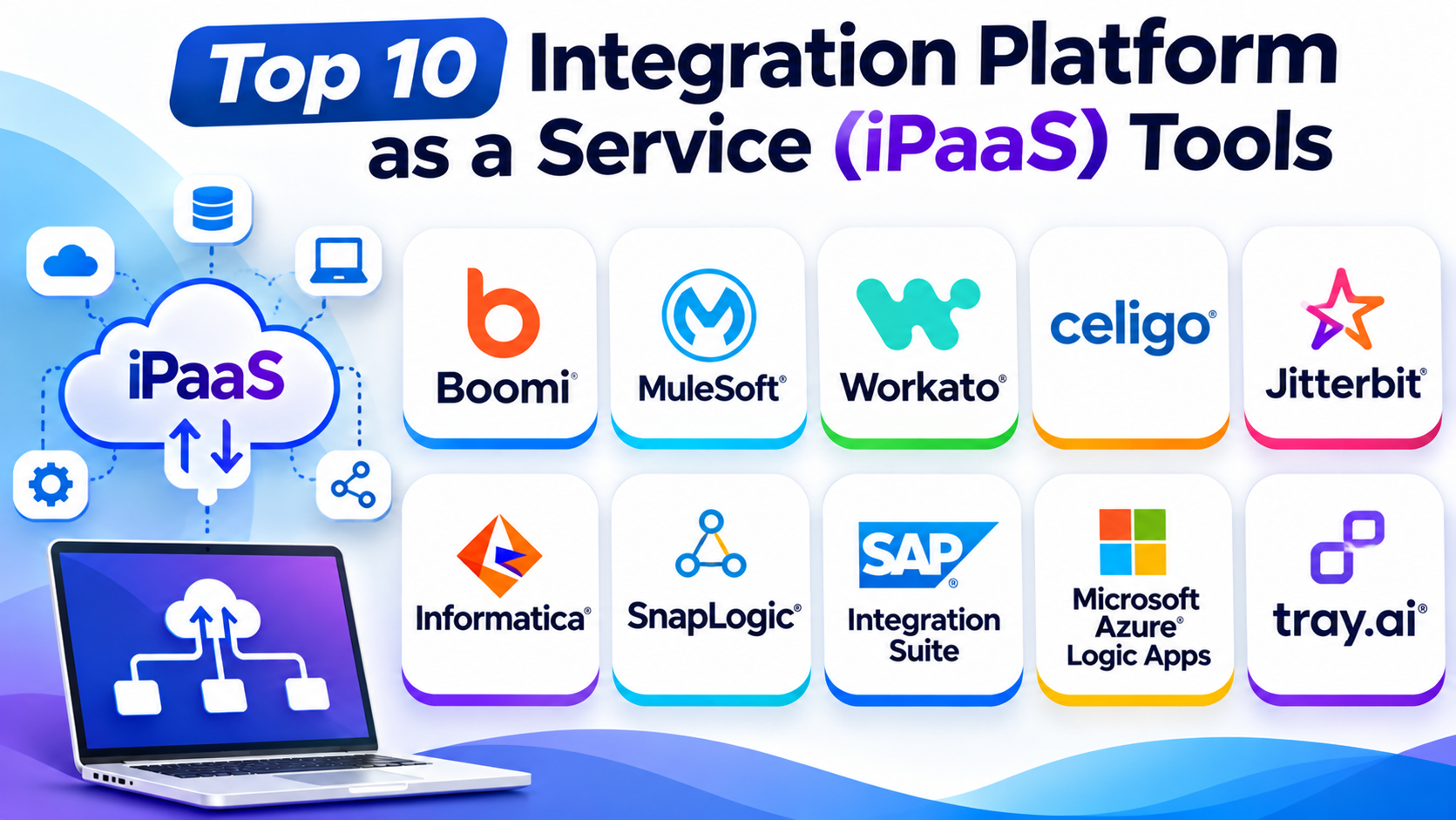
This guide covers ten popular iPaaS platforms. It explains their key features, Pros, Cons, and best uses. It also includes a comparison table to help you choose.
What Is Integration Platform as a Service (iPaaS)?
iPaaS is a cloud service that connects different software systems. It helps apps share data and work together.
For example, a company may connect its online store to its stock system. When a customer buys a product, the store can send an update. The stock system can then reduce the available quantity.
An iPaaS platform can help teams:
- Connect cloud apps and business systems.
- Move data between different platforms.
- Automate repeated business tasks.
- Link older systems with newer apps.
- Build and manage data flows.
- Monitor integrations and find errors.
- Connect apps through APIs.
- Keep business records in sync.
These tools can support small teams and large companies. The right choice depends on the number of apps, data needs, and work processes.
Top 10 Integration Platform as a Service (iPaaS) Tools
1. Boomi
Boomi is a cloud-based integration platform for businesses. It helps companies connect apps, data, APIs, and business systems.
The platform uses visual tools to build integrations. Teams can create workflows without writing every connection from scratch.
Boomi also supports data movement between cloud services and local systems. This makes it useful for companies with a mix of old and new software.
Its wider platform includes tools for API management, data management, and automation. Companies can use these services to manage more of their integration work in one place.
Key Features
- Visual integration builder.
- Prebuilt app connectors.
- Cloud and local system connections.
- Data mapping and transformation.
- API management tools.
- Workflow automation.
- Integration monitoring.
- Support for business data flows.
Pros
- Offers many integration options.
- Connects cloud and local systems.
- Helps teams build workflows visually.
- Supports API and data management.
- Suits growing business needs.
Cons
- New users may need training.
- Advanced setups can become complex.
- Pricing may not suit very small teams.
Best For: Companies that need a broad platform for app, data, and API integration.
2. MuleSoft Anypoint Platform
MuleSoft Anypoint Platform helps businesses connect apps, data, and devices. It also helps teams build and manage APIs.
The platform uses an API-led approach. This means teams can create reusable connections that other apps can use.
MuleSoft can connect cloud services with older business systems. It also supports data movement and workflow automation.
The platform works well in large business environments. It can help companies manage many connections across different teams and systems.
Key Features
- API design and management.
- App and data integration.
- Reusable integration services.
- Cloud and local system connections.
- Data mapping and transformation.
- Integration monitoring.
- Security and access controls.
- Support for complex business workflows.
Pros
- Strong API management features.
- Supports large integration projects.
- Helps teams reuse existing connections.
- Connects different types of systems.
- Offers tools for managing integrations.
Cons
- Can be complex for beginners.
- Setup may need skilled developers.
- Costs may be high for smaller businesses.
Best For: Large companies that need API-led integration across many business systems.
3. Workato
Workato combines app integration with business process automation. It helps teams connect software and automate tasks through visual workflows.
Workato calls its workflows recipes. A recipe can start when an event happens in one app. It can then perform actions in other connected apps.
For example, a new sales lead can trigger several tasks. Workato can add the lead to a CRM, notify a sales team, and update another system.
The platform also offers tools for monitoring and managing workflows. This helps teams keep their business processes under control.
Key Features
- Visual workflow builder.
- Prebuilt app connectors.
- Recipe-based automation.
- Data movement between apps.
- Workflow monitoring.
- Business process automation.
- Custom integration options.
- Tools for team and access control.
Pros
- Makes app connections easier to build.
- Supports business workflow automation.
- Offers many ready-made connectors.
- Helps reduce repeated tasks.
- Serves both business and IT teams.
Cons
- Complex recipes can take time to manage.
- Advanced use may need training.
- Pricing may not suit small budgets.
Best For: Businesses that want to connect apps and automate daily work across teams.
4. Celigo
Celigo is an integration platform that helps businesses connect apps and automate operations. It is especially useful for companies that work with online stores, finance tools, and ERP systems.
The platform offers prebuilt integration apps. These help teams connect common business systems without creating every link from the start.
Celigo also supports custom workflows. Teams can use these to move data, update records, and manage business processes.
Its visual tools help users build and monitor integrations. This can reduce manual work between different business systems.
Key Features
- Prebuilt integration apps.
- Visual integration builder.
- App and data connections.
- ERP and ecommerce integrations.
- Data mapping and transformation.
- Workflow automation.
- Error tracking and monitoring.
- Tools for managing integration flows.
Pros
- Useful for ecommerce and finance systems.
- Offers ready-made integration options.
- Helps reduce manual data entry.
- Supports custom business workflows.
- Provides tools to monitor integrations.
Cons
- Some advanced setups need technical skills.
- Pricing may be high for small companies.
- Teams may need time to learn complex flows.
Best For: Ecommerce companies and businesses that need to connect ERP, finance, and sales systems.
5. Jitterbit Harmony
Jitterbit Harmony is an integration and automation platform. It helps companies connect apps, data, APIs, and business systems.
The platform offers visual tools for building integrations. Teams can use these tools to move information between different systems.
Jitterbit also supports API creation and management. This helps businesses make their data and services available to other apps.
Companies can use the platform to connect cloud services with local software. It can also help automate business tasks and manage data flows.
Key Features
- App and data integration.
- Visual workflow design.
- API creation and management.
- Data mapping and transformation.
- Cloud and local system connections.
- Workflow automation.
- Integration monitoring.
- Tools for managing business processes.
Pros
- Combines integration and automation tools.
- Supports API management.
- Connects different business systems.
- Helps teams manage data flows.
- Offers visual tools for building workflows.
Cons
- Some advanced features need training.
- Complex integrations may need expert support.
- Costs can vary with business needs.
Best For: Mid-sized and large businesses that need app, data, and API integration.
6. Informatica Intelligent Data Management Cloud (IDMC)
Informatica Intelligent Data Management Cloud helps companies manage and connect business data. It offers tools for data integration, quality, and management.
The platform can bring data together from many sources. Teams can then prepare and move that data for business use.
Informatica also helps companies check data quality. This matters when different systems store the same details in different ways.
Its services support cloud and local data environments. This makes it useful for companies with large data needs and complex systems.
Key Features
- Cloud data integration.
- Data movement and transformation.
- Data quality tools.
- Data catalog and discovery.
- Data management services.
- Cloud and local data connections.
- Data governance support.
- Tools for managing large data flows.
Pros
- Strong focus on business data.
- Offers data quality tools.
- Supports many data sources.
- Helps manage complex data environments.
- Suits large organizations.
Cons
- Can be difficult for new users.
- Some projects need data experts.
- The wide feature set may feel complex.
- Costs may be high for smaller teams.
Best For: Large companies that need strong data integration, quality, and management.
7. SnapLogic
SnapLogic is an integration platform for apps, data, and business systems. It uses visual pipelines to connect different services.
The platform offers reusable building blocks called Snaps. Teams can use these to connect apps and move data between systems.
SnapLogic also supports data transformation and workflow automation. This helps companies manage information across cloud and local environments.
Its visual design can make complex data flows easier to understand. Teams can use it for both app integration and data projects.
Key Features
- Visual integration pipelines.
- Reusable Snaps.
- App and data connections.
- Data transformation.
- Cloud and local system support.
- Workflow automation.
- Pipeline monitoring.
- Tools for managing data flows.
Pros
- Visual design helps teams build integrations.
- Offers reusable connection blocks.
- Supports app and data workflows.
- Works across different environments.
- Helps manage complex data movement.
Cons
- New users may need training.
- Large pipelines can need careful planning.
- Some advanced tasks need technical skills.
Best For: Companies that need visual app integration and data pipeline management.
8. SAP Integration Suite
SAP Integration Suite helps companies connect SAP software with other business systems. It also supports connections with outside apps and services.
Many companies use SAP for finance, supply chain, sales, and other operations. These systems often need to share data with other tools.
SAP Integration Suite helps manage these connections. It offers integration flows, API tools, and support for different communication methods.
The platform can connect cloud apps with local business systems. It is a useful option for companies that already depend on SAP products.
Key Features
- App and process integration.
- SAP and non-SAP connections.
- Integration flow design.
- API management.
- Event-based integration.
- Data transformation.
- Cloud and local system support.
- Integration monitoring.
Pros
- Strong fit for SAP environments.
- Connects SAP and outside systems.
- Supports API and process integration.
- Offers tools for managing data flows.
- Helps connect business operations.
Cons
- Best value often comes within SAP environments.
- Setup can be complex.
- Some projects need SAP experts.
- Costs may not suit small businesses.
Best For: Companies that use SAP software and need to connect it with other business systems.
9. Microsoft Azure Logic Apps
Microsoft Azure Logic Apps is a cloud service for building automated workflows. It helps users connect apps, data, and services.
Teams can create workflows that start after an event. The workflow can then perform tasks across connected systems.
For example, a new form entry can start a workflow. The system can then save the details, send a message, and update another app.
Azure Logic Apps offers many connectors. It also works with other Microsoft cloud services. This makes it useful for businesses that already use Azure and Microsoft tools.
Key Features
- Visual workflow designer.
- Ready-made connectors.
- Cloud app integration.
- Event-based workflows.
- Data transformation.
- Business process automation.
- Azure service connections.
- Workflow monitoring.
Pros
- Fits well with Microsoft Azure.
- Offers many connectors.
- Helps automate repeated tasks.
- Supports cloud-based workflows.
- Can connect different business services.
Cons
- Costs depend on usage and service choices.
- Complex workflows need careful design.
- New users may need time to learn Azure.
- It may be less suitable for teams outside the Microsoft ecosystem.
Best For: Businesses that use Microsoft Azure and need cloud workflow integration.
10. Tray.ai
Tray.ai is an integration and automation platform for businesses. It helps teams connect apps and build workflows across different services.
The platform offers a visual workflow builder. Users can create steps that move data, trigger actions, and connect business systems.
Tray.ai also supports custom logic and API connections. This gives technical teams more control over complex workflows.
Businesses can use it to automate sales, marketing, support, and other operations. It can also help teams manage integrations across many apps.
Key Features
- Visual workflow builder.
- App and API connections.
- Data mapping and transformation.
- Workflow automation.
- Custom logic.
- Integration monitoring.
- Business process tools.
- Support for complex app connections.
Pros
- Offers flexible workflow design.
- Supports many app connections.
- Helps automate business processes.
- Allows custom integration logic.
- Can support complex workflows.
Cons
- Advanced workflows may need technical skills.
- New users may need training.
- Pricing may not suit small teams.
Best For: Businesses that need flexible app integration and advanced workflow automation.
Comparison Table of the Top 10 iPaaS Tools
| Platform | Main Strength | Key Feature | Best For |
|---|---|---|---|
| Boomi | Broad business integration | Visual integration builder | Growing and large companies |
| MuleSoft Anypoint Platform | API-led integration | Reusable APIs and services | Large enterprises |
| Workato | Business automation | Recipe-based workflows | Business and IT teams |
| Celigo | Ecommerce and ERP integration | Prebuilt integration apps | Ecommerce and finance teams |
| Jitterbit Harmony | App and API integration | Visual integration tools | Mid-sized and large businesses |
| Informatica IDMC | Data management | Data quality and integration | Data-heavy organizations |
| SnapLogic | App and data pipelines | Reusable Snaps | Data and integration teams |
| SAP Integration Suite | SAP system integration | SAP and non-SAP connections | SAP customers |
| Azure Logic Apps | Cloud workflow integration | Azure connectors | Microsoft users |
| Tray.ai | Flexible workflow automation | Visual builder and custom logic | Advanced integration teams |
How to Choose the Right iPaaS Platform
Choosing an iPaaS platform needs careful thought. The best tool should fit your apps, team, and business goals.
1. List the Systems You Need to Connect
Start by listing your current apps and business systems. These may include CRM, ERP, finance, sales, and support tools.
Check whether the platform supports the apps you already use. Also, check whether it can connect older systems.
2. Check the Available Connectors
Connectors help apps share data. Many iPaaS platforms offer ready-made connectors for common services.
A large connector list can save time. But make sure the platform supports the exact services your team needs.
3. Review Ease of Use
Some platforms offer simple visual builders. Others need more technical skills.
Choose a tool that your team can use and manage. A simple platform can help business users build basic workflows.
4. Check Data and API Features
Some companies need simple app connections. Others need advanced data movement and API management.
Review the data mapping, transformation, and API tools. Make sure they match your project needs.
5. Look at Security and Control
Business data needs proper protection. Check access controls, user roles, data encryption, and audit records.
Also, review how the platform handles errors and failed workflows. These features can help teams manage important business connections.
6. Review Cloud and Local System Support
Some companies use only cloud apps. Others still depend on software that runs on local servers.
Choose a platform that supports your current setup. Also, consider the systems you may add later.
7. Compare Pricing and Usage Limits
iPaaS pricing can depend on users, tasks, connections, or data volume. Some vendors offer custom business plans.
Check the full cost before you decide. Include setup, support, and future growth in your budget.
Common Uses of iPaaS Platforms
iPaaS tools can support many business tasks. Here are some common examples.
Customer Data Sync
A business can connect its CRM with email and support tools. This helps teams keep customer details up to date.
Ecommerce Integration
An online store can connect with stock, payment, and shipping systems. This helps manage orders from one process.
Finance Automation
A company can connect billing software with accounting tools. This can reduce manual work and data entry errors.
Human Resources Workflows
HR teams can connect hiring, payroll, and employee systems. This helps manage staff details across different apps.
Sales and Marketing Automation
Sales teams can connect lead forms with CRM tools. Marketing teams can then use the same data for campaigns.
Data Integration
Companies can collect data from different systems. They can then prepare it for reports and business decisions.
Questions and Answers
1. What does iPaaS stand for?
iPaaS stands for Integration Platform as a Service. It is a cloud service that connects apps, data, and business systems.
2. What does an iPaaS platform do?
It helps apps share data and automate tasks. It can also connect cloud services with local systems.
3. How is iPaaS different from traditional integration software?
Traditional integration software often needs more manual setup and system care. iPaaS offers cloud-based tools to build and manage integrations.
4. Do I need coding skills to use iPaaS?
Not always. Many platforms offer visual builders and ready-made connectors. Complex projects may still need developers.
5. Which iPaaS tool is best for large companies?
Boomi, MuleSoft, Informatica, and SAP Integration Suite can suit large businesses. The right choice depends on the systems and data needs.
6. Which iPaaS platform is good for business automation?
Workato, Celigo, and Tray.ai offer useful workflow automation features. Azure Logic Apps can also help teams that use Microsoft services.
7. Can iPaaS connect cloud and local systems?
Yes. Many platforms support both cloud apps and local systems. Check the connector and deployment options before choosing.
8. Is iPaaS useful for small businesses?
Yes. Small businesses can use iPaaS to connect apps and reduce manual work. They should choose a plan that fits their budget.
9. Is iPaaS secure?
Many platforms offer security controls and access rules. But businesses must set them up correctly and review their own security needs.
10. What should I check before buying an iPaaS tool?
Check connectors, pricing, security, data features, and ease of use. Also, test the platform with a real business workflow.
Final Thoughts
iPaaS platforms help businesses connect apps and share data. They also reduce repeated work across different systems.
Boomi offers broad integration features. MuleSoft suits companies that need API-led connections. Workato focuses on business automation, while Celigo serves many ecommerce and finance needs.
Informatica works well for data-heavy projects. SnapLogic helps teams build app and data pipelines. SAP Integration Suite fits companies that use SAP. Azure Logic Apps suits teams that work with Microsoft Azure.
Jitterbit and Tray.ai offer flexible options for business integration and automation.
Before you choose, list your systems and main goals. Then compare connectors, security, pricing, and ease of use.
The best iPaaS platform is not always the one with the most features. It is the one that connects your systems well and supports your daily work.