Introduction
Every business follows a set of steps to complete its daily work. These steps form business processes.
Some processes work well. Others create delays, extra costs, and repeated tasks. But finding these problems can be hard without clear data.
Process mining tools help businesses understand how their processes work. They study event data from business software. Then, they show the real steps people and systems follow.
These tools help teams find delays and compare actual work with planned steps. They can also show where teams waste time or repeat tasks.
Many platforms now combine process mining with automation and process improvement. Some focus on large companies. Others suit smaller teams and process analysts.
This guide explores ten useful process mining tools. It covers their features, Pros, Cons, and best uses.
What Is Process Mining?
Process mining is a way to study business processes through digital records. These records show what happened inside business systems.
For example, an order system may record when a customer places an order. It may also record payment, approval, shipping, and delivery.
Process mining tools study these records. They then build a picture of the real process.
This helps teams answer questions such as:
- Where do delays happen?
- Which tasks take the most time?
- Why do some cases need extra steps?
- Do teams follow the approved process?
- Which tasks could use automation?
- How can the business reduce costs?
How Does Process Mining Work?
Process mining tools use event logs from business applications. An event log is a record of actions inside a system.
Most process mining projects follow these steps:
- Collect data: The team gathers event records from business systems.
- Prepare data: The team checks and cleans the records.
- Discover processes: The tool builds a map of the real process.
- Analyze activity: Users review delays, repeated steps, and process changes.
- Check compliance: Teams compare actual work with approved process rules.
- Find improvements: The team selects changes that can improve results.
- Monitor progress: Users track the process after making changes.
Good data plays a key role in this work. Poor event records can lead to poor results.
Main Types of Process Mining
Process mining includes several methods. Each method helps answer a different question.
Process Discovery
Process discovery builds a process map from event data. It shows the steps that people and systems actually follow.
Conformance Checking
Conformance checking compares real activity with an approved process. It helps teams find missed steps and rule violations.
Process Enhancement
Process enhancement adds more data to an existing process map. This helps users understand delays, costs, and performance.
Task Mining
Task mining studies how people work on their computers. It can reveal repeated clicks, manual tasks, and automation chances.
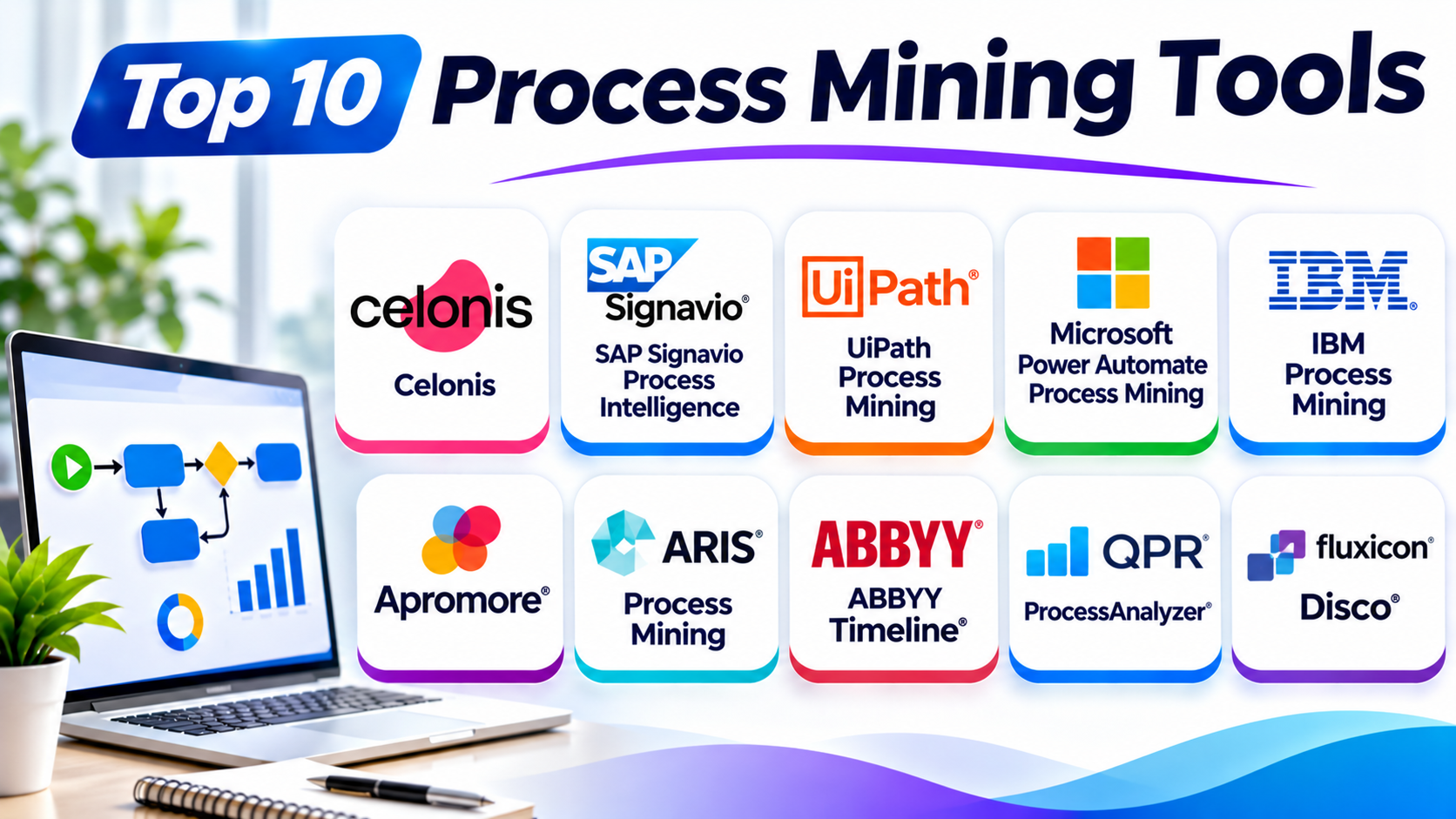
Top 10 Process Mining Tools
The following platforms offer different process analysis features. The best choice depends on your data, systems, budget, and goals.
1. Celonis
Celonis is a leading platform for process mining and process intelligence. It helps organizations understand how their business processes work.
The platform studies event data from enterprise systems. It then creates process views that show the actual flow of work.
Celonis helps teams find bottlenecks and process changes. A bottleneck is a step that slows down the whole process.
Users can study areas such as finance, supply chains, purchasing, and customer service. They can also compare different process paths.
Celonis offers tools for process analysis and improvement. Its platform can help businesses connect insights with actions and automation.
Large organizations often use Celonis to study complex operations. It can support teams that need to analyze data across many systems.
Key Features
- Automated process discovery
- Process performance analysis
- Root cause analysis
- Process conformance checking
- Business process monitoring
- Data integration
- Process improvement and automation support
Pros
- Offers deep process analysis.
- Supports complex business operations.
- Helps find process bottlenecks.
- Connects data from different systems.
- Supports process improvement work.
Cons
- Can be complex for new users.
- Large projects need careful data planning.
- Costs may not suit small businesses.
- Teams may need expert support.
Best For: Large enterprises that need detailed process intelligence across many systems.
2. SAP Signavio Process Intelligence
SAP Signavio Process Intelligence helps businesses analyze their real processes. It uses event data to show how work moves through business systems.
The platform helps teams compare actual processes with expected workflows. This makes it easier to find delays and unwanted process changes.
SAP Signavio also connects process analysis with process modeling. This helps teams study current work and plan better processes.
Organizations that use SAP systems may find this platform useful. It can help them understand operations across finance, purchasing, and supply chains.
Teams can use its insights to support business process changes. It also helps organizations review process performance during wider transformation projects.
Key Features
- Data-based process discovery
- Process performance analysis
- Process comparison
- Process conformance analysis
- Process modeling connections
- Business process monitoring
- SAP ecosystem support
Pros
- Works well with SAP environments.
- Connects analysis with process design.
- Helps identify process problems.
- Supports business transformation projects.
- Offers useful process views.
Cons
- Some features need SAP knowledge.
- Data preparation can take time.
- Large projects may need expert support.
- Costs depend on the selected package.
Best For: Organizations that use SAP systems and want to improve business processes.
3. UiPath Process Mining
UiPath Process Mining helps businesses understand their processes and find automation opportunities. It connects process analysis with the UiPath automation ecosystem.
The platform uses event data to build process maps. Users can study process paths, delays, and differences between cases.
Teams can use these insights to find tasks that waste time. They can then explore ways to improve or automate those tasks.
UiPath also supports process analysis across business operations. Common areas include finance, purchasing, customer service, and other office workflows.
Its connection with robotic process automation makes it useful for automation teams. Robotic process automation uses software robots to handle repeated computer tasks.
Key Features
- Automated process discovery
- Process performance analysis
- Process comparison
- Root cause analysis
- Automation opportunity analysis
- Integration with UiPath automation tools
- Process monitoring
Pros
- Connects process mining with automation.
- Helps find repeated manual work.
- Supports process analysis across departments.
- Fits existing UiPath environments.
- Helps teams plan automation projects.
Cons
- Offers the strongest fit within the UiPath ecosystem.
- Data preparation may need technical skills.
- Complex projects need careful setup.
- Costs may grow with wider use.
Best For: Businesses that want to connect process analysis with robotic process automation.
4. Microsoft Power Automate Process Mining
Microsoft Power Automate Process Mining helps businesses understand their workflows. It can show how people complete tasks across business systems.
The platform uses process data to create visual process maps. Users can study process paths and find delays.
Teams can use these findings to improve their workflows. They can also connect process insights with automation through Power Automate.
Microsoft’s wider Power Platform includes tools for apps, data, and automation. This gives users ways to connect process analysis with other business tasks.
The platform can suit teams that already use Microsoft products. It can also help organizations that want to improve workflows without building a separate technology environment.
Key Features
- Process discovery
- Process performance analysis
- Process maps and variants
- Root cause analysis
- Process improvement insights
- Power Automate integration
- Microsoft Power Platform connections
Pros
- Fits well with Microsoft tools.
- Connects analysis with workflow automation.
- Offers visual process insights.
- Supports business process improvement.
- Can help teams use existing data.
Cons
- Works best within a Microsoft-focused environment.
- Advanced projects may need technical support.
- Data quality affects results.
- Some capabilities depend on licensing.
Best For: Organizations that use Microsoft Power Platform and want to improve workflows.
5. IBM Process Mining
IBM Process Mining helps businesses discover and analyze their processes. It uses event data to show how work moves through business systems.
The platform helps users find delays and process changes. It can also show where actual work differs from the expected process.
IBM Process Mining supports process simulation. Simulation lets teams explore possible changes before they apply them.
This can help businesses understand how a change may affect time and resources. Teams can use the results to plan process improvements.
IBM also connects process mining with wider business automation services. This makes it useful for organizations that want to improve large business operations.
Key Features
- Automated process discovery
- Process performance analysis
- Conformance checking
- Process simulation
- Root cause analysis
- Process improvement insights
- Enterprise system integration
Pros
- Supports detailed process analysis.
- Offers process simulation features.
- Helps find process problems.
- Fits large business environments.
- Supports improvement planning.
Cons
- Setup can be complex.
- Users may need training.
- Data preparation requires attention.
- Costs may not fit smaller teams.
Best For: Large organizations that need process analysis and simulation.
6. Apromore
Apromore offers process mining and process analysis tools. It helps businesses study how their processes work and find ways to improve them.
The platform supports process discovery from event logs. It can show different process paths and highlight common delays.
Apromore also offers conformance checking. This helps teams compare real process activity with their expected models.
Users can analyze process performance and study possible changes. Its simulation features can help teams explore how a process may behave after an update.
Apromore has roots in academic process mining research. It offers options for organizations that want detailed analysis and flexible process tools.
Key Features
- Automated process discovery
- Process visualization
- Conformance checking
- Process performance analysis
- Root cause analysis
- Process simulation
- Process comparison
Pros
- Offers a broad set of mining features.
- Supports detailed process analysis.
- Helps compare actual and planned work.
- Includes simulation capabilities.
- Provides options for different user needs.
Cons
- Some features may take time to learn.
- Data preparation needs care.
- Advanced use may need process expertise.
- Enterprise features may require a paid plan.
Best For: Organizations and analysts that need flexible process mining and simulation.
7. ARIS Process Mining
ARIS Process Mining helps organizations analyze and improve business processes. It connects process data with process modeling and management.
The platform helps teams understand how processes work in practice. It can show process paths, delays, and differences from approved models.
ARIS also supports process documentation and governance. Governance means setting clear rules for how an organization manages its processes.
This connection can help businesses keep process models and real activity aligned. Teams can use the results to support audits and improvement projects.
ARIS can suit organizations that want process mining as part of a wider process management approach.
Key Features
- Process discovery
- Process analysis
- Process comparison
- Conformance checking
- Process modeling
- Process documentation
- Process governance support
Pros
- Connects mining with process modeling.
- Supports process governance.
- Helps compare planned and real activity.
- Useful for large process libraries.
- Supports business improvement projects.
Cons
- The full platform can feel complex.
- Setup may need process experts.
- Some teams may need training.
- Costs depend on the required modules.
Best For: Organizations that need process mining, modeling, and governance together.
8. ABBYY Timeline
ABBYY Timeline helps businesses analyze processes through event data. It builds process timelines that show how activities happen over time.
Users can study case histories and process paths. They can also find delays and unusual activity.
The platform supports process discovery and analysis. It can help teams understand how long each step takes and where work slows down.
ABBYY Timeline can support business areas such as customer service, finance, insurance, and operations. Teams can use its insights to improve service delivery and reduce wasted effort.
Its timeline-based approach helps users study the order and timing of events. This can be useful when process duration matters.
Key Features
- Process discovery
- Event timeline analysis
- Process performance monitoring
- Root cause analysis
- Process comparison
- Conformance analysis
- Data-based process insights
Pros
- Provides clear event timelines.
- Helps study process duration.
- Supports process analysis across industries.
- Helps identify delays and unusual activity.
- Offers useful process insights.
Cons
- Some advanced analysis needs training.
- Data preparation can take time.
- Complex use cases need planning.
- Buyers should check current product packaging.
Best For: Organizations that need timeline-based process analysis and performance insights.
9. QPR ProcessAnalyzer
QPR ProcessAnalyzer helps organizations study business processes through event data. It turns system records into visual process maps and analysis views.
The platform helps teams understand how cases move through different steps. Users can compare process paths and identify delays.
QPR ProcessAnalyzer also supports conformance checking. This helps businesses find differences between actual work and approved process models.
Teams can use its analysis to review process performance. They can also study causes behind delays and repeated tasks.
The platform can support process improvement across many business areas. It may suit organizations that need detailed process analysis and clear process views.
Key Features
- Automated process discovery
- Process visualization
- Process comparison
- Conformance checking
- Root cause analysis
- Process performance analysis
- Process monitoring
Pros
- Offers detailed process analysis.
- Helps identify process deviations.
- Supports process performance reviews.
- Provides visual process maps.
- Works across different business processes.
Cons
- Advanced features may need training.
- Data setup can require technical work.
- Some users may need expert guidance.
- Costs depend on the selected solution.
Best For: Process analysts and organizations that need detailed process performance analysis.
10. Fluxicon Disco
Fluxicon Disco is a process mining tool designed for event log analysis. It helps users explore how processes work through clear visual maps.
The tool focuses on process discovery and analysis. Users can import event data and view the paths that cases follow.
Disco helps analysts understand common process routes. It can also show less common paths and process delays.
Its visual approach makes it useful for process mining projects and consulting work. Analysts can explore event logs without building a large enterprise process platform.
Disco focuses on practical process analysis. It can be a useful option for teams that want a dedicated tool for exploring event data.
Key Features
- Event log import
- Automated process discovery
- Interactive process maps
- Process variant analysis
- Performance analysis
- Filtering and case exploration
- Visual process exploration
Pros
- Offers a clear visual interface.
- Helps explore event logs quickly.
- Focuses on core process mining tasks.
- Useful for analysts and consultants.
- Makes process paths easier to understand.
Cons
- Offers a narrower scope than broad enterprise platforms.
- Does not provide the same automation ecosystem as some larger tools.
- Teams may need other tools for process governance.
- Buyers should check current data and deployment needs.
Best For: Analysts, consultants, and teams that want focused event log analysis.
Comparison Table: Top 10 Process Mining Tools
| Tool | Main Strength | Key Capabilities | Best For |
|---|---|---|---|
| Celonis | Process intelligence | Discovery, analysis, monitoring | Large enterprises |
| SAP Signavio Process Intelligence | SAP process analysis | Discovery, comparison, process insights | SAP-based organizations |
| UiPath Process Mining | Automation connection | Discovery, analysis, automation insights | Automation teams |
| Microsoft Power Automate Process Mining | Microsoft integration | Discovery, analysis, workflow improvement | Microsoft users |
| IBM Process Mining | Process simulation | Discovery, conformance, simulation | Large organizations |
| Apromore | Flexible process analysis | Discovery, conformance, simulation | Analysts and businesses |
| ARIS Process Mining | Process governance | Mining, modeling, documentation | Process management teams |
| ABBYY Timeline | Timeline analysis | Event analysis, performance insights | Operations teams |
| QPR ProcessAnalyzer | Process performance analysis | Discovery, conformance, root cause | Process analysts |
| Fluxicon Disco | Event log exploration | Discovery, maps, variant analysis | Analysts and consultants |
How to Choose the Right Process Mining Tool
Choosing the right platform takes more than checking a feature list. You should match the tool to your business goals and data.
1. Define Your Business Goals
First, decide what you want to improve. You may want to reduce order delays, improve customer service, or lower operating costs.
Clear goals help you select the right platform.
2. Check Data Sources
Process mining needs event data. Check whether the tool can connect to your ERP, CRM, finance, and other business systems.
Also check how it handles missing or poor-quality data.
3. Review Process Discovery Features
Look for tools that can build clear process maps. Check whether users can explore different process paths and case types.
4. Check Conformance Analysis
If your business follows strict rules, conformance checking matters. It helps you find steps that do not match approved workflows.
5. Review Automation Options
Some platforms connect process insights with automation tools. This can help teams turn findings into real improvements.
6. Consider Ease of Use
A good platform should help both analysts and process owners. Check whether users can understand its maps, reports, and dashboards.
7. Compare Costs
Review licensing, data limits, setup costs, training, and support. Ask vendors for a clear estimate based on your expected use.
8. Test with Real Data
Use a small process as a pilot project. This helps you check data quality, setup effort, and the value of the results.
Common Uses of Process Mining
Process mining can support many business areas. Here are some common examples.
Finance and Accounting
Teams can study invoice handling, payment delays, and account checks. They can find repeated work and slow approval steps.
Procurement
Businesses can review purchase requests and supplier processes. They can find long approval times and repeated orders.
Supply Chain
Teams can study order handling, shipping, and delivery steps. This helps them find delays across the supply chain.
Customer Service
Companies can review complaint handling and service requests. They can find slow responses and repeated customer contacts.
Human Resources
HR teams can study hiring, onboarding, and employee requests. This can help reduce delays in staff processes.
IT Service Management
IT teams can review incident handling and service requests. They can find slow response steps and repeated problems.
Sales Operations
Sales teams can study lead handling and order processes. They can find delays between customer interest and final sales.
Benefits of Process Mining Tools
Process mining can help organizations understand their operations. It can also support better business decisions.
Better Process Visibility
Process maps show how work happens in real life. Teams can use them to understand complex workflows.
Faster Problem Detection
Analysis can reveal delays and repeated steps. This helps teams focus on areas that need attention.
Improved Compliance
Conformance checks can show whether teams follow approved processes. This can support internal reviews and audits.
Lower Operating Costs
Teams can find waste and repeated work. They can then make changes that reduce effort and costs.
Better Customer Experience
Faster processes can improve service delivery. Customers may receive quicker answers and fewer delays.
Smarter Automation
Process analysis can reveal tasks that suit automation. This helps businesses choose automation projects based on real data.
Challenges of Process Mining
Process mining offers useful insights, but teams must plan carefully.
- Poor data quality: Missing or incorrect event records can affect results.
- Data access: Some systems may make it hard to collect event data.
- Complex setup: Large projects may need technical experts.
- User training: Teams must learn how to read process maps and reports.
- Privacy needs: Organizations must protect sensitive business and customer data.
- Change management: Staff may need support when processes change.
- Unclear goals: Without clear goals, teams may collect data without taking action.
A focused pilot can help reduce these risks.
Questions and Answers About Process Mining Tools
1. What are process mining tools?
Process mining tools study event data from business systems. They show how work moves through real business processes.
2. What is the main goal of process mining?
The main goal is to understand and improve business processes. Teams use it to find delays, waste, and process changes.
3. What data do process mining tools need?
They usually need event logs. These records should include a case ID, activity name, and event time.
4. What is a process map?
A process map shows the steps in a workflow. Process mining tools create maps from real event data.
5. What is conformance checking?
Conformance checking compares actual work with an approved process. It helps teams find missed steps and rule violations.
6. Which process mining tool is best for large enterprises?
Celonis, SAP Signavio, IBM Process Mining, and ARIS can suit large organizations. The best choice depends on data, systems, and business goals.
7. Which tool works well with Microsoft Power Automate?
Microsoft Power Automate Process Mining connects with the Microsoft Power Platform. It can help teams link process insights with workflow automation.
8. Can process mining reduce business costs?
Yes. It can help find repeated tasks, delays, and waste. Teams can use these findings to improve operations.
9. Is process mining the same as task mining?
No. Process mining studies event data from business systems. Task mining studies user actions on computers.
10. Do small businesses need process mining software?
Some small businesses can benefit from it. They should start with a clear process and check whether the expected value justifies the cost.
Final Thoughts
Process mining tools help businesses see how their work really happens. They turn event data into clear process maps and useful insights.
Celonis offers broad process intelligence for large organizations. SAP Signavio supports teams that work with SAP systems. UiPath connects process analysis with automation.
Microsoft Power Automate Process Mining suits Microsoft-focused teams. IBM offers process analysis and simulation. Apromore provides flexible mining and analysis features.
ARIS connects process mining with process management. ABBYY Timeline focuses on event timelines. QPR ProcessAnalyzer supports detailed process analysis. Fluxicon Disco offers focused event log exploration.
Before choosing a platform, define your goals and check your data. Test the software with a real process. Then compare its features, cost, and ease of use.
The right process mining tool should do more than create charts. It should help your team find problems and make better changes.