Introduction
Mobile apps help people shop, learn, work, travel, and stay connected. Businesses also use apps to reach customers and grow faster.
But building a mobile app takes the right tools. A good platform can make this work easier. It can also save time and reduce costs.
Today, developers can choose from many mobile app development platforms. Some tools support Android and iOS. Others focus on one system or offer low-code development.
Each platform has its own strengths. Some suit beginners, while others serve large development teams.
This guide covers ten popular mobile app development platforms. It explains their main features, uses, Pros, and Cons. It also helps you choose the right tool for your project.
What Is a Mobile App Development Platform?
A mobile app development platform gives developers tools to build mobile apps. It can support app design, coding, testing, and release.
Some platforms let developers build apps for Android and iOS with one codebase. This means they can reuse much of their work.
Other platforms focus on a single operating system. They may offer deeper access to device features.
Some tools also support visual app building. Users can create apps with less manual coding.
The best choice depends on your goals, skills, budget, and app needs.
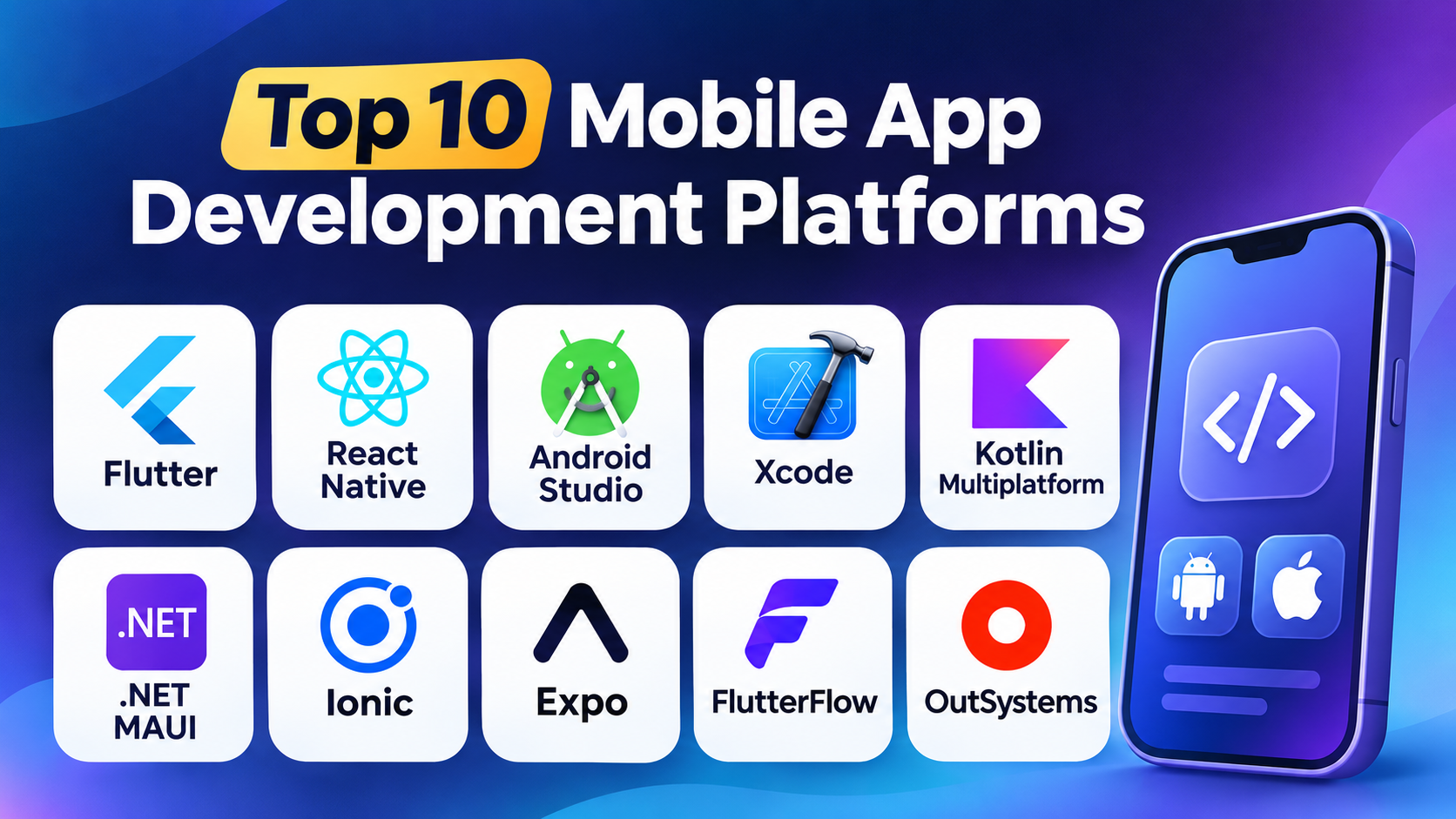
Top 10 Mobile App Development Platforms
1. Flutter
Flutter is a mobile app development platform from Google. It helps developers build apps for Android and iOS. It also supports web and desktop apps.
Flutter uses the Dart programming language. Developers can use one main codebase for several platforms. This can reduce repeated work.
Flutter includes many ready-made design elements. Developers can use these elements to create clean app screens. They can also change colors, shapes, and layouts.
One useful feature is hot reload. It lets developers see many code changes quickly. This can make app development faster.
Flutter works well for startups, businesses, and development teams. It suits projects that need a similar look across platforms.
Key Features
- Supports Android, iOS, web, and desktop development.
- Uses Dart as its main programming language.
- Offers ready-made design elements.
- Supports hot reload during development.
- Allows developers to build custom app designs.
- Provides tools for testing and debugging.
- Supports a shared codebase across platforms.
Pros
- One codebase can support many platforms.
- Offers strong control over app design.
- Includes many useful interface elements.
- Hot reload helps speed up development.
- Has a large developer community.
- Works well for apps with custom designs.
Cons
- Developers need to learn Dart.
- Some apps may need platform-specific code.
- App size can be larger than expected.
- Certain device features need extra setup.
- Large projects still need careful planning.
Best For
Flutter suits teams that want to build attractive apps for many platforms. It works well for shopping, finance, education, and service apps.
2. React Native
React Native is a mobile app development framework from Meta. It helps developers create Android and iOS apps. It uses JavaScript and React.
Developers can share much of their code between platforms. This can save time when building apps for different devices.
React Native uses native user interface elements. This helps apps feel familiar on each platform. Developers can also connect native code when they need special features.
The platform works well for teams that already use React. It also suits businesses that want to reuse web development skills.
React Native has a large community. Developers can find many learning guides and extra tools.
Key Features
- Supports Android and iOS development.
- Uses JavaScript and React.
- Allows code sharing between platforms.
- Supports native device features.
- Offers reusable interface components.
- Works with many third-party libraries.
- Supports fast development and testing tools.
Pros
- Uses popular web development skills.
- Helps reduce repeated code.
- Has a large developer community.
- Supports native user interface elements.
- Offers many third-party packages.
- Works well for many business apps.
Cons
- Some features need native code.
- Extra libraries may need regular updates.
- Complex apps can need more setup.
- Performance needs careful testing.
- Developers must manage platform differences.
Best For
React Native suits businesses that already use React. It also works well for social apps, shopping apps, and customer service platforms.
3. Android Studio
Android Studio is the official development environment for Android apps. Google provides it for Android developers.
It supports Kotlin and Java. Developers can use it to build, test, and debug Android applications.
Android Studio includes a code editor and layout tools. It also offers an Android emulator. This lets developers test apps without using a physical phone.
The platform provides tools to check app performance. Developers can find coding errors and review how an app uses system resources.
Android Studio works best for teams that focus on Android. It offers strong control over Android features and device settings.
Key Features
- Supports Kotlin and Java.
- Includes a code editor.
- Provides an Android emulator.
- Offers app testing and debugging tools.
- Includes visual layout design tools.
- Helps check app performance.
- Supports Android app packaging and release tasks.
Pros
- Offers official Android development tools.
- Provides strong Android support.
- Supports modern Kotlin development.
- Includes useful testing features.
- Helps developers find errors.
- Offers detailed control over Android apps.
Cons
- Focuses mainly on Android development.
- Can use a lot of computer memory.
- New users may need time to learn it.
- Large projects can take time to build.
- Developers need separate tools for native iOS apps.
Best For
Android Studio suits developers who want to build native Android apps. It works well for games, business apps, and apps that need deep Android access.
4. Xcode
Xcode is Apple’s official development environment. Developers use it to build apps for iPhone, iPad, Mac, Apple Watch, and Apple TV.
It supports Swift and Objective-C. Swift is Apple’s modern programming language for app development.
Xcode includes tools for writing code and designing app screens. It also provides simulators for testing apps on different Apple devices.
Developers can use its debugging tools to find and fix problems. It also helps manage app builds and prepare releases.
Xcode offers strong support for Apple’s software and hardware features. However, it mainly runs on macOS.
Key Features
- Supports Swift and Objective-C.
- Builds apps for Apple platforms.
- Includes visual interface design tools.
- Provides device simulators.
- Offers testing and debugging tools.
- Supports app signing and release tasks.
- Connects with Apple’s development services.
Pros
- Offers official Apple development tools.
- Provides strong support for iOS features.
- Supports modern Swift development.
- Includes useful testing tools.
- Helps build apps for many Apple devices.
- Offers direct access to Apple platform features.
Cons
- Requires a Mac for development.
- Focuses on Apple’s platforms.
- Beginners may find some tools complex.
- Large projects can require strong hardware.
- Android apps need a separate development setup.
Best For
Xcode suits developers who want to build apps for iPhone and other Apple devices. It works well for games, business apps, and consumer apps.
5. Kotlin Multiplatform
Kotlin Multiplatform helps developers share code across different platforms. JetBrains develops and supports the technology.
Developers can share business logic between Android and iOS apps. They can also write platform-specific code when needed.
This approach gives teams more control over app design. Each platform can keep its own user interface.
Kotlin Multiplatform works with existing Kotlin projects. Teams can add shared code without rebuilding every part of an app.
It suits businesses that want code sharing but still need a native feel. It can also help teams reduce repeated development work.
Key Features
- Uses the Kotlin programming language.
- Supports shared code across platforms.
- Allows native user interface development.
- Works with existing Kotlin projects.
- Supports Android and iOS development.
- Allows platform-specific code.
- Offers tools for testing shared logic.
Pros
- Helps reduce repeated code.
- Supports native user interfaces.
- Works well with Kotlin projects.
- Gives teams control over platform features.
- Allows gradual use in existing apps.
- Supports flexible app development.
Cons
- Developers need Kotlin knowledge.
- Setup can take time.
- Some features need platform-specific work.
- Teams must manage shared and native code.
- The learning process can challenge beginners.
Best For
Kotlin Multiplatform suits teams that want to share app logic across platforms. It works well for larger apps and projects with existing Kotlin code.
6. .NET MAUI
.NET MAUI is Microsoft’s framework for building apps across several platforms. It uses C# and the .NET development system.
Developers can build apps for Android, iOS, Windows, and macOS. They can share much of their code across these platforms.
.NET MAUI supports native controls. This helps apps follow the look and feel of each operating system.
It also works with other Microsoft tools. Teams that already use C# and .NET may find it easier to adopt.
The framework suits business apps and internal tools. It can also support customer-facing mobile apps.
Key Features
- Uses C# and .NET.
- Supports Android and iOS.
- Also supports Windows and macOS.
- Allows code sharing across platforms.
- Supports native user interface controls.
- Connects with Microsoft development tools.
- Offers debugging and testing support.
Pros
- Supports several platforms.
- Uses C# for app development.
- Works with the wider .NET system.
- Helps reduce repeated code.
- Supports native controls.
- Suits teams that already use Microsoft tools.
Cons
- Developers need C# and .NET skills.
- Some platform features need extra work.
- Setup can feel complex for beginners.
- App performance needs proper testing.
- Some third-party packages may have limited support.
Best For
.NET MAUI suits businesses that use Microsoft technology. It works well for staff apps, customer portals, and business tools.
7. Ionic
Ionic is a framework for building mobile apps with web technologies. It uses HTML, CSS, and JavaScript.
Developers can use web development skills to create mobile app screens. They can also use popular web frameworks with Ionic.
Ionic apps can run on Android and iOS. The platform uses web technology inside a native app container.
Ionic provides ready-made interface components. These help developers create app screens that work across different devices.
The framework suits teams with web development experience. It can also help businesses turn web projects into mobile apps.
Key Features
- Uses HTML, CSS, and JavaScript.
- Supports Android and iOS apps.
- Works with popular web frameworks.
- Offers ready-made interface components.
- Supports access to device features through plugins.
- Helps reuse web development skills.
- Supports mobile app testing and release work.
Pros
- Uses common web technologies.
- Helps web developers build mobile apps.
- Offers ready-made interface elements.
- Supports several popular frameworks.
- Allows code reuse.
- Can reduce development time for simple apps.
Cons
- Some apps may not feel fully native.
- Complex apps may need performance tuning.
- Device features can need extra plugins.
- Plugin updates may cause problems.
- Some advanced tasks need native development skills.
Best For
Ionic suits teams with web development experience. It works well for business tools, content apps, and apps with simple user needs.
8. Expo
Expo is a development platform built around React Native. It helps developers create and manage mobile apps.
It provides tools that make React Native development easier. Developers can start projects, test apps, and prepare releases with less setup.
Expo supports Android and iOS development. It also offers services for app building and updates.
Developers can use JavaScript or TypeScript. They can also connect native features when their apps need them.
Expo works well for small teams and large projects. It can help developers spend more time building app features.
Key Features
- Built around React Native.
- Supports Android and iOS.
- Works with JavaScript and TypeScript.
- Offers tools for app testing.
- Supports app builds and updates.
- Helps manage development tasks.
- Provides access to many device features.
Pros
- Makes React Native setup easier.
- Helps speed up development.
- Supports Android and iOS.
- Offers useful development services.
- Works with JavaScript and TypeScript.
- Suits teams of different sizes.
Cons
- Some advanced features need extra setup.
- Developers may need native code knowledge.
- Certain projects may outgrow simple workflows.
- Teams must understand its build system.
- Service needs may affect project costs.
Best For
Expo suits developers who want a smoother React Native workflow. It works well for startups, small teams, and apps that need regular updates.
9. FlutterFlow
FlutterFlow is a low-code app development platform. It uses a visual editor to help users build apps.
Users can create screens by placing and arranging visual elements. They can also connect data and set up app actions.
FlutterFlow builds on Flutter technology. It supports app projects for Android and iOS.
The platform can help people create app designs without writing every part by hand. Developers can also use custom code when needed.
FlutterFlow suits people who want to build prototypes or business apps. It can also help teams test ideas before investing in full development.
Key Features
- Provides a visual app builder.
- Uses Flutter technology.
- Supports Android and iOS projects.
- Offers drag-and-drop design tools.
- Supports data connections.
- Allows users to set up app actions.
- Supports custom code for advanced needs.
Pros
- Makes app building easier for beginners.
- Reduces the need for manual coding.
- Helps create app screens quickly.
- Supports visual design changes.
- Can speed up early app development.
- Allows custom code for added control.
Cons
- Complex features may need coding skills.
- Users must learn its visual workflow.
- Some advanced changes can be harder.
- Platform features may affect project flexibility.
- Large apps need careful planning and testing.
Best For
FlutterFlow suits startups, small businesses, and people who want to build app prototypes. It also works well for simple business applications.
10. OutSystems
OutSystems is a low-code development platform for business applications. It helps teams build web and mobile apps with visual tools.
Developers can use its visual environment to design screens and workflows. They can also connect apps with business systems and data sources.
OutSystems supports mobile app development for business needs. It can help teams build customer apps and internal tools.
The platform also provides tools for testing, deployment, and app management. These features can help large teams manage app projects.
OutSystems mainly serves businesses that need custom applications. It may not suit every small project because costs and platform needs can vary.
Key Features
- Provides a low-code development environment.
- Supports mobile and web applications.
- Includes visual app design tools.
- Supports business workflow creation.
- Connects with data sources and business systems.
- Offers testing and deployment tools.
- Helps manage business applications.
Pros
- Helps teams build apps with less manual coding.
- Supports business workflows.
- Offers tools for app management.
- Connects with business systems.
- Can speed up business app development.
- Supports larger development projects.
Cons
- Pricing may not suit small teams.
- Users need time to learn the platform.
- Advanced needs may require technical skills.
- Platform rules can affect flexibility.
- Teams may depend on its development system.
Best For
OutSystems suits medium and large businesses. It works well for internal tools, customer portals, and apps that support business processes.
Comparison Table: Top 10 Mobile App Development Platforms
| Platform | Main Technology | App Support | Best For |
|---|---|---|---|
| Flutter | Dart | Android and iOS | Cross-platform apps |
| React Native | JavaScript and React | Android and iOS | Reusable mobile apps |
| Android Studio | Kotlin and Java | Android | Native Android apps |
| Xcode | Swift and Objective-C | iOS and Apple platforms | Native Apple apps |
| Kotlin Multiplatform | Kotlin | Android and iOS | Shared business logic |
| .NET MAUI | C# and .NET | Android and iOS | Microsoft-based development |
| Ionic | HTML, CSS, and JavaScript | Android and iOS | Web-based mobile apps |
| Expo | React Native | Android and iOS | Faster React Native development |
| FlutterFlow | Visual app builder | Android and iOS | Low-code app development |
| OutSystems | Low-code development | Mobile and web | Business applications |
How to Choose the Best Mobile App Development Platform
Choosing a platform can shape your whole app project. So, review your needs before you start.
Consider these points when making your choice.
1. Know Your Target Platforms
First, decide where people will use your app.
If you only need Android, Android Studio may be a good choice. If you need Apple apps, consider Xcode.
For both Android and iOS, Flutter and React Native offer shared development options. Kotlin Multiplatform also supports shared code.
2. Check Your Team’s Skills
Your team’s skills can affect development speed.
JavaScript developers may prefer React Native or Expo. Kotlin developers may prefer Kotlin Multiplatform.
C# developers may find .NET MAUI useful. Web developers may feel comfortable with Ionic.
Choose a tool that matches your team’s knowledge.
3. Review Your App’s Features
Some apps need simple screens and forms. Others need maps, payments, camera access, or complex data.
Check whether the platform supports the features you need. Also, check if it needs extra plugins or native code.
4. Compare Development Costs
A platform can affect more than its starting price. You should also review hosting, tools, support, and developer costs.
Low-code platforms may help reduce early development work. But advanced features may still need skilled developers.
5. Think About Future Growth
Your app may gain more users and features over time. So, choose a platform that can support future needs.
Check its community, support, updates, and available tools. Also, review how easily your team can maintain the app.
Common Uses of Mobile App Development Platforms
Mobile app platforms support many types of projects. Here are some common examples.
- Shopping apps help users browse products and place orders.
- Banking apps support account access and money services.
- Education apps provide lessons, tests, and learning tools.
- Travel apps help users plan trips and manage bookings.
- Health apps support appointments and wellness services.
- Business apps help teams manage daily work.
- Social apps help people share content and connect.
- Delivery apps help customers track orders.
Each app has different needs. The right platform should support its main features.
Questions and Answers
1. What is the best mobile app development platform?
There is no single best platform for every project. Flutter and React Native suit cross-platform apps. Android Studio suits native Android apps, while Xcode suits Apple apps.
2. Which platform is best for beginners?
FlutterFlow offers a visual app-building experience. It can help beginners create simple apps with less manual coding.
Ionic may also suit people with basic web development skills.
3. Which platform supports both Android and iOS?
Flutter, React Native, Kotlin Multiplatform, .NET MAUI, Ionic, Expo, and FlutterFlow support Android and iOS development.
Each platform uses a different development approach.
4. Can I build an app without coding?
Yes. Low-code platforms can reduce the need for manual coding. FlutterFlow and OutSystems offer visual development tools.
However, complex apps may still need coding skills.
5. Is Flutter better than React Native?
Both platforms can build Android and iOS apps. Flutter uses Dart, while React Native uses JavaScript and React.
Your team’s skills and app needs should guide your choice.
6. What is the difference between native and cross-platform development?
Native development targets a specific operating system. Developers use its tools and languages.
Cross-platform development lets teams share code across different systems. This can reduce repeated work.
7. Which platform is best for Android app development?
Android Studio is the official development environment for Android apps. It supports Kotlin and Java.
It offers tools for app design, testing, and debugging.
8. Which platform is best for iOS app development?
Xcode is Apple’s official development environment. It supports Swift and Objective-C.
Developers use it to build apps for iPhone and other Apple devices.
9. Are low-code platforms good for business apps?
Yes. Low-code platforms can help businesses build apps faster. They work well for forms, workflows, and internal tools.
But complex projects may need custom development.
10. Can I change my app development platform later?
Yes, but moving an app can take time and money. The team may need to rewrite parts of the app.
So, review your long-term needs before choosing a platform.
Final Thoughts
Mobile app development platforms help turn ideas into useful apps. Each platform offers different tools and features.
Flutter and React Native suit teams that need Android and iOS apps. Android Studio and Xcode support native app development.
Kotlin Multiplatform helps teams share code. .NET MAUI works well with Microsoft tools. Ionic and Expo support web-based and React Native workflows.
FlutterFlow and OutSystems offer visual development tools. They can help teams build apps with less manual coding.
Before you choose, review your budget, skills, app features, and future plans. Also, test the platform with a small project.
The right choice can save time and support better app quality. It can also help your team build an app that serves users well.