Introduction
Every business follows a set of steps to complete its work. These steps may include approvals, customer requests, payments, and staff tasks.
Poor processes can waste time and create delays. They can also cause mistakes and make teamwork harder.
Business Process Management helps companies improve these tasks. It gives teams a clear way to design, manage, and track business processes.
A BPM suite brings these activities into one platform. It can also connect people, software, and business data.
Modern BPM platforms offer workflow automation, process reports, and low-code tools. Some also support artificial intelligence and case management.
This guide explores ten popular BPM suites. You will learn about their features, Pros, Cons, and best uses. You will also find a comparison table and tips for choosing the right platform.
What Is Business Process Management?
Business Process Management, also called BPM, helps companies manage and improve their daily processes.
A business process is a group of steps that completes a task. For example, hiring a new employee involves many steps. HR teams collect details, review documents, request approvals, and prepare accounts.
BPM helps companies organize these steps. It also helps them find delays and improve weak areas.
A BPM suite provides tools to manage these processes. Teams can design workflows, assign tasks, track progress, and review results.
How Does BPM Software Work?
BPM software helps teams manage work from start to finish. Most platforms follow a simple process.
- Identify the process: Choose a business task that needs improvement.
- Map the steps: List the people, actions, and decisions involved.
- Build the workflow: Create the process inside the BPM platform.
- Assign tasks: Give each step to the right person or system.
- Run the process: Let employees and automated tools complete the work.
- Track results: Review delays, errors, and completed tasks.
- Improve the process: Make changes based on the results.
This approach helps businesses keep work organized. It also makes it easier to improve processes over time.
Main Features of BPM Suites
A good BPM suite offers tools for many business needs.
- Process modeling: Helps teams plan and map business processes.
- Workflow automation: Moves tasks through set steps.
- Task management: Assigns work to the right employees.
- Process monitoring: Shows the status of active processes.
- Reports and analytics: Helps teams review process results.
- Business rules: Applies set rules to business decisions.
- Case management: Handles requests that need different steps.
- System integration: Connects business apps and data.
- Low-code development: Helps users build apps with less coding.
- Access control: Helps protect business information.
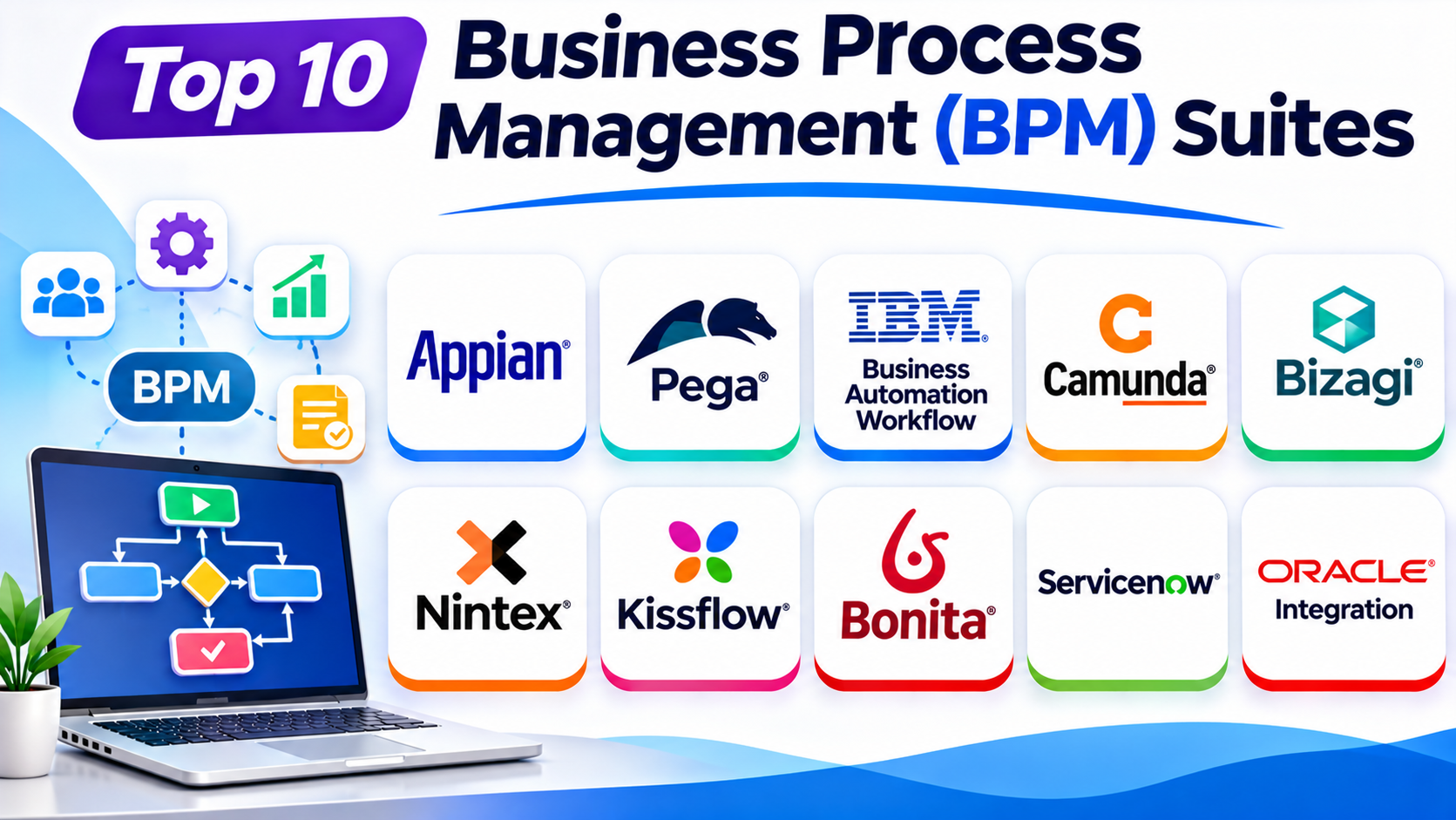
Top 10 Business Process Management (BPM) Suites
The following platforms support different BPM needs. Some focus on large enterprises. Others help smaller teams build and manage workflows.
1. Appian
Appian is a low-code platform for business process management and automation. It helps companies build applications and manage complex workflows.
Teams can use Appian to connect people, systems, and business data. Its visual tools help users design processes and create business applications.
Appian also supports automation through AI, business rules, and robotic process automation. Its process tools help teams track work and find areas that need improvement.
The platform suits companies that manage complex operations. It can support finance, insurance, healthcare, government, and other industries.
Key Features
- Visual process modeling.
- Low-code application development.
- Workflow automation.
- Business rules management.
- Case management.
- Data integration tools.
- Process monitoring and reporting.
- AI and RPA capabilities.
Pros
- Combines BPM with low-code development.
- Supports complex business processes.
- Connects people, systems, and data.
- Offers strong process monitoring tools.
- Supports different automation needs.
Cons
- Advanced features may need training.
- Large projects need careful planning.
- Pricing may not suit small businesses.
- Complex deployments can need expert support.
Best For: Medium and large companies that need low-code process automation.
2. Pega Platform
Pega Platform helps businesses manage complex processes and customer cases. It combines workflow automation, decision tools, and application development.
The platform helps teams manage work that involves many people and systems. It can guide employees through each step of a process.
Pega also offers decision management features. These features help businesses apply rules to customer and operational decisions.
Companies can use Pega for customer service, banking, insurance, and other complex operations. Its case management tools help teams manage work from the first request to the final result.
Key Features
- Business process management.
- Case management.
- Workflow automation.
- Business rules and decision tools.
- Low-code application development.
- Process monitoring.
- Customer service automation.
- AI-supported process features.
Pros
- Handles complex business processes.
- Offers strong case management.
- Combines automation and decision tools.
- Supports large enterprise operations.
- Helps manage customer journeys.
Cons
- New users may need training.
- Advanced setup can be complex.
- Large deployments may cost more.
- Some projects need specialist support.
Best For: Large companies with complex customer and business processes.
3. IBM Business Automation Workflow
IBM Business Automation Workflow helps companies manage work between people and systems. It combines business process management with case management.
Teams can design, test, and run business workflows. The platform also helps assign tasks and track process activity.
IBM supports both structured processes and flexible case work. Structured processes follow planned steps. Case work can change based on the situation.
The platform can suit companies with large operations. It can also help businesses that need strong control over documents, tasks, and business activities.
Key Features
- Business process design.
- Workflow execution and monitoring.
- Case management.
- Human task management.
- System integration.
- Process reporting.
- Administrative controls.
- Enterprise workflow support.
Pros
- Combines process and case management.
- Supports complex enterprise workflows.
- Helps coordinate people and systems.
- Offers process monitoring tools.
- Supports large business operations.
Cons
- Setup can need technical knowledge.
- The platform may take time to learn.
- Enterprise projects need careful planning.
- Smaller teams may find it too complex.
Best For: Large organizations that need controlled workflow and case management.
4. Camunda
Camunda is a process orchestration platform for technical teams. It helps businesses coordinate work across people, software, and services.
The platform supports BPMN, which stands for Business Process Model and Notation. BPMN is a standard way to draw and describe business processes.
Camunda helps developers turn these process models into running workflows. It can manage long-running processes across different systems.
Teams can use Camunda for order handling, payments, customer onboarding, and other connected tasks. It suits companies that need detailed control over process behavior.
Key Features
- BPMN process modeling.
- Workflow orchestration.
- Decision modeling support.
- Process monitoring.
- Human task management.
- System and service connections.
- Distributed process execution.
- Developer-focused tools.
Pros
- Supports standard BPMN models.
- Fits complex system workflows.
- Offers strong process orchestration.
- Gives developers control over process logic.
- Supports long-running business processes.
Cons
- Technical skills help with setup.
- Business users may need developer support.
- Complex process models need careful design.
- Advanced deployments need proper planning.
Best For: Development teams that need to connect services and manage complex processes.
5. Bizagi
Bizagi helps companies model, automate, and improve business processes. It offers visual tools that help teams understand how work moves through an organization.
Its process modeling tools help users map tasks and decisions. Teams can then use its automation features to turn process designs into working applications.
Bizagi supports human tasks, business rules, and system connections. It can help companies improve processes across different departments.
The platform suits teams that want to involve both business users and technical staff. Its visual approach can make process design easier to understand.
Key Features
- Visual process modeling.
- BPMN support.
- Workflow automation.
- Business rules management.
- Forms and user interfaces.
- Process monitoring.
- Application integration.
- Process improvement tools.
Pros
- Offers visual process design tools.
- Supports BPMN standards.
- Helps business and IT teams work together.
- Supports workflow automation.
- Makes process steps easier to understand.
Cons
- Advanced customization may need technical skills.
- Complex processes need careful planning.
- Some features may require extra setup.
- Large projects can need specialist support.
Best For: Businesses that want visual process modeling and workflow automation.
6. Nintex
Nintex helps companies manage workflows, documents, and business processes. It offers tools for process mapping, automation, and document generation.
Teams can use Nintex to automate approval requests and routine office tasks. It can also help manage forms and documents.
Nintex supports integration with Microsoft products and other business systems. This can help companies connect their existing tools.
The platform suits teams that want to reduce manual work. It can also help organizations improve processes across departments.
Key Features
- Workflow automation.
- Process mapping.
- Document generation.
- Digital forms.
- Approval management.
- System integrations.
- Process management tools.
- Workflow monitoring.
Pros
- Helps automate document-heavy tasks.
- Supports business approval workflows.
- Offers process mapping tools.
- Works with Microsoft environments.
- Helps reduce manual office work.
Cons
- Advanced workflows may need training.
- Complex integrations need planning.
- Pricing may be high for small teams.
- Some use cases may need extra tools.
Best For: Businesses that manage many documents, forms, and approval processes.
7. Kissflow
Kissflow is a low-code and no-code platform for business process management. It helps teams build workflows and manage routine tasks.
Users can create approval processes and internal business applications. Its visual design tools help teams set up workflows without heavy development work.
Kissflow can support tasks across HR, finance, purchasing, and operations. Teams can assign tasks, track progress, and manage requests from one place.
The platform focuses on making process automation easier for business users. It can suit companies that want to improve internal operations.
Key Features
- Visual workflow builder.
- Low-code and no-code tools.
- Approval management.
- Task assignment.
- Forms and business applications.
- Process tracking.
- Team collaboration.
- Business process automation.
Pros
- Easy to approach for many business users.
- Offers visual workflow tools.
- Supports common office processes.
- Helps reduce manual approvals.
- Can serve different departments.
Cons
- Complex processes may need extra planning.
- Advanced customization can have limits.
- Large-scale use may need careful setup.
- Teams should review integration needs.
Best For: Small and medium-sized businesses that want simple process automation.
8. Bonita
Bonita is a BPM and application development platform. It helps technical teams design, automate, and manage business processes.
The platform supports BPMN process modeling. Teams can use it to map workflows and connect them with business applications.
Bonita also supports custom user interfaces and system integrations. This gives developers more control over how processes work.
Companies can use Bonita for employee requests, customer services, document handling, and other business tasks. It can suit teams that need flexibility and control.
Key Features
- BPMN process modeling.
- Workflow automation.
- Application development tools.
- Custom user interfaces.
- Business system integration.
- Process monitoring.
- Task management.
- Flexible deployment options.
Pros
- Supports BPMN standards.
- Offers flexibility for developers.
- Helps connect processes with applications.
- Supports custom workflow experiences.
- Provides options for technical teams.
Cons
- Developers may need to handle advanced setup.
- Custom solutions can take time to build.
- Teams need process design skills.
- Some projects may need specialist support.
Best For: Technical teams that need flexible BPM and application development.
9. ServiceNow
ServiceNow provides a workflow automation platform for business and IT operations. It helps companies connect tasks across departments and systems.
The platform is widely used for IT service management. It also supports HR, customer service, security, and other business workflows.
ServiceNow offers low-code tools for creating workflows. Teams can use these tools to manage requests, approvals, and service tasks.
Its central platform helps businesses manage processes across different departments. It can also connect with other systems through integration tools.
Key Features
- Enterprise workflow automation.
- Low-code application development.
- IT service management.
- HR service delivery.
- Approval workflows.
- Process monitoring.
- System integration.
- AI-supported automation features.
Pros
- Supports workflows across many departments.
- Strong fit for IT service management.
- Offers low-code workflow tools.
- Connects business and IT processes.
- Helps teams track service requests.
Cons
- The platform can be complex.
- Setup may need trained specialists.
- Costs can grow with wider use.
- Small teams may not need its full range.
Best For: Large businesses that want to connect IT and enterprise workflows.
10. Oracle Integration and Process Automation
Oracle Integration helps businesses connect applications, data, and business processes. It offers tools for integration and automation in a managed environment.
Teams can use it to connect Oracle products with other business systems. It can also help automate tasks that move data between applications.
Oracle Integration supports process automation as part of its wider platform. This can help companies manage workflows across connected systems.
It suits businesses that already use Oracle applications. It can also help organizations that need to connect cloud services and enterprise data.
Key Features
- Application integration.
- Process automation.
- Data movement between systems.
- Visual integration design.
- Business workflow support.
- Monitoring and error handling.
- Oracle application connections.
- AI-supported automation features.
Pros
- Fits well with Oracle environments.
- Helps connect different applications.
- Supports business process automation.
- Offers managed cloud services.
- Helps automate data movement.
Cons
- Oracle knowledge can help with setup.
- Complex integrations need planning.
- Pricing depends on usage and services.
- It may not suit every BPM requirement.
Best For: Companies that use Oracle applications and need connected business processes.
Comparison Table of the Top 10 BPM Suites
| BPM Suite | Main Strength | Best For |
|---|---|---|
| Appian | Low-code BPM and process automation | Enterprise process improvement |
| Pega Platform | Case management and decision tools | Complex business operations |
| IBM Business Automation Workflow | Process and case management | Large enterprises |
| Camunda | BPMN process orchestration | Developer-led teams |
| Bizagi | Visual process modeling | Business and IT teams |
| Nintex | Document and workflow automation | Approval-heavy processes |
| Kissflow | Simple low-code workflows | Small and medium businesses |
| Bonita | Flexible BPM development | Technical teams |
| ServiceNow | Cross-department workflow automation | Enterprise IT and business operations |
| Oracle Integration | Application integration and process automation | Oracle-based businesses |
How to Choose the Right BPM Suite
The best BPM suite depends on your business needs. A small company may need simple approval workflows. A large company may need complex process control.
Consider these points before making a choice.
1. Understand Your Business Processes
List the tasks that your teams complete every day. Find steps that cause delays or repeated work.
Choose a platform that can improve those processes. Start with the tasks that have the clearest business value.
2. Check Ease of Use
Some BPM suites offer simple visual tools. Others focus on developers and technical teams.
Choose a platform that matches your team’s skills. Also check whether employees can manage workflows without constant IT support.
3. Review Automation Features
Check how the platform handles approvals, forms, and task assignments. Also review its support for business rules and automated decisions.
Make sure the tool can handle your most important workflows.
4. Check Integration Options
Your BPM suite may need to connect with finance, HR, sales, and customer systems.
Review its connectors and integration features. Make sure it can work with your current business applications.
5. Review Security and Access Control
Business processes often use private information. Check user roles, access rules, and activity records.
Choose a platform that meets your company’s security needs.
6. Compare Costs
Review license fees and setup costs. Also consider training, support, and future upgrades.
The cheapest option may not offer the features your business needs. Compare the full cost before making a decision.
7. Check Reporting Features
Good reports help teams understand how processes perform. Look for tools that show task status, delays, and completion times.
These reports can help managers find problems and improve workflows.
8. Test the Platform
Run a small pilot before a full rollout. Use a real business process and involve the employees who will use it.
Check how well the platform handles normal tasks and unusual cases. This can help you avoid problems later.
Common Uses of BPM Software
BPM suites can help many business departments. Here are some common uses.
Human Resources
HR teams manage hiring, employee records, leave requests, and staff approvals. BPM can help organize these tasks and track their progress.
Finance and Accounting
Finance teams handle invoices, payments, expenses, and budget approvals. BPM can help move these tasks through the right review steps.
Customer Service
Customer service teams manage complaints, requests, and support cases. BPM can help assign work and track each request.
Sales Operations
Sales teams handle leads, quotes, contracts, and customer requests. BPM can help organize these steps and improve team coordination.
Procurement
Procurement teams manage purchase requests and supplier approvals. BPM can help track requests from the first review to the final order.
Healthcare
Healthcare organizations manage patient records, staff requests, and administrative tasks. BPM can help teams coordinate work across departments.
Banking and Insurance
Banks and insurance companies manage applications, claims, and customer reviews. BPM can help organize these processes and keep clear records.
IT Operations
IT teams handle service requests, system access, and change approvals. BPM can help manage these tasks in a clear order.
Benefits of Business Process Management
BPM can help companies improve how they work. It offers several benefits.
Better Productivity
BPM helps teams organize tasks and reduce repeated work. Employees can spend more time on important duties.
Fewer Manual Errors
Clear workflows help employees follow the right steps. Automation can also reduce mistakes from repeated data entry.
Faster Approvals
BPM can send requests to the right people. This can reduce delays caused by emails and manual follow-ups.
Better Teamwork
A shared process gives employees a clear view of their tasks. Teams can also see who handles each step.
Clear Process Tracking
Managers can track work and review process results. This helps them find delays and weak areas.
Improved Customer Service
Better processes can help teams respond to customers faster. They can also make service more consistent.
Easier Business Growth
A well-designed process can support more work as a company grows. Teams can also update workflows when business needs change.
Challenges of BPM Software
BPM software can improve business operations. However, companies should plan for some common challenges.
Complex Setup
Large business processes can involve many teams and systems. Setting them up may take time and planning.
Employee Training
Employees need to understand new workflows. Companies should provide clear training and support.
Process Changes
Business rules and tasks can change over time. Teams must update workflows when these changes happen.
Integration Issues
Some systems may not connect easily. Companies should check integration needs before choosing a platform.
High Costs
Some enterprise BPM suites require large budgets. Costs may include licenses, setup, training, and support.
Poor Process Design
Automation cannot fix every process problem. Teams should review and improve the process before they automate it.
Questions and Answers About BPM Suites
1. What does BPM stand for?
BPM stands for Business Process Management. It helps companies design, manage, and improve business processes.
2. What is a BPM suite?
A BPM suite is software that helps manage business processes. It can include process modeling, workflow automation, reports, and task management.
3. What is the main purpose of BPM software?
BPM software helps businesses improve daily work. It can reduce delays, organize tasks, and improve process visibility.
4. Which BPM suite is best for large enterprises?
Appian, Pega, and IBM Business Automation Workflow support complex enterprise needs. The best choice depends on the company’s processes and systems.
5. Which BPM tool is suitable for small businesses?
Kissflow offers visual tools for common business workflows. Small teams should still compare its cost and features with their needs.
6. What is the difference between BPM and workflow automation?
Workflow automation handles specific tasks and steps. BPM manages and improves complete business processes across teams.
7. Does BPM software require coding?
Not always. Many platforms offer low-code or no-code tools. Some advanced projects still need developers.
8. Can BPM software work with existing business applications?
Yes. Many BPM suites offer integration tools and connectors. These help connect workflows with other business systems.
9. What industries use BPM software?
Finance, healthcare, banking, retail, insurance, and manufacturing teams use BPM. Many other industries also use it.
10. Can BPM software improve customer service?
Yes. BPM can organize customer requests and assign tasks. It can also help teams track cases and respond faster.
11. What is BPMN?
BPMN stands for Business Process Model and Notation. It provides a standard way to draw and explain business processes.
12. How do I start using BPM software?
Start with one process that needs improvement. Map its steps, choose a suitable platform, and test a small workflow.
Final Thoughts
Business Process Management helps companies improve daily work. It gives teams a clear way to manage tasks and track results.
Appian offers low-code process automation. Pega supports complex cases and business decisions. IBM Business Automation Workflow suits large organizations with detailed process needs.
Camunda fits developer-led process orchestration. Bizagi helps teams model and automate workflows. Nintex supports document-heavy processes.
Kissflow offers a simple approach to business workflows. Bonita gives technical teams more flexibility. ServiceNow connects workflows across enterprise departments. Oracle Integration suits businesses that use Oracle systems.
No single BPM suite fits every company. The right choice depends on your processes, team skills, budget, and systems.
Start with a clear business need. Test the platform with a real workflow. Then choose the tool that helps your team work better.