Introduction
APIs help apps and services share data. They let different software systems work together. As businesses use more APIs, they need a safe way to manage requests.
An API gateway helps control this traffic. It acts as a front door for API requests. It checks requests and sends them to the right service.
API gateways can also help with security, traffic limits, and monitoring. They help teams manage connections between apps and services.
Many tools offer API gateway features. Some focus on cloud services. Others support open-source projects and large business systems.
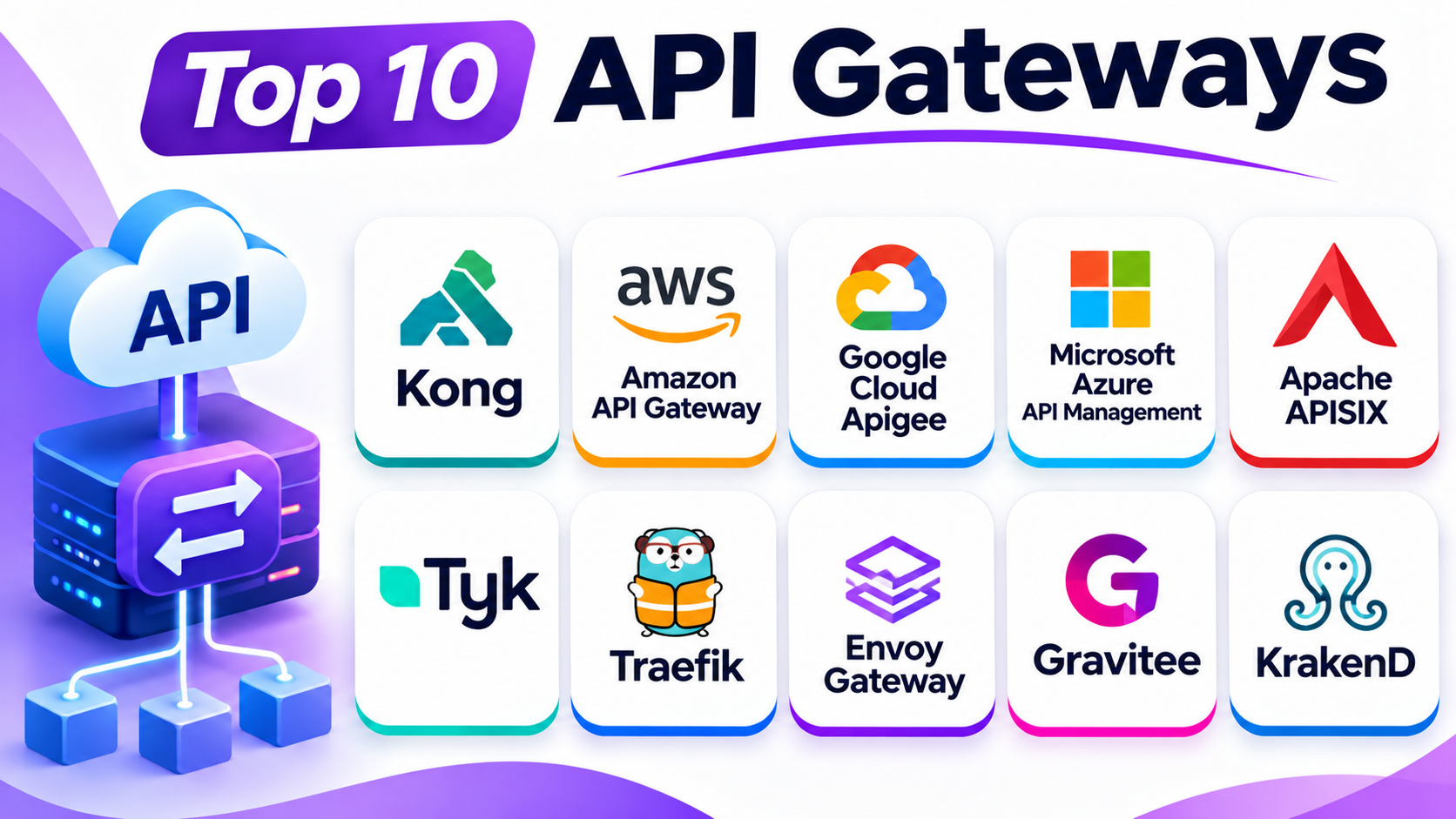
This guide covers ten popular API gateways. You will learn about their key features, Pros, Cons, and best uses. A comparison table follows all ten tool descriptions.
What Is an API Gateway?
An API gateway acts as a central entry point for API requests. It sits between users, apps, and backend services.
When an app sends a request, the gateway checks it. Then it sends the request to the correct service. The gateway can also apply security rules and traffic limits.
For example, a shopping app may need product details from one service. It may need payment details from another service. An API gateway can help manage these requests.
API gateways support several important tasks:
- Route requests to the right services.
- Check user access and permissions.
- Control request traffic.
- Help protect services from unwanted requests.
- Monitor API activity.
- Manage connections between applications.
Top 10 API Gateways
1. Kong Gateway
Best for: Flexible API traffic management and cloud-native systems
Kong Gateway is a popular API gateway for modern software systems. It helps teams manage requests between apps and backend services.
The platform offers traffic routing, security, and access control. It also supports plugins that add extra features. Teams can use these plugins for authentication, traffic limits, and monitoring.
Kong supports several deployment options. Businesses can run it on their own systems or use its managed cloud services. It also works well with container-based environments.
Kong suits businesses that need flexibility. It can support small projects and large systems. However, advanced setup may need technical knowledge.
Key Features
- API request routing.
- Authentication and access control.
- Traffic limits and request management.
- Plugin-based features.
- API monitoring and analytics.
- Cloud and self-managed deployment options.
Pros
- Offers a flexible gateway system.
- Provides a wide plugin ecosystem.
- Supports cloud and self-managed setups.
- Works well with modern applications.
- Helps control API traffic and access.
Cons
- Advanced setup can be complex.
- Plugin management needs care.
- Some enterprise features require paid plans.
- Teams may need technical training.
2. Amazon API Gateway
Best for: AWS applications and serverless services
Amazon API Gateway is a managed service from Amazon Web Services. It helps businesses create, publish, secure, and manage APIs.
The service receives requests and sends them to the correct backend system. It also supports traffic control and access management.
Amazon API Gateway works closely with other AWS services. Teams can connect it with cloud functions and application services. This makes it useful for businesses that already use AWS.
The service supports different API types. It can handle REST, HTTP, and WebSocket APIs. This gives developers options for different application needs.
Amazon API Gateway suits cloud-based projects. It also helps teams avoid managing their own gateway servers.
Key Features
- Managed API gateway service.
- REST, HTTP, and WebSocket API support.
- Request routing.
- Access control and security options.
- Traffic limits and usage plans.
- Integration with AWS services.
Pros
- Works closely with AWS services.
- Reduces gateway server maintenance.
- Supports several API types.
- Offers traffic management features.
- Suits cloud-based applications.
Cons
- Works best within the AWS environment.
- Costs can grow with usage.
- Advanced settings may need AWS knowledge.
- Large projects need careful cost planning.
3. Google Cloud Apigee
Best for: Enterprise API traffic and advanced API control
Google Cloud Apigee provides API gateway features for business applications. It helps organizations manage API traffic and control access to services.
Apigee offers tools for routing, security, and traffic management. It also provides analytics that help teams understand API usage.
Businesses can use it to manage APIs across different environments. It supports cloud and hybrid setups. This can help organizations that use both cloud services and their own systems.
Apigee also offers wider API management features. These include developer portals and API lifecycle tools. This makes it useful for companies with large API programs.
The platform suits organizations that need detailed control. However, smaller teams may find its range of features more than they need.
Key Features
- API gateway and traffic routing.
- Access control and security policies.
- API analytics and monitoring.
- Traffic limits and request management.
- Developer portal features.
- Cloud and hybrid deployment options.
Pros
- Offers broad API management features.
- Supports enterprise environments.
- Provides useful analytics.
- Helps control API access.
- Supports hybrid deployments.
Cons
- Can feel complex for beginners.
- Advanced features may increase costs.
- Setup may need skilled teams.
- Small projects may not need every feature.
4. Microsoft Azure API Management
Best for: Businesses using Microsoft Azure
Microsoft Azure API Management helps organizations publish and manage APIs. It includes a gateway that controls API requests.
The platform helps teams secure services and manage traffic. They can create policies for access, request handling, and usage limits.
Azure API Management also provides a developer portal. This portal helps developers find and understand available APIs. Teams can use it to share APIs with partners and customers.
The service supports cloud and hybrid environments. It can also connect with different applications and backend services.
Azure API Management suits businesses that already use Microsoft Azure. It can help them manage APIs across their cloud applications.
Key Features
- API gateway and request routing.
- Access control and security policies.
- Traffic management.
- Developer portal.
- API analytics and monitoring.
- Cloud and hybrid support.
Pros
- Works closely with Microsoft Azure.
- Offers useful security controls.
- Supports API publishing and management.
- Includes monitoring tools.
- Suits large business environments.
Cons
- The range of features can feel complex.
- Costs depend on the selected service plan.
- Azure knowledge helps with setup.
- Some advanced options need careful planning.
5. Apache APISIX
Best for: Open-source API gateway management
Apache APISIX is an open-source API gateway. It helps teams route, secure, and manage API requests.
The platform supports traffic control and access rules. It also offers plugins for adding features. Teams can use these plugins to manage authentication, security, and monitoring.
Apache APISIX supports dynamic configuration. This means teams can update gateway settings without rebuilding the whole system.
It also supports cloud-native and container-based environments. This makes it useful for businesses that manage many services.
Apache APISIX suits teams that want an open-source gateway. It offers flexibility, but setup and maintenance need technical skills.
Key Features
- Open-source API gateway.
- Dynamic configuration.
- Traffic routing and control.
- Plugin-based features.
- Authentication and security options.
- Support for cloud-native environments.
Pros
- Offers an open-source option.
- Provides flexible configuration.
- Supports many plugins.
- Works well with modern service systems.
- Helps manage changing API traffic.
Cons
- Setup needs technical knowledge.
- Teams must manage their own infrastructure.
- Plugin choices need careful review.
- Beginners may need extra training.
6. Tyk Gateway
Best for: Flexible API control and open-source gateway use
Tyk Gateway helps teams manage and secure API traffic. It supports request routing, access control, and traffic limits.
The platform provides tools for managing different API types. It also offers monitoring and analytics features. These tools help teams understand how their APIs perform.
Tyk supports cloud, self-managed, and hybrid environments. This gives businesses more control over where they run their gateway.
The gateway also offers an open-source core. This can suit teams that want to manage their own systems. Businesses can also explore its wider paid management features.
Tyk works well for teams that need flexible API control. However, advanced features may need extra setup.
Key Features
- API request routing.
- Authentication and access policies.
- Traffic limits.
- API analytics and monitoring.
- Plugin and extension support.
- Cloud and self-managed deployment options.
Pros
- Offers flexible deployment choices.
- Provides an open-source gateway.
- Helps manage API traffic.
- Supports different API types.
- Includes monitoring features.
Cons
- Advanced features may need technical skills.
- Setup can take time.
- Some management features require paid plans.
- Teams must plan upgrades and maintenance.
7. Traefik
Best for: Container and Kubernetes traffic routing
Traefik is a modern traffic router and reverse proxy. It helps direct requests to the right applications and services.
It can discover services in supported environments. This helps teams manage changing application systems. It also supports security features and traffic routing rules.
Traefik works with containers and Kubernetes. These technologies help teams run applications in separate, manageable units.
The platform can act as an entry point for APIs and web services. It also supports automatic configuration in supported environments.
Traefik suits teams that manage container-based applications. However, businesses that need a full API management suite may need extra tools.
Key Features
- Request routing.
- Automatic service discovery.
- Container and Kubernetes support.
- Security and access features.
- Traffic management.
- Monitoring options.
Pros
- Works well with container systems.
- Supports automatic service discovery.
- Offers flexible routing options.
- Helps manage changing services.
- Has an open-source version.
Cons
- Advanced setup can be technical.
- Full API management needs extra tools.
- Configuration can take time.
- Some enterprise features require paid services.
8. Envoy Gateway
Best for: Kubernetes and service-based application systems
Envoy Gateway helps teams manage network traffic for modern applications. It uses Envoy Proxy as its traffic handling foundation.
The platform helps manage requests between users and services. It supports routing, traffic rules, and security features.
Envoy Gateway works with Kubernetes environments. It helps teams manage traffic for applications that run across many services.
The platform suits businesses that already use modern cloud infrastructure. It can also support teams that need more control over service communication.
Envoy Gateway focuses on traffic management rather than a full API lifecycle suite. Businesses may need other tools for developer portals and wider API management.
Key Features
- API and application traffic routing.
- Kubernetes support.
- Traffic policies.
- Security and access controls.
- Integration with Envoy Proxy.
- Support for modern service environments.
Pros
- Suits Kubernetes-based systems.
- Offers flexible traffic control.
- Uses the Envoy Proxy foundation.
- Supports modern application environments.
- Helps manage service communication.
Cons
- Needs Kubernetes knowledge.
- Setup can be technical.
- Does not replace every API management feature.
- Teams may need extra monitoring tools.
9. Gravitee API Gateway
Best for: API traffic and event-based services
Gravitee offers an API gateway for managing application connections. It helps teams control API requests and protect services.
The platform supports traffic management and access rules. It also provides monitoring and analytics tools.
Gravitee has features for event-based communication. These features can help businesses manage systems that share updates when events happen.
The platform supports cloud and self-managed environments. It can also work with different API styles and communication needs.
Gravitee suits teams that manage both regular APIs and event-driven services. However, some advanced features may need paid plans.
Key Features
- API gateway and traffic routing.
- Security and access controls.
- API monitoring and analytics.
- Event-based API support.
- Policy management.
- Cloud and self-managed options.
Pros
- Supports API and event-based services.
- Offers flexible deployment options.
- Provides traffic control features.
- Includes monitoring tools.
- Helps manage different API needs.
Cons
- Advanced features may need technical skills.
- Some enterprise tools cost extra.
- Setup can take time.
- Small teams may not need every feature.
10. KrakenD
Best for: Lightweight API gateways and request aggregation
KrakenD is an API gateway designed to manage requests between clients and backend services. It helps combine data from different services into one response.
This approach can help mobile apps and websites. Instead of making many separate requests, an app can receive information through one gateway request.
KrakenD uses a stateless design. This means the gateway does not need to store session data between requests. It can help teams build simpler gateway environments.
The platform offers an open-source community edition. It also has enterprise options for businesses with wider needs.
KrakenD suits teams that want a lightweight gateway. However, users should check whether its features match their security and management needs.
Key Features
- API request routing.
- Request aggregation.
- Stateless gateway design.
- Backend service connections.
- Performance and traffic controls.
- Community and enterprise options.
Pros
- Offers a lightweight design.
- Helps combine backend responses.
- Provides an open-source edition.
- Supports modern application systems.
- Can simplify app requests.
Cons
- Advanced configuration needs technical skills.
- Some enterprise features cost extra.
- Teams must plan monitoring and security.
- It may not replace a full API management platform.
Comparison Table: Top 10 API Gateways
| API Gateway | Main Strength | Deployment Options | Best For |
|---|---|---|---|
| Kong Gateway | Plugin-based flexibility | Cloud and self-managed | Cloud-native systems |
| Amazon API Gateway | AWS integration | Managed AWS cloud | AWS applications |
| Google Cloud Apigee | Enterprise API control | Cloud and hybrid | Large API programs |
| Azure API Management | Microsoft integration | Cloud and hybrid | Azure-based businesses |
| Apache APISIX | Open-source flexibility | Self-managed and cloud-native | Custom API gateways |
| Tyk Gateway | Flexible API control | Cloud, hybrid, and self-managed | Open-source-focused teams |
| Traefik | Automatic service discovery | Self-managed and cloud-native | Containers and Kubernetes |
| Envoy Gateway | Service traffic management | Kubernetes and self-managed | Modern service environments |
| Gravitee API Gateway | API and event support | Cloud and self-managed | Event-driven applications |
| KrakenD | Request aggregation | Self-managed | Lightweight API gateways |
How to Choose the Best API Gateway
The right API gateway depends on your applications and business needs. Some teams need a simple traffic router. Others need advanced security and monitoring.
Consider these points before choosing a platform.
1. Understand Your Traffic Needs
Check how many requests your applications receive. Also consider how much traffic you expect in the future. Choose a gateway that can support your needs.
2. Review Security Features
Check how the gateway controls access. Look for authentication, traffic limits, and security policies. These features help protect your services.
3. Check Deployment Options
Some gateways run in the cloud. Others work on your own servers. Choose a platform that fits your current systems.
4. Review Performance Needs
Your gateway should handle requests without causing delays. Test it with your own traffic and setup. Do not depend only on general performance claims.
5. Check Integration Options
Make sure the gateway works with your applications and services. Check support for your cloud provider and other tools.
6. Consider Monitoring Features
Monitoring helps teams understand API traffic. Look for clear reports and useful alerts. These features help teams find problems early.
7. Review Ease of Management
Some gateways need more technical work than others. Choose one your team can manage. Also check the available support and learning resources.
8. Compare Total Costs
Check software costs and infrastructure costs. Also consider support, maintenance, and staff time. A low starting price may not mean a low total cost.
Common Uses of API Gateways
API gateways support many types of applications. They help businesses manage requests between users and backend services.
Here are some common uses:
Mobile Applications: Mobile apps use gateways to reach user accounts, product details, and other services.
E-commerce Platforms: Online stores use gateways to connect product, order, payment, and delivery services.
Microservices: Businesses use gateways to manage requests between separate services.
Cloud Applications: Teams use gateways to control access to cloud-based services.
Partner Integrations: Companies use gateways to manage API access for business partners.
Customer Portals: Websites use gateways to connect customer accounts with backend systems.
Event-Based Systems: Businesses use gateways to manage services that share updates when events happen.
Data Services: Organizations use gateways to control access to selected data services.
Questions and Answers
1. What is an API gateway?
An API gateway is a central entry point for API requests. It routes requests to the correct backend services. It can also apply security and traffic rules.
2. Why do businesses use API gateways?
Businesses use API gateways to control API traffic. They also help manage access, security, and monitoring. This makes service connections easier to manage.
3. What is the difference between an API gateway and an API management platform?
An API gateway mainly handles API requests and traffic rules. An API management platform offers wider tools. These can include API design, publishing, documentation, analytics, and developer portals.
4. Which is the best API gateway?
The best choice depends on your needs. Kong offers flexibility. Amazon API Gateway suits AWS projects. Apigee and Azure API Management support large cloud environments. Traefik suits container-based systems.
5. Are open-source API gateways available?
Yes. Kong Gateway, Apache APISIX, Tyk, Traefik, Envoy, Gravitee, and KrakenD offer open-source options or editions. Their features and licenses differ.
6. Can an API gateway improve security?
Yes. API gateways can check access and apply security rules. They can also limit traffic and block requests that do not meet set rules.
7. What is API request routing?
API request routing sends requests to the correct backend service. The gateway uses set rules to decide where each request should go.
8. Can API gateways support microservices?
Yes. API gateways can act as a central entry point for microservices. They help manage requests between users and separate services.
9. Do small businesses need an API gateway?
Small businesses may need one when they connect several applications or services. A simple gateway may be enough for smaller projects.
10. What should I check before choosing an API gateway?
Check security, traffic control, performance, deployment options, integration, monitoring, and costs. Also test the gateway with your own applications.
Final Thoughts
API gateways help businesses manage requests between apps and services. They provide a central place to control traffic and apply security rules.
Kong offers flexible gateway features. Amazon API Gateway suits AWS users. Apigee and Azure API Management support large business environments. Apache APISIX and Tyk offer flexible open-source options.
Traefik and Envoy Gateway suit modern service systems. Gravitee supports event-based needs. KrakenD helps teams combine data from different services.
No single API gateway fits every project. Compare your traffic needs, security rules, deployment plans, and budget. Then test your preferred gateway before using it for important services.