Introduction
You no longer need strong coding skills to build an app. No-code app builders make app creation easier. They offer visual editors, ready-made parts, and simple workflows.
These tools help people create business apps, customer portals, online stores, and mobile apps. Some focus on web apps. Others help users build apps for phones and tablets.
Choosing the right platform can save time and effort. This guide compares ten popular no-code app builders. It covers their features, best uses, pros, and cons.
What Is a No-Code App Builder?
A no-code app builder lets you create an app with visual tools. You can add screens, buttons, forms, and data fields. You can also set rules for how the app works.
Most platforms use drag-and-drop editors or visual workflows. Some also use AI to help create app layouts. You can build many apps without writing code.
However, not every platform creates the same kind of app. Some publish native iOS and Android apps. Others create web apps or tools for staff. Check the final app type before you choose a platform.
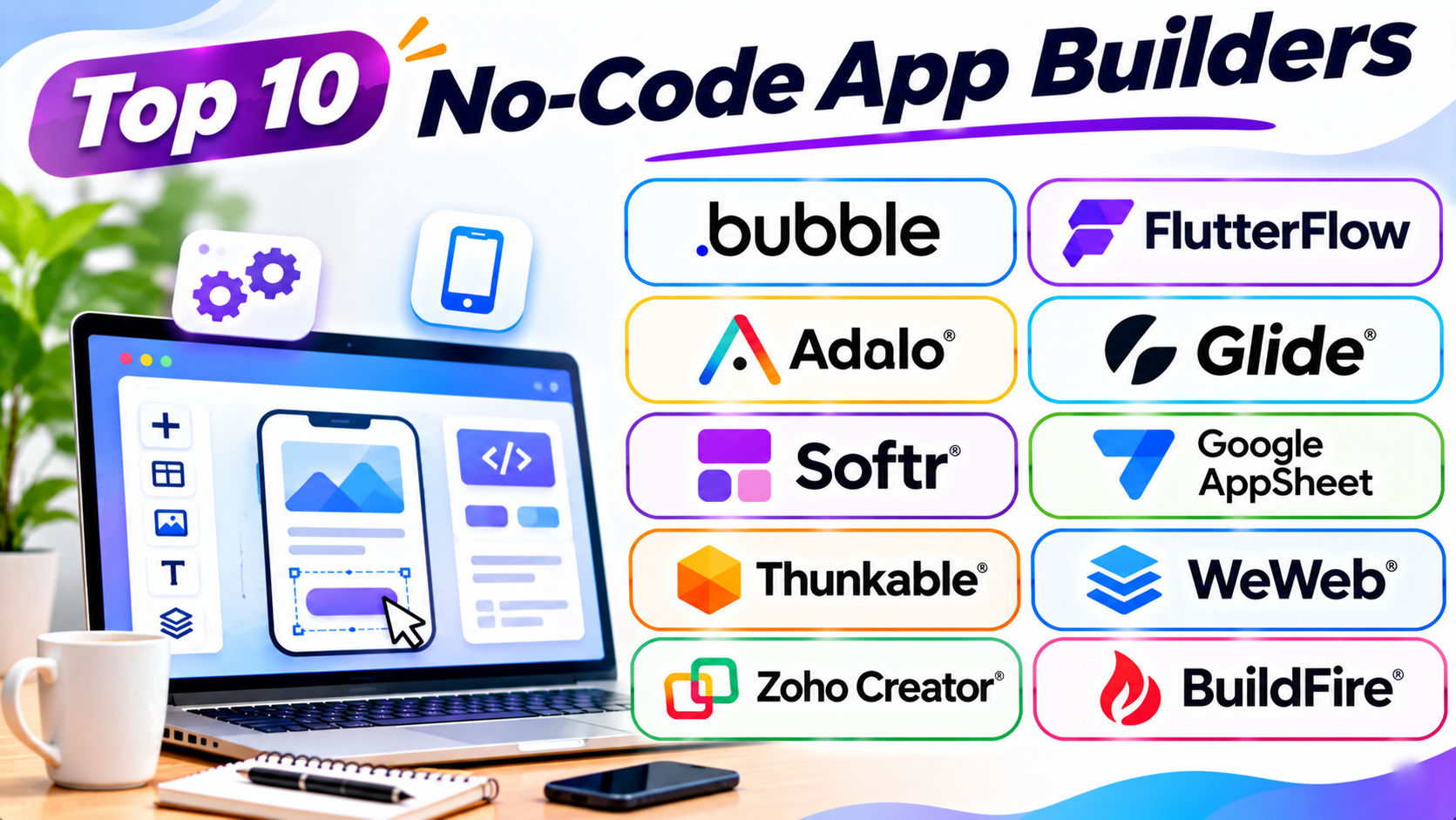
Top 10 No-Code App Builders
1. Bubble
Bubble is a visual app builder for custom web applications. It helps users create apps with data, user accounts, and complex workflows.
Users can design pages with a visual editor. They can add forms, buttons, menus, and other page elements. They can also create rules that control how the app works.
Bubble includes a built-in database. This helps users store and manage app information. Its workflow editor connects user actions with app behavior.
People use Bubble to build marketplaces, booking systems, business tools, and software products. It suits founders who want to test an app idea. It also supports more advanced web applications.
Bubble has expanded into native mobile app building. However, users should check the current mobile features and publishing options before starting.
Key Features
- Visual drag-and-drop editor.
- Built-in database.
- User accounts and access rules.
- Visual workflow builder.
- API and plugin integrations.
- Responsive page design.
- AI-assisted app creation.
- Web app publishing.
Pros
- Supports complex web applications.
- Includes database and workflow tools.
- Offers many customization options.
- Supports user accounts and permissions.
- Has a large plugin ecosystem.
Cons
- Beginners may need time to learn it.
- Complex workflows need careful planning.
- Platform-specific features can affect portability.
- Costs may grow as app usage increases.
2. FlutterFlow
FlutterFlow is a visual app builder based on Flutter. It helps users create mobile and web applications through a visual interface.
Users can design screens and connect them with actions. They can add buttons, forms, lists, and navigation menus. They can also connect databases and online services.
FlutterFlow supports integrations with services such as Firebase and Supabase. These services help apps store data and manage users.
The platform also supports Flutter code export on eligible plans. Flutter is a technology used to build apps for different devices. Code export gives developers more control after the visual design stage.
FlutterFlow suits startups, mobile app teams, and product designers. It is useful for people who want visual building with a path to custom development.
Key Features
- Visual mobile app editor.
- Android and iOS app building.
- Web app support.
- Firebase and Supabase integrations.
- Reusable app components.
- API connections.
- AI-assisted design features.
- Flutter code export on eligible plans.
Pros
- Supports mobile app development.
- Offers strong visual design controls.
- Connects with popular backend services.
- Provides a code export option.
- Helps teams create apps for several platforms.
Cons
- Some advanced tasks need technical knowledge.
- Backend setup can take time.
- Complex apps need careful testing.
- Some features require paid plans.
3. Adalo
Adalo is a visual app builder for mobile and web applications. It helps beginners create apps through a simple screen-based editor.
Users can add buttons, text, forms, images, and lists. They can connect these elements to app data. They can also set actions for buttons and other controls.
Adalo includes database tools for storing app information. Users can create records for customers, products, bookings, and other data.
The platform supports publishing to mobile app stores through its supported plans. It also offers tools for building web apps.
Adalo suits small businesses, freelancers, and startup founders. It works well for simple apps and early product ideas.
Key Features
- Visual multi-screen editor.
- Built-in database.
- Drag-and-drop components.
- User login features.
- App actions and workflows.
- Web app publishing.
- iOS and Android publishing options.
- App templates.
Pros
- Beginner-friendly editor.
- Makes screen design simple.
- Includes built-in database tools.
- Supports mobile app publishing.
- Useful for testing app ideas.
Cons
- Complex apps may need workarounds.
- Advanced customization has limits.
- App performance needs testing.
- Some publishing features require paid plans.
4. Glide
Glide helps users turn business data into working apps. It works well for internal tools, team apps, and business portals.
Users can connect data sources and build app screens. The platform can use spreadsheets and its own data tools. It then displays the information through visual layouts.
Glide offers components for tables, forms, lists, buttons, and charts. Users can control what different people see. They can also create actions that update app data.
Businesses use Glide for inventory tracking, staff directories, field reports, and project tools. It suits teams that already manage information in spreadsheets.
Glide mainly creates web-based apps and progressive web apps. A progressive web app runs through a browser and can feel like a mobile app. It does not work like a standard native app store product.
Key Features
- Spreadsheet-based app creation.
- Built-in data tools.
- Visual app editor.
- Forms and data collection.
- User access controls.
- Workflow actions.
- Business dashboards.
- Third-party integrations.
Pros
- Quick app creation from business data.
- Easy for spreadsheet users to learn.
- Useful for internal business tools.
- Offers ready-made components.
- Helps teams manage information.
Cons
- Not ideal for every consumer mobile app.
- Complex designs may need workarounds.
- App structure depends on supported data features.
- Usage limits vary by plan.
5. Softr
Softr is a no-code platform for web apps and business portals. It helps users turn business data into useful online tools.
Users can connect data sources such as Airtable and Google Sheets. They can then build pages with visual blocks. These blocks can display lists, forms, tables, and other information.
Softr also offers its own database features. Users can manage records and control access. They can create separate areas for customers, employees, or members.
Businesses use Softr for client portals, directories, internal tools, and dashboards. It suits teams that need a simple web app without a large development project.
Key Features
- Visual web app builder.
- Ready-made page blocks.
- Database features.
- Airtable and Google Sheets connections.
- User login and permissions.
- Forms and dashboards.
- Client portal tools.
- AI-assisted app creation.
Pros
- Easy to build business portals.
- Offers useful visual blocks.
- Connects with common data sources.
- Supports user access controls.
- Helps teams create apps quickly.
Cons
- Not designed for every complex app.
- Advanced workflows may need external tools.
- Design flexibility has limits.
- Some features require higher plans.
6. Google AppSheet
Google AppSheet is a no-code platform for business applications. It helps teams create apps from data and business processes.
Users can connect Google Sheets and other data sources. They can then create forms, views, and actions. The platform uses visual settings and expressions to control app behavior.
AppSheet supports mobile and web use. It can help teams collect information in the field. It also supports automation for tasks such as sending alerts and updating records.
Businesses use AppSheet for inspections, stock tracking, work reports, and approval processes. It suits teams that already use Google Workspace.
Key Features
- No-code app creation.
- Google Sheets integration.
- Data collection forms.
- Mobile and web app access.
- Workflow automation.
- User access controls.
- Offline data support for supported workflows.
- AI features through Google’s ecosystem.
Pros
- Works well with Google services.
- Useful for business process apps.
- Supports mobile data collection.
- Offers workflow automation.
- Helps teams build apps from existing data.
Cons
- Complex expressions can be hard to learn.
- Design choices may feel limited.
- Best results depend on clean data.
- Some features need paid licenses.
7. Thunkable
Thunkable is a visual app builder for mobile applications. It helps users create apps through blocks and screen-based design tools.
Users can add buttons, images, text fields, and other components. They can connect these parts with visual logic blocks. These blocks control what happens when someone uses the app.
Thunkable supports device features such as camera access and location services. It also offers tools for connecting apps to online data.
Users can build apps for Android and iOS. They can also preview their work while they build.
Thunkable suits beginners, students, educators, and small teams. It works well for learning app creation and building simple mobile products.
Key Features
- Visual drag-and-drop editor.
- Block-based app logic.
- Mobile app creation.
- Camera and location features.
- API connections.
- App testing and preview.
- Data integrations.
- App publishing options.
Pros
- Easy to understand for beginners.
- Supports mobile app projects.
- Uses visual logic blocks.
- Offers device feature access.
- Useful for learning app development.
Cons
- Complex apps may need extra work.
- Advanced design control has limits.
- Some publishing options require paid plans.
- External data connections need setup.
8. WeWeb
WeWeb is a visual builder for web applications. It helps users create custom frontends without writing every part of the code.
A frontend is the part of an app people see and use. WeWeb helps users design this part with visual tools. They can add pages, forms, buttons, lists, and other elements.
The platform can connect to external backends. These may include services such as Supabase and Xano. A backend stores data and handles app tasks behind the scenes.
WeWeb suits teams that want more control over their web app structure. It works well for customer portals, dashboards, and custom business applications.
Key Features
- Visual web app editor.
- Responsive page design.
- API connections.
- External backend integrations.
- User authentication options.
- Workflow actions.
- Reusable page components.
- Code export options on eligible plans.
Pros
- Offers flexible frontend design.
- Connects with different backend services.
- Supports custom web applications.
- Provides reusable components.
- Offers code export options.
Cons
- Backend setup may need technical knowledge.
- More flexibility means more setup choices.
- Beginners may need time to learn workflows.
- Some advanced options depend on paid plans.
9. Zoho Creator
Zoho Creator is a low-code application platform for business apps. It helps companies build custom tools and automate daily tasks.
Users can create forms, reports, dashboards, and workflows. They can connect data and set rules for different tasks. The platform also offers visual app-building features.
Zoho Creator works with other Zoho services. It can also connect with external applications through integrations and APIs.
Businesses use it for inventory systems, customer management, staff tools, and approval workflows. It suits companies that want to improve their daily operations.
Zoho Creator is often called a low-code platform because some advanced features use scripting. Many basic app tasks still work through visual tools.
Key Features
- Visual application builder.
- Forms and reports.
- Workflow automation.
- Database management.
- Mobile app support.
- Zoho product integrations.
- API connections.
- Custom scripting options.
Pros
- Useful for business process apps.
- Connects with the Zoho ecosystem.
- Offers strong workflow tools.
- Supports reports and dashboards.
- Can handle many business tasks.
Cons
- Advanced features may need scripting.
- New users may need training.
- Complex apps need careful setup.
- Pricing depends on the selected plan.
10. BuildFire
BuildFire is a no-code platform for creating mobile applications. It helps businesses build apps for customers, members, and employees.
Users can start with templates and customize app screens. They can add content, images, menus, and other features. The platform also offers plugins for extra app functions.
BuildFire supports mobile app publishing for supported devices. Its tools can help businesses create loyalty apps, content apps, and community apps.
The platform also offers app management and analytics features. Businesses can use these tools to manage app content and review activity.
BuildFire suits companies that want a branded mobile app. It can help teams launch an app without managing a full development project.
Key Features
- Visual mobile app builder.
- Ready-made templates.
- Plugin-based features.
- Content management tools.
- Push notification support.
- App analytics.
- Mobile app publishing.
- Business app features.
Pros
- Focuses on mobile app creation.
- Offers ready-made templates.
- Provides extra features through plugins.
- Helps businesses manage app content.
- Supports branded app experiences.
Cons
- Custom features may need extra work.
- Some advanced options cost more.
- Plugin choices affect app design.
- Complex app requirements need careful review.
No-Code App Builders Comparison Table
| App Builder | Best For | Main App Type | Skill Level |
|---|---|---|---|
| Bubble | Complex web apps | Web apps | Beginner to Advanced |
| FlutterFlow | Mobile app projects | Native mobile and web | Intermediate |
| Adalo | Simple mobile apps | Mobile and web | Beginner |
| Glide | Internal business tools | Web and PWA | Beginner |
| Softr | Client portals | Web and PWA | Beginner |
| Google AppSheet | Business workflows | Mobile and web | Beginner to Intermediate |
| Thunkable | Beginner mobile projects | Native mobile | Beginner |
| WeWeb | Custom web applications | Web apps | Intermediate |
| Zoho Creator | Business process apps | Business and mobile apps | Beginner to Advanced |
| BuildFire | Branded business apps | Mobile apps | Beginner |
How to Choose the Right No-Code App Builder
The best platform depends on your app idea. Think about how people will use your app. Then compare the features that matter most.
1. Decide What Type of App You Need
First, define your app’s main purpose. Do you need a mobile app? Do you want a customer portal? Or do you need an internal business tool?
Bubble and WeWeb suit custom web apps. Adalo and Thunkable focus on mobile app creation. Glide and AppSheet suit business tools.
2. Check Mobile App Support
Not every platform creates native mobile apps. Some create web apps that work on phone screens.
If you want to publish through app stores, check the platform’s publishing support. Also, review its current iOS and Android requirements.
3. Review Database Features
Your app may need to store customer details, orders, bookings, or other records. Check how the platform stores and manages this information.
Some builders include databases. Others connect to external services. Choose a setup that fits your data needs.
4. Check Workflow Tools
Workflows control what happens after a user takes an action. For example, an app can send a message after someone submits a form.
Look for visual workflow tools. Make sure they support the tasks your app needs.
5. Compare Integrations
Your app may need to connect with payment tools, email services, or business software. Check which integrations the platform supports.
Also, review its API options. An API lets different software services exchange information.
6. Review Security and User Access
Apps often store private business or customer data. Check login tools, access rules, and data controls.
Make sure users only see the information they should access. Review backup and security options before launch.
7. Compare Total Costs
Free plans can help you test an idea. However, publishing and scaling may need paid plans.
Check limits for users, records, storage, workflows, and app publishing. Also, review extra costs for integrations and support.
8. Test Before You Commit
Build a small working version first. Test one important task from start to finish.
Check the design, speed, data flow, and user access. This can reveal problems before you invest more time.
Common Mistakes to Avoid
No-code tools make app creation easier. But poor planning can still cause problems. Avoid these common mistakes.
- Choosing by price alone: A cheap plan may not support your app needs.
- Ignoring app type: A web app and a native mobile app are different.
- Skipping data planning: Poor data structure can create future problems.
- Adding too many features: Start with the main user needs.
- Ignoring security: Set clear user access rules.
- Forgetting mobile testing: Check the app on different screen sizes.
- Not checking integrations: Confirm that your key services can connect.
- Ignoring platform limits: Review user, storage, and workflow limits.
- Skipping backups: Protect important app data.
- Not testing real workflows: Test the app before releasing it.
Questions and Answers
1. What is a no-code app builder?
A no-code app builder lets people create apps with visual tools. Users can add screens, forms, buttons, and workflows without writing code.
2. Can I build an app without coding?
Yes. Platforms such as Bubble, Adalo, Glide, and Softr support visual app creation. You can build many useful apps without programming skills.
3. Which no-code app builder is best for beginners?
Adalo, Glide, Softr, and Thunkable can suit beginners. The best option depends on the app you want to create.
4. Which platform is best for complex web apps?
Bubble is a strong option for complex web applications. It offers database, workflow, and user management tools.
5. Which no-code builder is best for mobile apps?
Adalo and Thunkable focus on mobile app creation. FlutterFlow also supports mobile apps and offers a code export path.
6. Can no-code apps work on Android and iOS?
Some platforms support both mobile systems. Check whether the builder creates native apps or browser-based apps.
7. Can I publish a no-code app on app stores?
Some builders support app store publishing. Check the platform’s current plan and publishing rules before you start.
8. Are no-code app builders free?
Some platforms offer free plans or trial options. These plans may limit publishing, users, storage, or app features.
9. Can no-code apps connect to databases?
Yes. Many builders include databases or connect to external data services. Check the supported database options before choosing.
10. Are no-code apps suitable for business use?
Yes. Businesses use them for portals, inventory tools, booking systems, and team workflows. Review security and access controls before using private data.
11. What is the difference between no-code and low-code?
No-code platforms focus on visual building without programming. Low-code platforms use visual tools but may allow scripts or custom code for advanced tasks.
12. Can I move my app to another platform?
Moving an app can be difficult. Some platforms offer code export or data export. Others rely on their own systems and workflows.
13. Do no-code apps support payment features?
Many platforms connect with payment services. The available options depend on the builder and your plan.
14. Can no-code apps grow with my business?
Some platforms support larger projects and more users. However, check performance, data limits, pricing, and export options before scaling.
15. Do I need technical skills to manage a no-code app?
You can manage many basic apps without coding. However, database planning, security, integrations, and advanced workflows may need technical knowledge.
Final Thoughts
No-code app builders help turn ideas into working applications. They make app creation easier for people and businesses.
Bubble offers strong tools for custom web apps. FlutterFlow suits mobile projects with a code export path. Adalo and Thunkable help users create mobile apps. Glide and Softr work well for business tools and portals.
AppSheet helps teams improve daily processes. WeWeb offers flexible web app design. Zoho Creator supports business workflows. BuildFire focuses on branded mobile apps.
Before choosing, define your app’s purpose. Check its data needs, publishing options, and security features. Then test a small version before making a long-term choice.