Introduction
Every organization handles cases in some way. A case may involve a customer complaint, legal matter, patient record, or social service request.
Managing these cases can become hard without the right tools. Teams may lose files, miss tasks, or forget important updates.
Case management platforms help solve these problems. They bring case records, documents, tasks, messages, and reports into one system.
The right platform also helps teams work faster. It can assign tasks, track progress, and keep useful records.
However, each platform serves different needs. Some focus on customer service. Others support legal work, healthcare, social services, or large business operations.
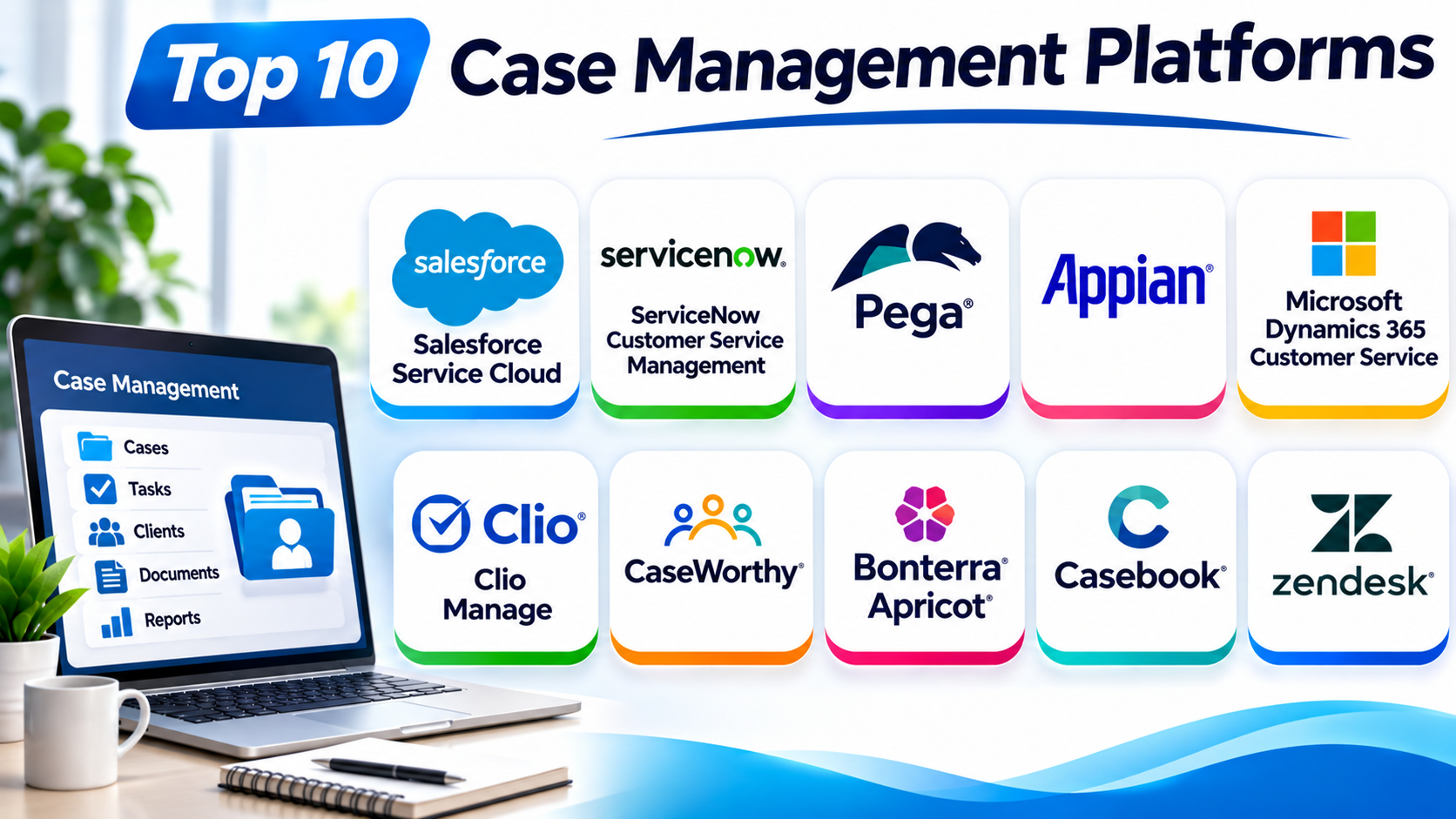
This guide explores ten leading case management platforms. It explains their main features, Pros, Cons, and best uses.
What Is a Case Management Platform?
A case management platform is software that helps teams manage work related to individual cases. It stores case details and tracks each step until the team reaches a result.
For example, a support team can use it to manage customer complaints. A law firm can track legal matters and court dates. A social service agency can manage client needs and support plans.
Most case management platforms offer tools such as:
- Case creation and intake forms
- Client and contact records
- Task assignment and tracking
- Document storage
- Team communication
- Workflow automation
- Reports and dashboards
- User roles and access controls
- Case history and audit records
Some platforms also connect with email, payment systems, customer databases, and other business tools.
How Does Case Management Software Work?
Case management software follows a clear process. The exact steps depend on the organization and its work.
- Case creation: A staff member creates a new case or receives a request.
- Information collection: The team adds contact details, documents, notes, and other records.
- Case assignment: The system sends the case to the right person or team.
- Task management: Staff complete tasks and update the case.
- Progress tracking: Managers check case status and review delays.
- Case resolution: The team completes the required work and closes the case.
- Reporting: The platform stores the final record and creates useful reports.
This process gives teams a clear view of their work.
Top 10 Case Management Platforms
The following platforms serve different industries and team sizes. This list is a practical comparison, not a single ranking for every industry.
1. Salesforce Service Cloud
Salesforce Service Cloud offers customer service and case management tools. It helps businesses manage customer questions, complaints, and service requests.
The platform brings customer information and service history together. Support agents can view customer details while handling open cases.
Teams can create cases from different channels. These may include email, web forms, chat, and other connected services.
Salesforce also supports automated case routing. Businesses can send cases to agents based on skills, workload, or business rules.
Its reporting tools help managers track service quality. They can review case volume, response times, and team performance.
Key Features
- Centralized customer and case records
- Automated case assignment and routing
- Email, chat, and digital service channels
- Knowledge articles for support teams
- Service reports and dashboards
- Workflow automation
- Integration with other Salesforce products
Pros
- Offers broad customer service features.
- Connects cases with customer records.
- Supports complex service workflows.
- Provides strong reporting tools.
- Works with a large business software ecosystem.
Cons
- Setup can take time.
- Advanced features may increase costs.
- Teams may need training.
- Custom changes can require expert help.
Best For: Large and growing businesses that manage many customer cases.
2. ServiceNow Customer Service Management
ServiceNow Customer Service Management helps businesses manage customer issues and service requests. It connects customer service with internal business teams.
The platform gives teams a shared view of customer problems. Staff can track cases, assign tasks, and follow each issue through its full life cycle.
ServiceNow also connects customer service with other business workflows. For example, a customer issue may need help from a technical or field service team.
Its workflow tools help reduce manual work. Teams can set rules for case routing, approvals, and task updates.
Managers can use dashboards to review service activity. They can also find delays and repeated problems.
Key Features
- Centralized case tracking
- Automated case routing
- Customer self-service portals
- Knowledge management
- Cross-team workflow automation
- Service reports and dashboards
- Integration with enterprise systems
Pros
- Handles complex service workflows.
- Connects teams across departments.
- Offers strong automation options.
- Supports enterprise service operations.
- Provides clear case tracking.
Cons
- Can feel complex for small teams.
- Setup may need specialist support.
- Costs can be high.
- Some changes require technical skills.
Best For: Large organizations that manage customer cases across many departments.
3. Pega Platform
Pega Platform helps organizations manage complex cases and business processes. It combines workflow automation, decision tools, and case management.
Teams can create case types for different business needs. Each case type can include tasks, approvals, rules, and service steps.
Pega can guide staff through complex processes. It can also send work to the right person based on business rules.
The platform supports cases that need many steps or teams. This makes it useful for financial services, insurance, government, and other large organizations.
Pega also offers tools for tracking case progress. Managers can review workloads and identify process delays.
Key Features
- Dynamic case management
- Workflow and process automation
- Business rules and decision tools
- Task assignment and escalation
- Case status tracking
- Reporting and performance views
- Integration with business systems
Pros
- Handles complex case processes.
- Offers flexible workflow design.
- Supports rules-based automation.
- Connects decisions with case work.
- Fits large business operations.
Cons
- Learning can take time.
- Setup may require skilled developers.
- Licensing can be costly.
- Smaller teams may not need every feature.
Best For: Large businesses that manage complex cases and approval processes.
4. Appian
Appian provides low-code tools for building business applications and managing cases. Low-code means teams can create apps with visual tools and less manual coding.
Organizations can use Appian to build case workflows for many departments. These may include claims, compliance, customer service, and public services.
The platform connects case records with tasks, documents, and business data. Staff can use one workspace to review information and complete work.
Appian also supports automation. Teams can set up rules that move cases through different steps.
Its reporting tools help managers track case progress. They can review open work, completed tasks, and process performance.
Key Features
- Low-code application development
- Case and workflow management
- Process automation
- Document and data management
- Task assignment and tracking
- Reports and dashboards
- Integration with external systems
Pros
- Helps teams build custom case apps.
- Supports many business processes.
- Offers useful automation tools.
- Connects data and workflows.
- Provides flexible application design.
Cons
- Complex apps need careful planning.
- Advanced work may need technical skills.
- Costs may not suit small teams.
- Staff may need training.
Best For: Organizations that need custom case management applications.
5. Microsoft Dynamics 365 Customer Service
Microsoft Dynamics 365 Customer Service helps businesses manage customer cases and support requests. It connects case records with customer details and service activity.
Agents can create and update cases from a shared workspace. They can also review customer history and related records.
The platform supports case routing and service workflows. Teams can set rules that help assign work to the right agents.
It also connects with Microsoft products such as Teams, Outlook, and Power Platform. These connections can help staff work across familiar business tools.
Managers can use reports to review service activity. They can track case status, agent work, and customer service results.
Key Features
- Customer case tracking
- Unified agent workspace
- Case routing and assignment
- Knowledge management
- Service-level tracking
- Reports and dashboards
- Microsoft ecosystem integration
Pros
- Works well with Microsoft tools.
- Keeps customer records and cases together.
- Supports service automation.
- Offers flexible reporting.
- Fits businesses with Microsoft systems.
Cons
- Setup can involve many steps.
- Some features need extra licenses.
- Advanced changes may need expert help.
- The interface may take time to learn.
Best For: Businesses that already use Microsoft business software.
6. Clio Manage
Clio Manage is a legal practice management platform. It helps law firms organize matters, documents, schedules, billing, and client communication.
Lawyers can create matter records and connect them with client details. They can also store documents and track important tasks.
The platform helps legal teams manage daily work. Staff can review calendars, deadlines, time entries, and billing records.
Clio also offers client communication and document-sharing tools. These features help firms keep important information connected to each matter.
Its web and mobile access can help lawyers check case details while away from the office.
Key Features
- Legal matter management
- Client and contact records
- Document organization
- Calendar and deadline tracking
- Time tracking and billing
- Client communication tools
- Mobile access
Pros
- Designed for legal practices.
- Keeps matter details in one place.
- Supports billing and time tracking.
- Helps teams manage deadlines.
- Offers useful client communication tools.
Cons
- Focuses mainly on legal work.
- May not fit social service teams.
- Some features depend on the selected plan.
- Firms may need time to move old records.
Best For: Law firms and legal professionals that need matter management.
7. CaseWorthy
CaseWorthy focuses on human services and social service case management. It helps agencies manage client information, service plans, and program activity.
Staff can use the platform to record client details. They can also track assessments, services, referrals, and case progress.
The platform supports agencies that manage many programs. It helps teams keep service records connected with client needs and outcomes.
CaseWorthy also offers reporting tools. Agencies can use reports to review program activity and prepare required information.
Its focus on human services makes it different from general customer support tools. It supports work that often involves long-term client relationships.
Key Features
- Client and household records
- Case notes and assessments
- Service planning
- Referral tracking
- Program management
- Outcome reporting
- Role-based access
Pros
- Built for human services work.
- Supports client-centered records.
- Helps track services and referrals.
- Offers program reporting.
- Fits agencies with multiple service programs.
Cons
- May not suit legal case workflows.
- Setup depends on agency needs.
- Staff training may be required.
- Custom reporting can need extra work.
Best For: Human services agencies, nonprofits, and public service organizations.
8. Bonterra Apricot
Bonterra Apricot helps nonprofits manage programs, clients, and service outcomes. It gives organizations tools to collect information and track their work.
Nonprofit teams can use it to store participant records. They can also track services, activities, goals, and results.
The platform helps organizations understand how their programs perform. Staff can collect data and create reports for internal reviews or funder needs.
Apricot also supports custom forms and data fields. This helps nonprofits adapt records to their programs.
Its focus on nonprofit work makes it useful for teams that need more than basic contact management.
Key Features
- Participant and client records
- Custom forms and fields
- Program and service tracking
- Outcome measurement
- Reports and dashboards
- Data collection
- User access controls
Pros
- Designed for nonprofit programs.
- Helps track client services.
- Supports custom data collection.
- Makes outcome reporting easier.
- Keeps program records organized.
Cons
- May not fit large legal practices.
- Setup needs clear data planning.
- Staff may need training.
- Custom reports may take time to build.
Best For: Nonprofits that track programs, services, and client outcomes.
9. Casebook
Casebook provides case management software for human services organizations. It helps agencies manage people, cases, services, and related records.
Teams can use the platform to record client details. They can also track assessments, case notes, referrals, and service plans.
Casebook helps staff follow each case from intake to closure. This gives teams a shared view of client needs and service activity.
The platform also supports reporting and data tracking. Managers can use this information to review workloads and service outcomes.
Casebook focuses on human services workflows. It can support agencies that need structured records and clear case histories.
Key Features
- Client and case records
- Intake and assessment tools
- Case notes and service plans
- Referral management
- Workflow tracking
- Reporting tools
- Role-based access
Pros
- Focuses on human services casework.
- Keeps client records organized.
- Supports service and referral tracking.
- Helps staff follow case progress.
- Offers reporting features.
Cons
- Not designed for legal billing workflows.
- Some teams may need custom setup.
- Staff training can take time.
- Feature needs vary by agency.
Best For: Human services and community organizations that manage client cases.
10. Zendesk
Zendesk offers customer service and support case management tools. It helps businesses manage customer requests through a ticket-based system.
A ticket represents a customer issue or request. Teams can assign tickets, add notes, share replies, and track progress.
Zendesk brings messages from different support channels into one workspace. These channels can include email, chat, messaging, and web forms.
The platform also offers automation tools. Teams can set rules for ticket assignment, priority, and follow-up tasks.
Zendesk includes reporting features too. Managers can review ticket volume, response times, and agent performance.
Key Features
- Ticket and case tracking
- Email and messaging support
- Automated ticket routing
- Customer service workspace
- Help center and knowledge base
- Service reports
- Integration with business apps
Pros
- Easy to understand ticket workflows.
- Supports multiple service channels.
- Offers useful automation tools.
- Helps teams track customer issues.
- Provides service performance reports.
Cons
- Focuses mainly on customer support.
- Complex case processes may need other tools.
- Advanced features can raise costs.
- Some workflows need extra configuration.
Best For: Customer support teams that manage many requests and complaints.
Comparison Table: Top 10 Case Management Platforms
| Platform | Main Focus | Key Strength | Best For |
|---|---|---|---|
| Salesforce Service Cloud | Customer service | Customer records and case routing | Large businesses |
| ServiceNow Customer Service Management | Enterprise service | Cross-team workflows | Large organizations |
| Pega Platform | Enterprise case management | Complex process automation | Large businesses |
| Appian | Custom case applications | Low-code development | Organizations needing custom apps |
| Microsoft Dynamics 365 Customer Service | Customer service | Microsoft integration | Microsoft-based businesses |
| Clio Manage | Legal practice | Legal matters and billing | Law firms |
| CaseWorthy | Human services | Client and service tracking | Social service agencies |
| Bonterra Apricot | Nonprofit programs | Outcome reporting | Nonprofits |
| Casebook | Human services | Client-centered casework | Community organizations |
| Zendesk | Customer support | Ticket management | Support teams |
How to Choose the Right Case Management Platform
The best platform depends on your work. Start with your daily tasks and the problems you want to solve.
1. Identify Your Industry
Choose software that supports your type of casework. Law firms need legal matter tools. Nonprofits need client and program tracking. Support teams need ticket and communication tools.
2. Review the Main Features
Make a list of the features your team needs. Check case records, document storage, task tracking, reports, and workflow automation.
3. Check Ease of Use
A platform should make work easier. Staff should find records and update cases without too many steps.
4. Review Security Controls
Case records may contain private information. Check user roles, access rules, audit records, and data protection options.
5. Check Integration Options
Your new platform may need to connect with other tools. Check support for email, calendars, payment systems, databases, and reporting tools.
6. Compare Total Costs
Do not check only the starting price. Review user fees, setup costs, training, support, and extra features.
7. Test the Platform
Ask for a demo or trial when available. Test real tasks with a small group before making a final choice.
Common Uses of Case Management Platforms
Case management platforms support many types of work. Here are some common examples.
- Customer service: Teams track complaints, questions, and support requests.
- Legal services: Law firms manage matters, documents, deadlines, and billing.
- Healthcare: Teams coordinate patient services and related records.
- Social services: Agencies track client needs, referrals, and support plans.
- Insurance: Staff manage claims, reviews, and related documents.
- Human resources: HR teams handle employee concerns and workplace requests.
- Government: Agencies manage applications, public requests, and investigations.
- Nonprofits: Teams track programs, participants, and service results.
Benefits of Using Case Management Software
Case management software can improve daily work in several ways.
Centralized Case Records
Teams can keep case details in one place. This makes information easier to find and update.
Better Team Coordination
Staff can see who handles each case. They can also review tasks and share updates.
Faster Workflows
Automation can assign cases and send reminders. This reduces repeated manual tasks.
Clear Case History
Teams can review earlier actions and updates. This helps staff understand what happened.
Improved Reporting
Managers can review case numbers and progress. Reports can also show delays and common issues.
Stronger Accountability
Task owners and deadlines make responsibilities clearer. Managers can follow progress more easily.
Challenges to Consider
Case management software also brings some challenges. Teams should plan for them before adoption.
- Setup time: Moving old records and setting up workflows can take time.
- Training needs: Staff may need help learning the new system.
- Data quality: Poor records can create confusion in the new platform.
- Security risks: Teams must protect private case information.
- Integration work: Some tools may not connect easily with current systems.
- Ongoing costs: Licenses, support, and extra features can increase costs.
Good planning can help reduce these problems.
Questions and Answers About Case Management Platforms
1. What is the main purpose of case management software?
Case management software helps teams organize and track cases. It keeps records, tasks, documents, and updates together.
2. Which case management platform is best for large businesses?
Salesforce, ServiceNow, Pega, and Appian offer tools for large business workflows. The right choice depends on the work and level of customization needed.
3. Which platform is best for law firms?
Clio Manage is designed for legal practice management. It helps firms manage matters, documents, calendars, time, and billing.
4. Which case management software is best for nonprofits?
Bonterra Apricot and CaseWorthy support nonprofit and human services work. They help teams track clients, programs, and outcomes.
5. Can case management software automate tasks?
Yes. Many platforms can assign cases, send alerts, create tasks, and move work through set steps.
6. Is case management software useful for customer support?
Yes. Salesforce Service Cloud, ServiceNow, Microsoft Dynamics 365, and Zendesk support customer service cases.
7. What features should case management software include?
Look for case tracking, document storage, task management, reporting, access controls, and workflow automation.
8. Is case management software secure?
Security depends on the platform and its setup. Check access controls, encryption, audit records, and data protection policies.
9. Can small organizations use case management platforms?
Yes. Small organizations can choose tools that match their needs and budget. They should avoid paying for features they do not use.
10. How do I choose between two case management platforms?
Compare their features, ease of use, costs, security, and integration options. Test both with real tasks before you decide.
Final Thoughts
Case management platforms help teams handle complex work with more control. They keep records, tasks, documents, and updates in one place.
However, no single platform fits every industry. Salesforce and Zendesk focus on customer service. Clio Manage supports legal work. CaseWorthy, Bonterra Apricot, and Casebook serve human services and nonprofit teams.
Pega, ServiceNow, and Appian support complex business workflows. Microsoft Dynamics 365 can suit teams that already use Microsoft tools.
Before you choose, review your daily work and team needs. Compare the features, costs, security, and support of each platform.
A good case management system should make work simpler. It should help your team manage cases, serve people, and reach better results.