Introduction
Getting visitors to your website is only the first step. You also need visitors to take action. They may buy a product, sign up, or request a service.
But many visitors leave without doing anything. They may find a confusing page, a slow checkout, or a weak offer. These problems can reduce sales and business growth.
Conversion Rate Optimization (CRO) helps solve these problems. It helps businesses understand visitor behavior and improve website performance.
CRO tools make this work easier. They show where visitors click, where they leave, and what needs improvement. Some tools also help teams test new page designs.
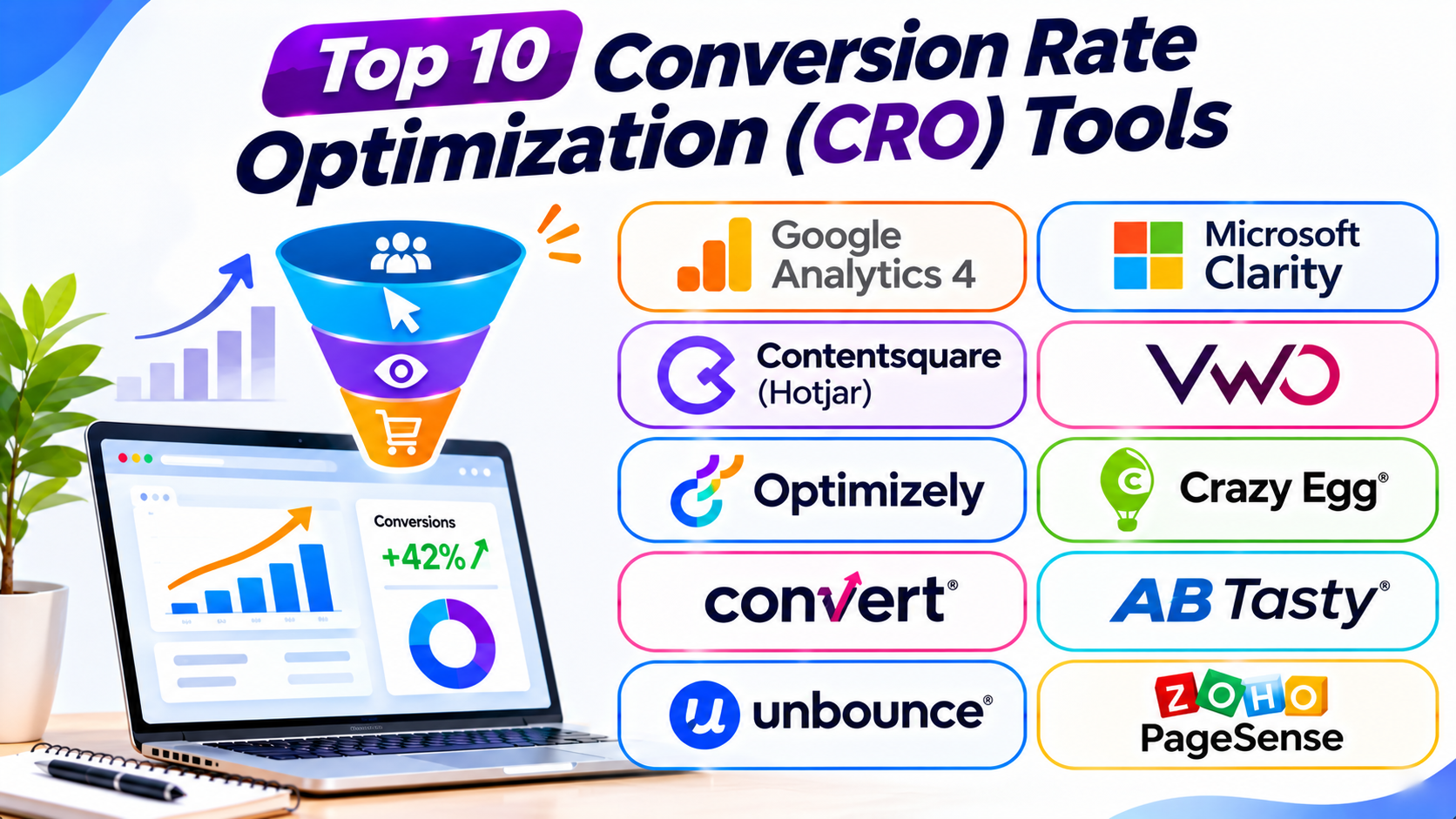
This guide covers ten useful CRO tools. You will learn about their features, uses, pros, and cons. You will also find a comparison table and tips for choosing the right platform.
What Is Conversion Rate Optimization (CRO)?
Conversion Rate Optimization means improving a website to increase useful visitor actions.
A conversion happens when a visitor completes a goal. Common examples include:
- Buying a product.
- Creating an account.
- Joining an email list.
- Booking an appointment.
- Requesting a product demo.
- Downloading a file.
- Contacting a business.
The conversion rate shows how many visitors complete a chosen goal.
For example, imagine 1,000 people visit a website. If 50 people buy something, the conversion rate is 5%.
CRO tools help businesses understand why visitors convert or leave. They also help teams test changes and measure results.
Most CRO work includes these tasks:
- Website Analytics: Measure visits, actions, and sales.
- Heatmaps: Show where visitors click and scroll.
- Session Recordings: Show how visitors move through a website.
- A/B Testing: Compare two versions of a page.
- User Feedback: Ask visitors about their experience.
- Funnel Analysis: Find where visitors leave a process.
- Personalization: Show different content to different visitors.
- Landing Page Optimization: Improve pages that encourage visitors to act.
No CRO tool can guarantee more sales. The best results come from good research, clear tests, and useful changes.
Top 10 Conversion Rate Optimization Tools
1. VWO
Best for: A/B testing and website experimentation
VWO is a conversion optimization and experimentation platform. It helps businesses test website changes and understand visitor behavior.
Its A/B testing features let teams compare different page versions. For example, a business can test two headlines or button designs. The results can show which version performs better.
VWO also offers heatmaps and session recordings through its Insights capabilities. These features help teams understand how visitors use their websites.
Its platform supports split URL testing and other experiment types. Teams can also use targeting options to test changes with selected visitor groups.
VWO suits marketing teams, product teams, and growing businesses. It can help teams build a regular testing process.
Key Features
- A/B testing
- Split URL testing
- Multivariate testing
- Heatmaps
- Session recordings
- Visitor behavior analysis
- Audience targeting
- Experiment reports
Pros
- Offers several testing options.
- Helps teams study visitor behavior.
- Supports regular website experiments.
- Provides visual testing tools.
- Suits marketing and product teams.
Cons
- Advanced features may cost more.
- Some tests need technical support.
- New users may need training.
- Results depend on enough visitor traffic.
2. Optimizely
Best for: Enterprise experimentation and personalization
Optimizely is a digital experience platform with strong experimentation features. It helps large businesses test changes across websites and digital products.
Its experimentation tools support A/B testing and multivariate testing. Teams can compare different experiences and measure their results.
Optimizely also supports feature experimentation. Developers can test product changes before making them available to everyone.
Its personalization features help businesses show relevant content to selected audiences. This can create more useful experiences for different visitor groups.
The platform suits large organizations with complex websites. It can support teams that run many experiments across different channels.
Key Features
- A/B testing
- Multivariate testing
- Server-side experimentation
- Feature flags
- Personalization
- Audience targeting
- Experiment reporting
- Enterprise integrations
Pros
- Supports advanced experimentation.
- Works across complex digital products.
- Offers strong targeting options.
- Supports product and marketing teams.
- Helps manage large testing programs.
Cons
- Pricing may not suit small businesses.
- Setup can require technical skills.
- The platform may feel complex.
- Teams need clear testing plans.
3. Contentsquare (Including Hotjar)
Best for: Heatmaps, session recordings, and user behavior analysis
Contentsquare helps businesses understand how visitors use websites and digital products. Its platform provides tools for digital experience analytics.
Hotjar became part of Contentsquare. Its familiar behavior research features now fit within the wider Contentsquare product range.
Heatmaps show where visitors click, move, and scroll. This helps teams understand which page areas attract attention.
Session recordings show visitor journeys. Teams can watch how people use menus, forms, and other page elements.
Contentsquare also supports surveys and feedback collection. These tools help businesses learn why visitors struggle or leave.
The platform suits businesses that want to improve user experience. It helps teams find problems that basic traffic reports may miss.
Key Features
- Click and scroll heatmaps
- Session recordings
- Visitor behavior analysis
- On-site surveys
- User feedback tools
- Funnel analysis
- Digital experience insights
- Experience reporting
Pros
- Helps teams understand visitor behavior.
- Offers useful visual reports.
- Supports user feedback collection.
- Helps find website usability problems.
- Suits product and marketing teams.
Cons
- Advanced features may need higher plans.
- Large websites may need careful setup.
- Recordings require time to review.
- It does not replace a dedicated testing platform.
4. Microsoft Clarity
Best for: Free heatmaps and session recordings
Microsoft Clarity is a free website behavior analytics tool. It helps website owners understand how visitors interact with their pages.
Its heatmaps show where people click and how far they scroll. This helps teams find popular page areas and ignored content.
Clarity also records visitor sessions. Users can watch recordings to understand navigation problems and confusing page elements.
The platform can highlight behavior such as rage clicks. A rage click happens when someone clicks an element many times because it does not work as expected.
Clarity also offers insights that help users review visitor behavior. Its integration options can connect it with other analytics tools.
Small businesses, bloggers, and large teams can use Clarity. It provides useful behavior insights without a paid subscription.
Key Features
- Click heatmaps
- Scroll heatmaps
- Session recordings
- Rage click detection
- Dead click detection
- Visitor behavior insights
- Google Analytics integration
- Website performance details
Pros
- Free to use.
- Offers useful heatmaps.
- Makes session review easy.
- Helps find confusing website elements.
- Works well for beginners.
Cons
- Does not offer native A/B testing.
- Users must review recordings carefully.
- It does not replace full web analytics.
- Teams should review privacy and data settings.
5. Crazy Egg
Best for: Heatmaps and simple website testing
Crazy Egg helps businesses understand how visitors use their websites. It offers visual tools that show visitor activity.
Its heatmaps show where visitors click. Scrollmaps show how far people move down a page. These reports help teams understand which content receives attention.
Crazy Egg also offers session recordings. These recordings help users study visitor journeys and identify navigation problems.
The platform includes A/B testing features on supported plans. Teams can compare page versions and measure which changes work better.
Crazy Egg also supports website surveys. These help businesses collect direct feedback from visitors.
The platform suits small and medium-sized businesses. It can help teams improve landing pages without building a complex analytics system.
Key Features
- Click heatmaps
- Scrollmaps
- Session recordings
- A/B testing
- Website surveys
- Visitor behavior reports
- Traffic analysis
- Landing page insights
Pros
- Easy-to-understand visual reports.
- Helps identify page problems.
- Offers heatmaps and recordings together.
- Supports testing on suitable plans.
- Useful for landing page research.
Cons
- Advanced features may need paid plans.
- Large websites may need higher usage limits.
- It offers fewer enterprise features than some rivals.
- Users need enough traffic for useful tests.
6. Convert
Best for: Privacy-focused A/B testing
Convert is an experimentation platform for websites and digital businesses. It helps teams test changes and improve conversion performance.
Its A/B testing features let users compare page versions. Teams can test headlines, layouts, images, and other website elements.
Convert also supports multivariate testing. This lets teams compare several combinations of page elements.
The platform offers targeting and personalization features. These help teams show experiments to selected visitor groups.
Convert focuses on testing and experimentation. It can suit agencies and businesses that want control over their testing process.
Its privacy-focused approach may also interest businesses with strict data requirements. Teams should still review their own privacy needs and settings.
Key Features
- A/B testing
- Multivariate testing
- Split URL testing
- Audience targeting
- Personalization
- Experiment reporting
- Server-side testing options
- Privacy-focused controls
Pros
- Offers flexible testing features.
- Supports advanced experiments.
- Provides audience targeting.
- Suits agencies and testing teams.
- Focuses on privacy-conscious experimentation.
Cons
- New users may need testing knowledge.
- Some features require higher plans.
- It does not provide a full behavior analytics suite.
- Tests need enough traffic for reliable results.
7. AB Tasty
Best for: Experimentation and digital experience personalization
AB Tasty provides experimentation and personalization solutions. It helps businesses improve digital experiences through testing and audience targeting.
Its testing features help teams compare different website experiences. Users can test page layouts, content, and other elements.
The platform also supports personalization. Businesses can adapt content based on visitor behavior and audience groups.
AB Tasty offers tools for marketing and product teams. These features can help businesses run experiments without relying on developers for every change.
Its platform supports enterprise digital experience work. Businesses should review its current product structure and availability when comparing it with other experimentation platforms.
Key Features
- A/B testing
- Multivariate testing
- Personalization
- Audience segmentation
- Experiment management
- Website experience optimization
- Reporting and analysis
- Feature experimentation
Pros
- Combines testing with personalization.
- Supports different audience groups.
- Helps teams run experiments.
- Offers tools for digital experience work.
- Suits growing and large businesses.
Cons
- Pricing may not suit small teams.
- Advanced setup can require support.
- Users need clear experiment goals.
- Some features may overlap with other platforms.
8. Unbounce
Best for: Landing page optimization and lead generation
Unbounce is a landing page platform for marketers and businesses. It helps users build pages that encourage visitors to take action.
Its drag-and-drop builder lets users create landing pages without much coding. Teams can add forms, images, buttons, and other page elements.
Unbounce also supports A/B testing. Marketers can compare landing page versions and learn which one gets more conversions.
Its Smart Traffic feature uses automated traffic routing. It directs visitors toward landing page versions that may better match their needs.
Unbounce suits businesses that run paid advertising campaigns. It can help marketers build and improve pages for specific offers.
Key Features
- Landing page builder
- Drag-and-drop editing
- A/B testing
- Smart Traffic
- Lead capture forms
- Popups and sticky bars
- Conversion tracking
- Marketing integrations
Pros
- Makes landing page creation easier.
- Supports page testing.
- Offers useful lead capture tools.
- Helps marketers build campaign pages.
- Reduces the need for coding.
Cons
- Focuses mainly on landing pages.
- Paid plans may not suit every small business.
- Advanced design work may need experience.
- It does not replace a full analytics platform.
9. Zoho PageSense
Best for: All-in-one CRO for small and medium businesses
Zoho PageSense helps businesses understand visitor behavior and improve website conversions. It combines analytics, testing, and personalization features.
Its heatmaps show where visitors click and scroll. Session recordings help teams study how users move through website pages.
PageSense also supports A/B testing. Businesses can compare different page versions and measure their performance.
Its funnel analysis helps teams find where visitors leave a process. Form analytics can also show where users struggle with online forms.
The platform offers personalization features and website surveys. These tools help businesses create better visitor experiences.
Zoho PageSense suits small and medium businesses. It can also work for teams that already use other Zoho products.
Key Features
- A/B testing
- Heatmaps
- Session recordings
- Funnel analysis
- Form analytics
- Website surveys
- Personalization
- Conversion reports
Pros
- Combines several CRO features.
- Offers useful visitor behavior reports.
- Supports testing and personalization.
- Works with other Zoho products.
- Can suit small and medium businesses.
Cons
- Some features may need setup work.
- Advanced needs may require other tools.
- New users may need time to learn the dashboard.
- Plan limits can affect larger websites.
10. PostHog
Best for: Product analytics and experimentation
PostHog is a product analytics platform. It helps teams understand how people use websites and digital products.
Its analytics tools track user actions and product events. Teams can study funnels, user paths, and retention.
PostHog also offers session replay. This helps teams watch user journeys and find problems in the product experience.
Its experimentation features support A/B testing. Developers and product teams can test changes and measure their effects.
PostHog also includes feature flags. These let teams control which users can access new features.
The platform suits software companies, SaaS businesses, and product teams. It brings analytics and experimentation into one workspace.
Key Features
- Product analytics
- Funnel analysis
- Session replay
- A/B testing
- Feature flags
- User paths
- Retention reports
- Event tracking
Pros
- Combines analytics and experiments.
- Helps teams understand product usage.
- Offers useful session replay features.
- Supports feature flags.
- Provides flexible data analysis.
Cons
- Setup may need technical skills.
- Large data volumes can affect costs.
- The platform may feel complex to beginners.
- Teams need clear event tracking plans.
CRO Tools Comparison Table
| Tool | Best For | Main Features | Ideal Users |
|---|---|---|---|
| VWO | A/B testing | Experiments, heatmaps, recordings | Marketing and product teams |
| Optimizely | Enterprise testing | Experimentation, feature flags, personalization | Large businesses |
| Contentsquare (Hotjar) | User behavior analysis | Heatmaps, recordings, surveys | UX and marketing teams |
| Microsoft Clarity | Free behavior analytics | Heatmaps, recordings, click insights | Beginners and small businesses |
| Crazy Egg | Visual page analysis | Heatmaps, recordings, A/B testing | Small and medium businesses |
| Convert | Privacy-focused testing | A/B tests, multivariate tests, targeting | CRO agencies |
| AB Tasty | Personalization and testing | Experiments, targeting, personalization | Growing and large businesses |
| Unbounce | Landing page optimization | Page builder, testing, Smart Traffic | Digital marketers |
| Zoho PageSense | All-in-one CRO | Heatmaps, funnels, testing, surveys | Small and medium businesses |
| PostHog | Product analytics | Funnels, replay, experiments, feature flags | SaaS and product teams |
How to Choose the Right CRO Tool
Choosing a CRO tool depends on your website, goals, and budget. A small online store may need heatmaps. A large software company may need advanced experiments.
Consider these points before choosing a platform.
1. Define Your Conversion Goals
First, decide what you want visitors to do. Your goal may involve sales, signups, downloads, or form submissions.
Choose a tool that helps measure that action.
2. Understand Visitor Behavior
Heatmaps and session recordings can show where visitors struggle. Choose these features if you need to understand how people use your pages.
3. Check A/B Testing Features
A/B testing helps you compare different page versions. Check whether the platform supports the type of tests you need.
4. Review Analytics and Reporting
Choose a tool that measures important actions. It should help you understand visitor journeys and conversion results.
5. Consider Your Website Traffic
Some experiments need many visitors. Make sure your website receives enough traffic before running small tests.
6. Check Ease of Use
A simple dashboard can save time. Choose a platform that your team can use without too much training.
7. Compare Pricing and Limits
Review session limits, experiment limits, user seats, and data storage. Also, check the cost of advanced features.
8. Review Privacy and Data Controls
CRO tools may collect visitor behavior data. Check consent settings, data handling, and privacy requirements before installation.
9. Check Integrations
Your CRO tool may need to connect with analytics, advertising, CRM, or ecommerce systems. Review its supported integrations.
10. Start With Your Biggest Problem
Do not buy every tool at once. Find your main conversion problem and choose a platform that can help solve it.
Common CRO Mistakes to Avoid
CRO tools provide useful information. But poor decisions can waste time and money. Avoid these common mistakes.
1. Changing Pages Without Research
Do not redesign a page based on guesses. Study visitor behavior and identify the real problem first.
2. Running Tests Without a Clear Goal
Every experiment needs a clear goal. Decide which action you want to improve before starting.
3. Ending Tests Too Early
A short test may not provide enough data. Give experiments enough time and visitors to produce useful results.
4. Testing Too Many Changes at Once
Testing many changes can make results hard to understand. Start with a clear idea and measure its effect.
5. Ignoring Mobile Visitors
Many people use websites on phones. Check how your pages, forms, and buttons work on smaller screens.
6. Ignoring Website Speed
Slow pages can frustrate visitors. Review page speed and fix major performance problems.
7. Trusting Every Heatmap Without Context
Heatmaps show activity, not the reason behind it. Combine them with analytics, recordings, and user feedback.
8. Ignoring User Feedback
Visitors can explain problems that numbers cannot show. Use surveys and feedback to understand their needs.
9. Focusing Only on More Clicks
More clicks do not always mean more sales. Measure completed purchases, signups, and other useful actions.
10. Forgetting to Review Results
CRO needs regular checks. Review your experiments and use the findings to plan your next improvements.
Questions and Answers About CRO Tools
1. What are CRO tools?
CRO tools help businesses improve website conversion rates. They support analytics, heatmaps, session recordings, surveys, and A/B testing.
2. What are the best CRO tools?
VWO, Optimizely, Contentsquare, Microsoft Clarity, and Crazy Egg are popular choices. The best option depends on your business needs.
3. Are CRO tools free?
Some CRO tools offer free plans. Microsoft Clarity and Google Analytics 4 are free. Other platforms offer trials or paid subscriptions.
4. Which CRO tool is best for beginners?
Microsoft Clarity is a useful starting point. It offers heatmaps and session recordings without a subscription.
5. Which tool is best for A/B testing?
VWO, Optimizely, Convert, and AB Tasty offer experimentation features. Compare their testing options before choosing.
6. What is a heatmap in CRO?
A heatmap shows where visitors click, move, or scroll. It helps teams understand which page areas attract attention.
7. What is session recording?
Session recording captures visitor activity on a website. Teams can review these recordings to find usability problems.
8. What is A/B testing?
A/B testing compares two versions of a page or element. It helps teams learn which version performs better.
9. What is a good conversion rate?
A good conversion rate depends on the industry, website, traffic source, and goal. Compare your results with your own past performance and relevant market data.
10. Can CRO tools increase sales?
CRO tools can help businesses find and fix conversion problems. Better results depend on the quality of the changes and tests.
11. Do small businesses need CRO tools?
Yes. Small businesses can use simple analytics and heatmaps. These tools can help them improve important pages without large budgets.
12. What is funnel analysis?
Funnel analysis shows the steps visitors take before completing a goal. It helps teams find where people leave the process.
13. How often should I run CRO tests?
Run tests when you have a clear idea and enough traffic. Review results before planning the next experiment.
14. Is CRO the same as SEO?
No. SEO helps websites attract visitors from search engines. CRO helps turn website visitors into customers or leads.
15. How many CRO tools should I use?
Start with one analytics tool and one behavior tool. Add a testing platform when you have a clear need.
Final Thoughts
CRO helps businesses turn more website visitors into useful actions. It also helps teams understand what visitors need.
VWO and Optimizely support website experimentation. Contentsquare helps teams study visitor behavior. Microsoft Clarity offers a free way to review heatmaps and recordings.
Crazy Egg provides visual page insights. Convert focuses on testing. AB Tasty combines experimentation with personalization.
Unbounce helps marketers improve landing pages. Zoho PageSense brings several CRO features together. PostHog supports product analytics and testing.
Your best choice depends on your goals and budget. Start by finding one problem on your website. Then, choose a tool that helps you study and fix it.
Keep testing, learning, and improving. Small changes can make the visitor experience much better.